Repository navigation
feat(mobile): customize computers with a preset icon and colour - #2461
Conversation


The custom header banner stopped showing once Chats moved to the native
header, so Customize computer now picks a native symbol or emoji and one
of ten system colours. The icon leads the computer's tab above Chats and
its drawer tile; the colour tints the icon and the tab underline. The
sheet uses the shared DrawerHeader and raised cards like other sheets.
Saved banner colours migrate to the nearest preset; old avatars and
pictures are dropped and their files deleted.

Co-Authored-By: Claude Opus 5.5 (1M context) <noreply@anthropic.com>
Claude-Session: https://claude.ai/code/session_014UiRXqKRSQS39KzeJJnLcA

|
Warning Review limit reachedYou've used all free OSS reviews for now. Wait for the free limit to reset to keep reviewing this public repository. Next included review available in 13 minutes. View limit details
Thanks for using CodeRabbit! It's free for OSS, and your support helps us grow. If you like it, consider giving us a shout-out. Comment |
Co-Authored-By: Claude Opus 5.5 (1M context) <noreply@anthropic.com>
Claude-Session: https://claude.ai/code/session_014UiRXqKRSQS39KzeJJnLcA
…-2n6vb4

# Conflicts:
#	apps/mobile/DESIGN.md


|
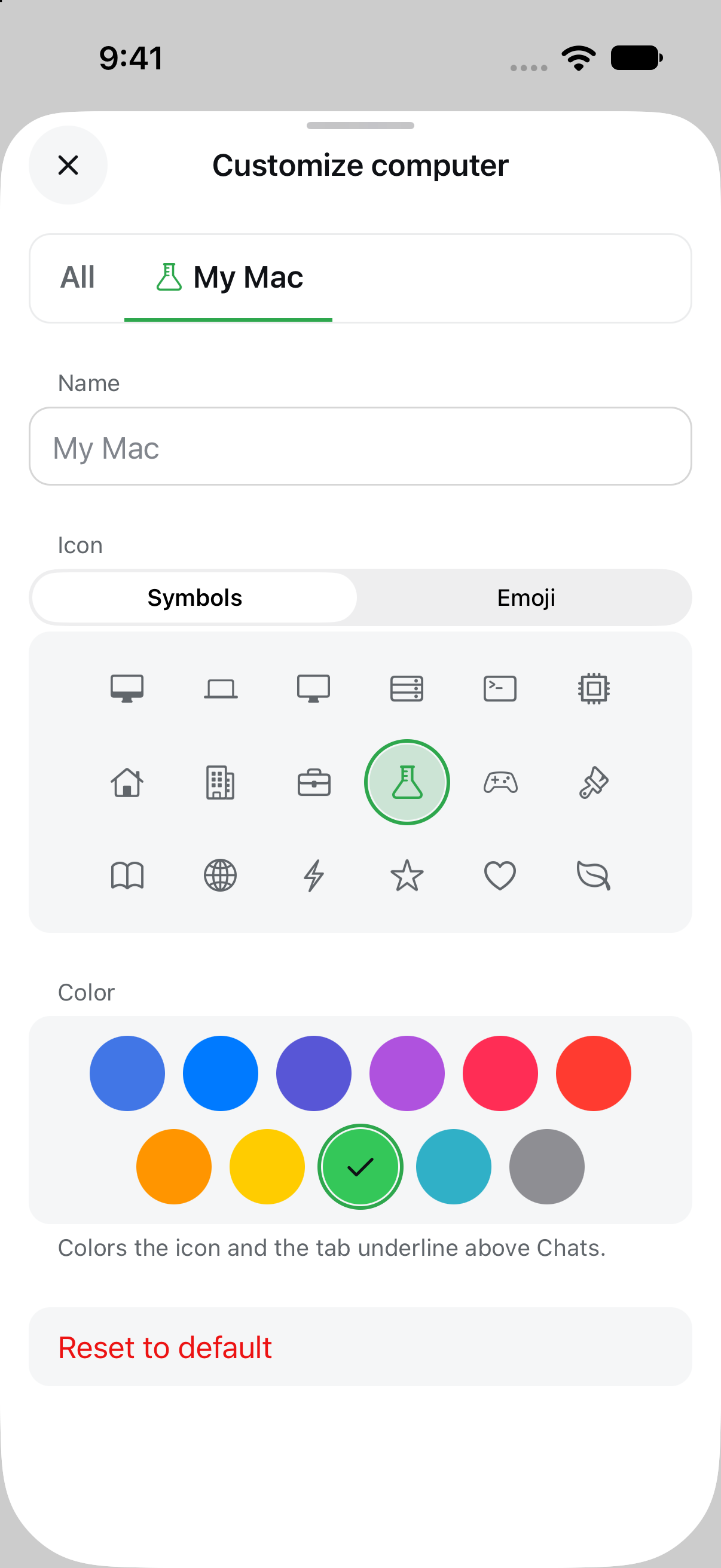
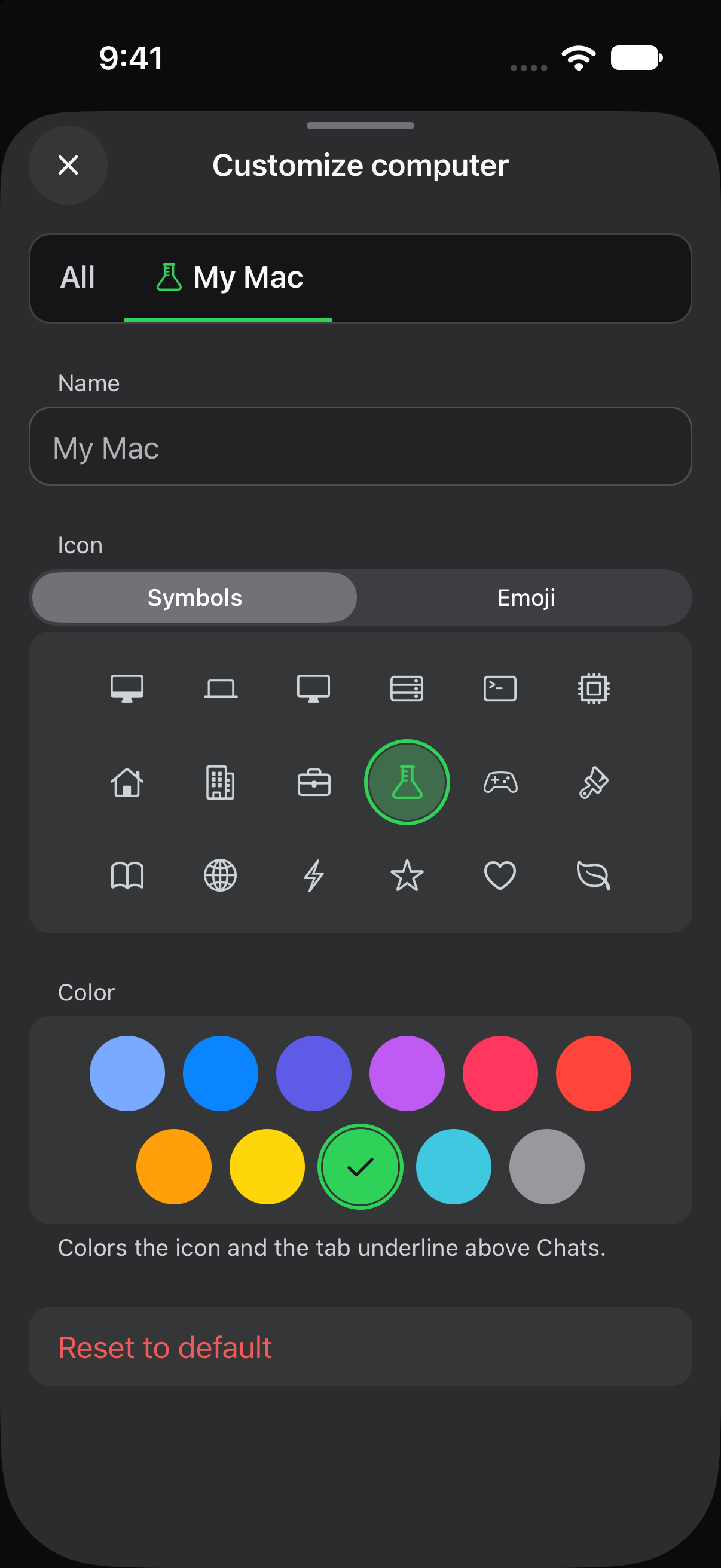
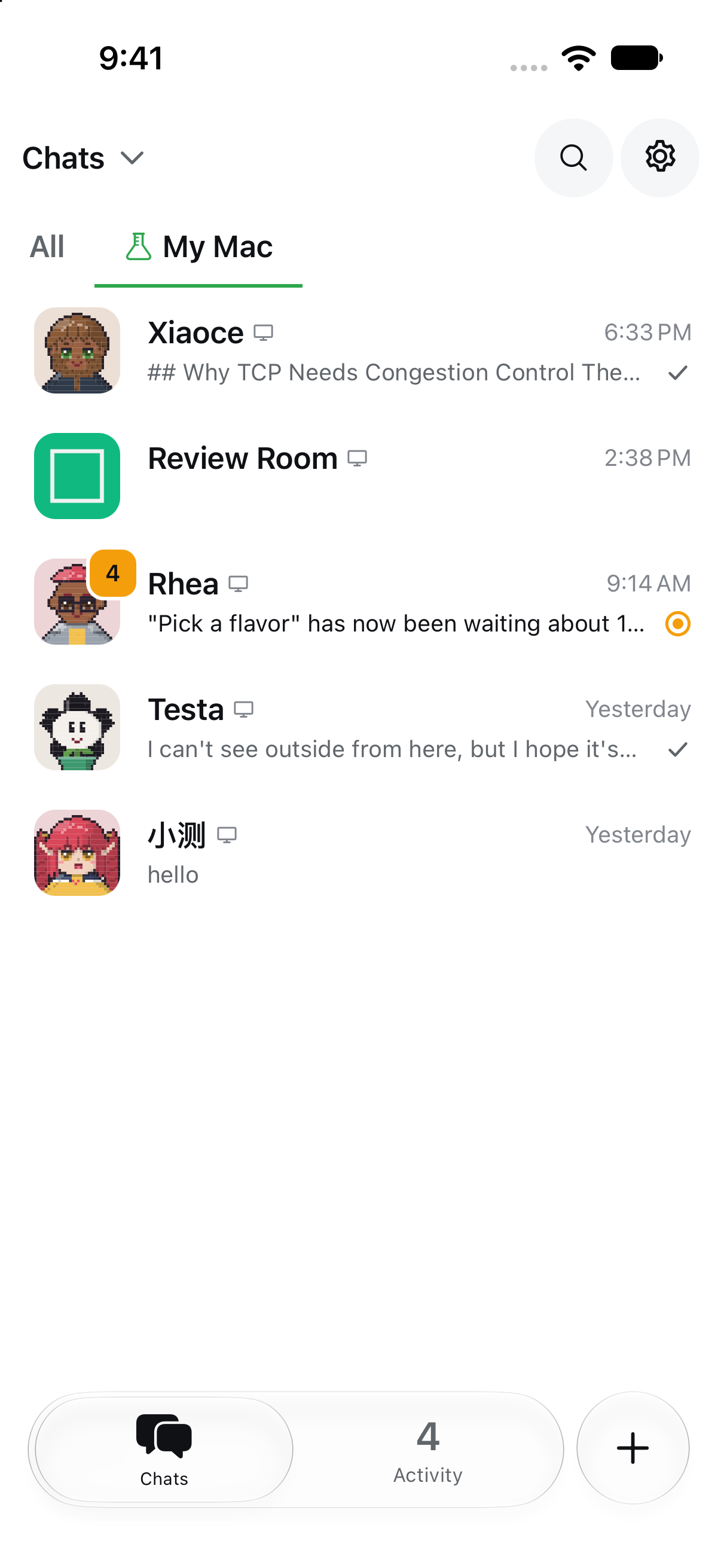
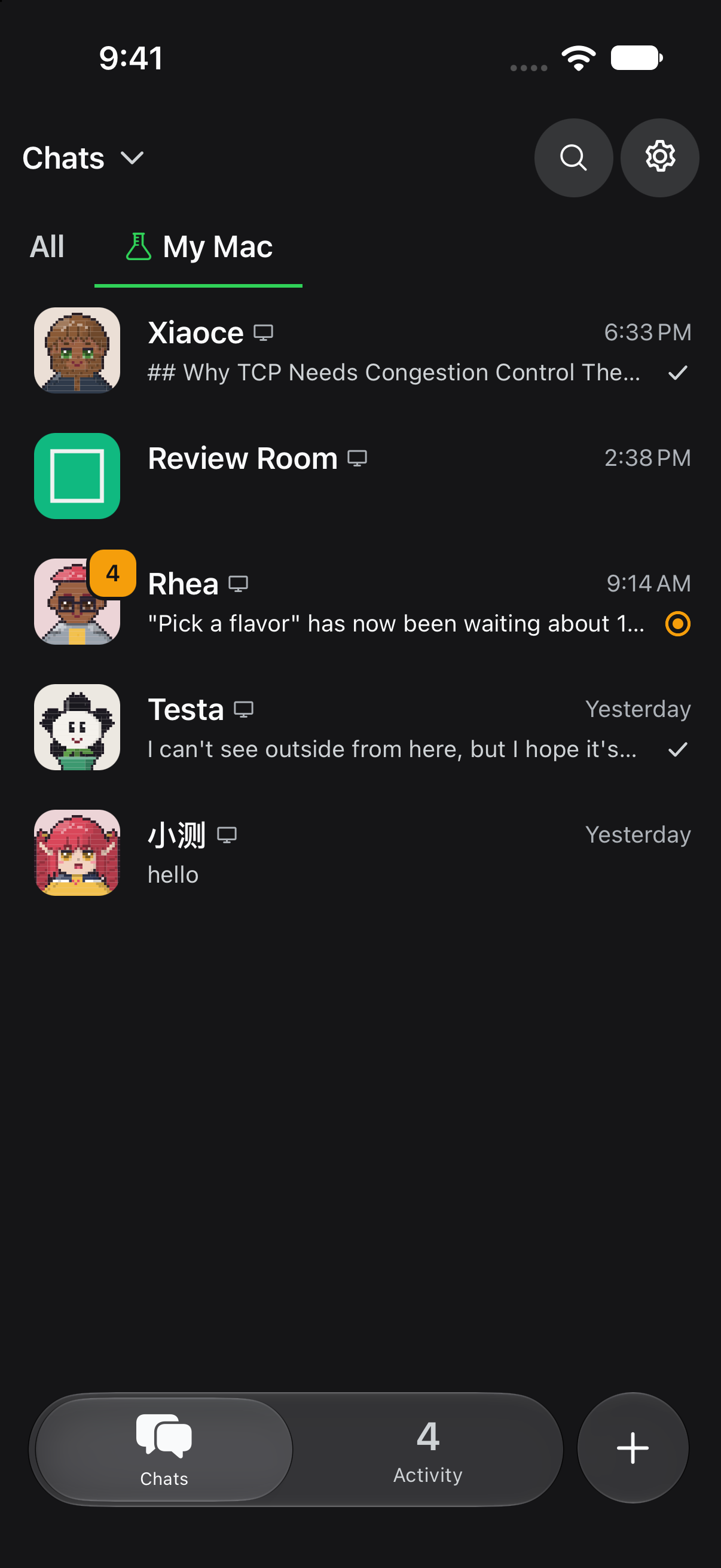
iOS 27 Simulator, combined batch on main 2cbc434: pass. This ran on a Release build. The Customize sheet offers Symbols or Emoji and 11 colours, with a live preview of the tab. After choosing the flask in green, the icon in the drawer and the Chats tab glyph follow the choice, in light and dark. The tab's selected underline follows it too.
Generated by Claude Code |

Co-Authored-By: Claude Opus 5.5 (1M context) <noreply@anthropic.com>
Claude-Session: https://claude.ai/code/session_014UiRXqKRSQS39KzeJJnLcA
* feat(mobile): show the computer's own icon after chat names

Chat rows used a generic computer mark after the name. They now use the
computer's chosen icon and colour from Customize computer, so chats from
different places are easy to tell apart in All. Cloud chats keep the
cloud mark.

Co-Authored-By: Claude Opus 5.5 (1M context) <noreply@anthropic.com>
Claude-Session: https://claude.ai/code/session_014UiRXqKRSQS39KzeJJnLcA

* docs(changes): link the chat-row icon change to its PR

Co-Authored-By: Claude Opus 5.5 (1M context) <noreply@anthropic.com>
Claude-Session: https://claude.ai/code/session_014UiRXqKRSQS39KzeJJnLcA

* docs(pr): iOS screenshots for #2461 and #2499

Co-Authored-By: Claude Opus 5.5 (1M context) <noreply@anthropic.com>
Claude-Session: https://claude.ai/code/session_014UiRXqKRSQS39KzeJJnLcA

---------

Co-authored-by: Claude <noreply@anthropic.com>


Requested by Vain · project thread
Why the change
Since Chats moved to the native header (#2344, #2425), the custom header colour of Customize computer no longer shows anywhere outside the sheet's own preview, and photo/pixel avatars do little to tell computers apart in the tab strip. This replaces both with a preset icon and a preset colour that show where computers are actually told apart: the tab above Chats and the drawer.
Issue / Discussion: Refs the project thread above.
Special things to note
deepseekbot-host-looks.json). Saved looks migrate once on first read: a solid banner colour, or a gradient's first stop, becomes the nearest preset colour; avatars and banner pictures are dropped and thehost-looks/picture folder is deleted. Reverting the PR after migration leaves computers on the default look (names are kept). No Host API, bridge or Bot tool changes, so no CLI command is needed.environment-pager.tsx(width ratio and remeasure key). This PR moves the source icon to the leading side of the label and colours the indicator; the two diffs touch neighbouring lines, so whichever lands second needs a small rebase.tsc,oxlint,oxfmt --check, source policy, CLI parity, feature map and all mobile Vitest suites (992 passed) run in the cloud session. New tests cover parsing, legacy migration and picture cleanup, colour contrast (every preset ≥ 3:1 againstbasein both schemes) and the sheet's symbol / emoji / colour / reset / rename flows. Native iOS and Android light/dark screenshots are pending a device run and will be added below.Change outline
src/ui/design/host-look.ts):HostLook = { name?, icon, color? }.iconis one of 18 native symbols ({ ios: SF Symbol, android: Material Symbol }, desktop by default) or one of 18 emoji.coloris one of ten system colours with light/dark values;hostColorInkmoves it towardfguntil it reaches 3:1 againstbase.environment-pager.tsx): every source icon leads its label. The computer tab shows its chosen icon, tinted with its colour while selected, and the indicator uses that colour when the computer tab is selected (theme accent otherwise).host-look-editor.tsx): sharedDrawerHeader(× close), a miniature tab-strip preview, name field, Symbols / Emoji segmented picker on araisedcard, colour swatches (Theme colour + 10), and Reset as a danger row in its own group.host-band.tsx,gradient-fill.tsx), photo picking and image rebasing for looks.DESIGN.mdand a bilingual change fragment updated.Screenshots: iOS and Android, light and dark, to follow.
Generated by Claude Code