Forest3D eliminates the manual overhead of building realistic simulation environments. Using DEM terrain data and Blender assets, it automatically generates collision-accurate Gazebo worlds with procedurally placed vegetation, rocks, and trees—ensuring both visual realism and physical fidelity for simulation.
| Forest Environment – Soil 1 | Forest Environment – Soil 2 | Forest Environment – Soil 3 |
|---|---|---|
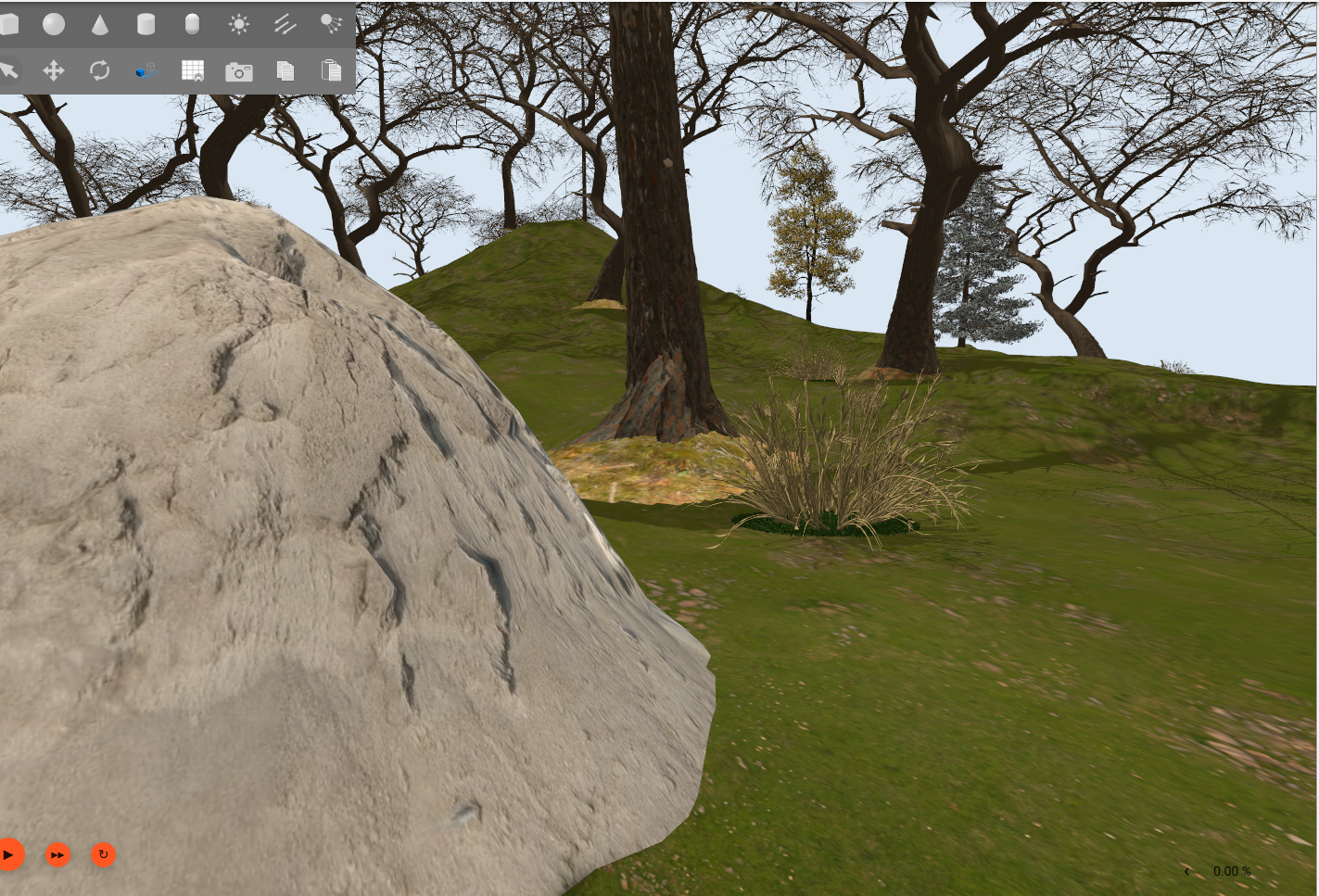 |
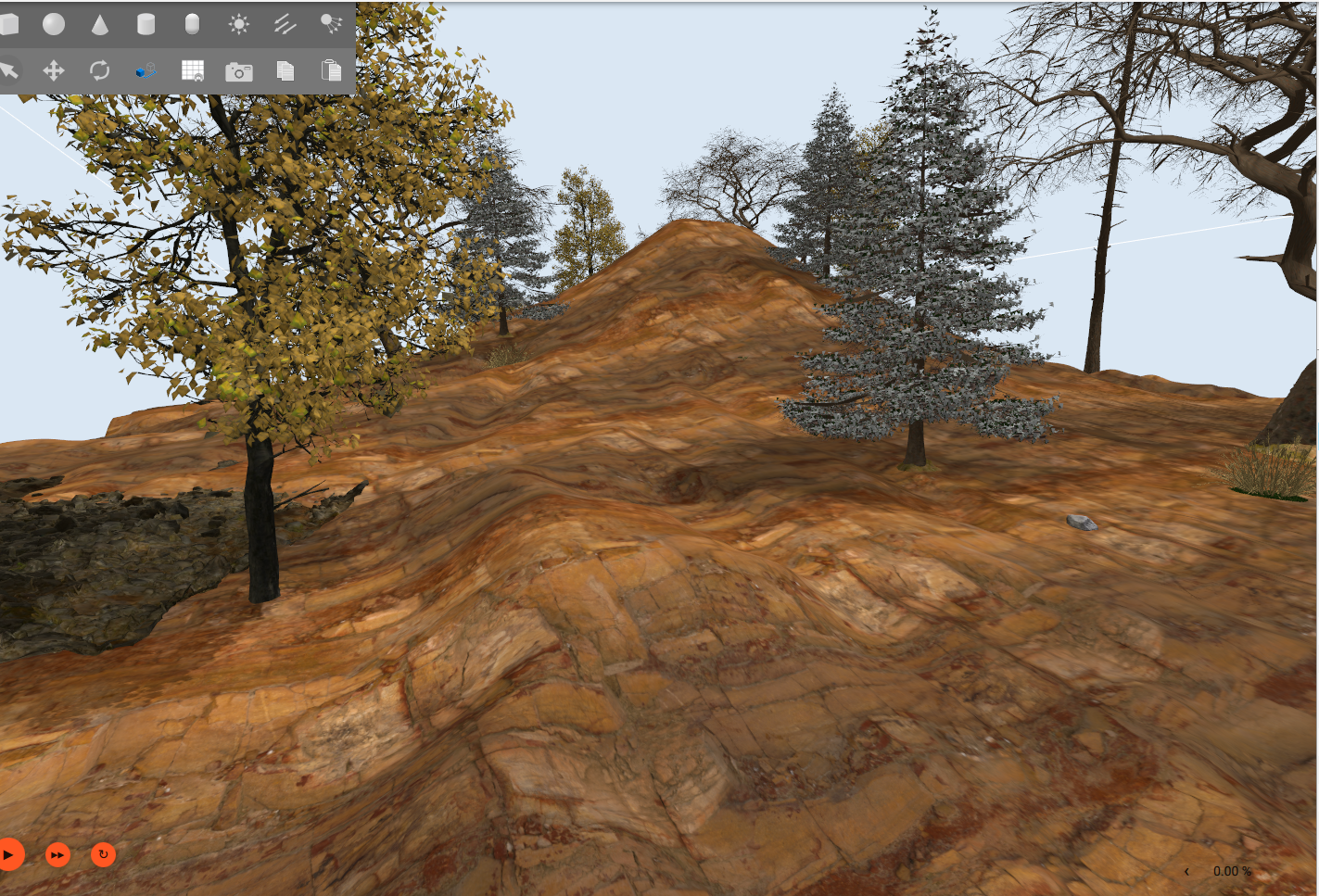 |
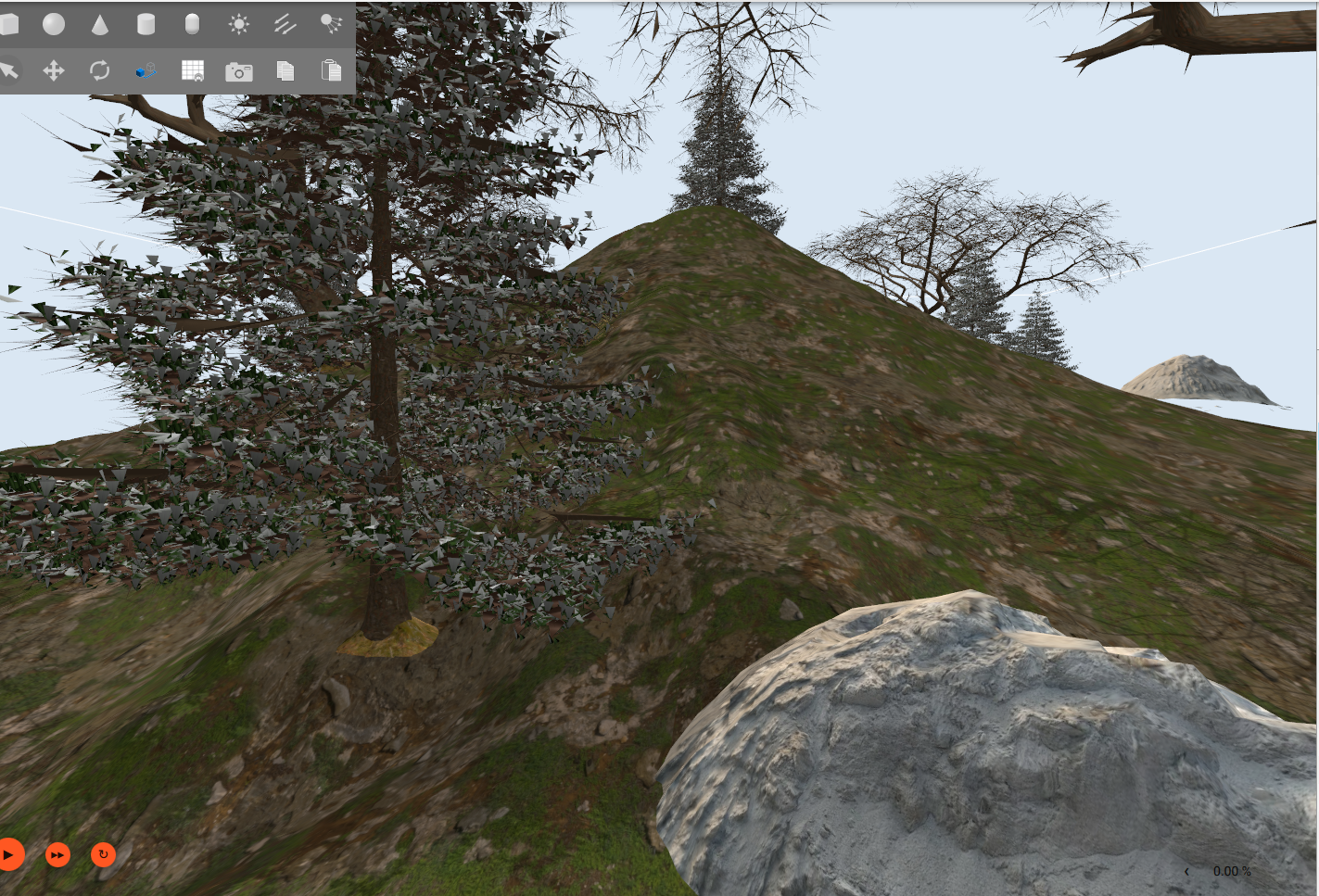 |


LiDAR point cloud (RViz) accurately captures the 3D assets, confirming Forest3D outputs are ready for real sensor-based simulation workflows.
untitledx2_compressed.mp4
Need wheel-soil terramechanics? A terramechanics-aware version (real-time Bekker-Wong wheel-soil forces, used in the IFIT 2026 paper) lives on the
IFIT-2026branch. Thismainbranch is the lighter environment-generation pipeline (no terramechanics).
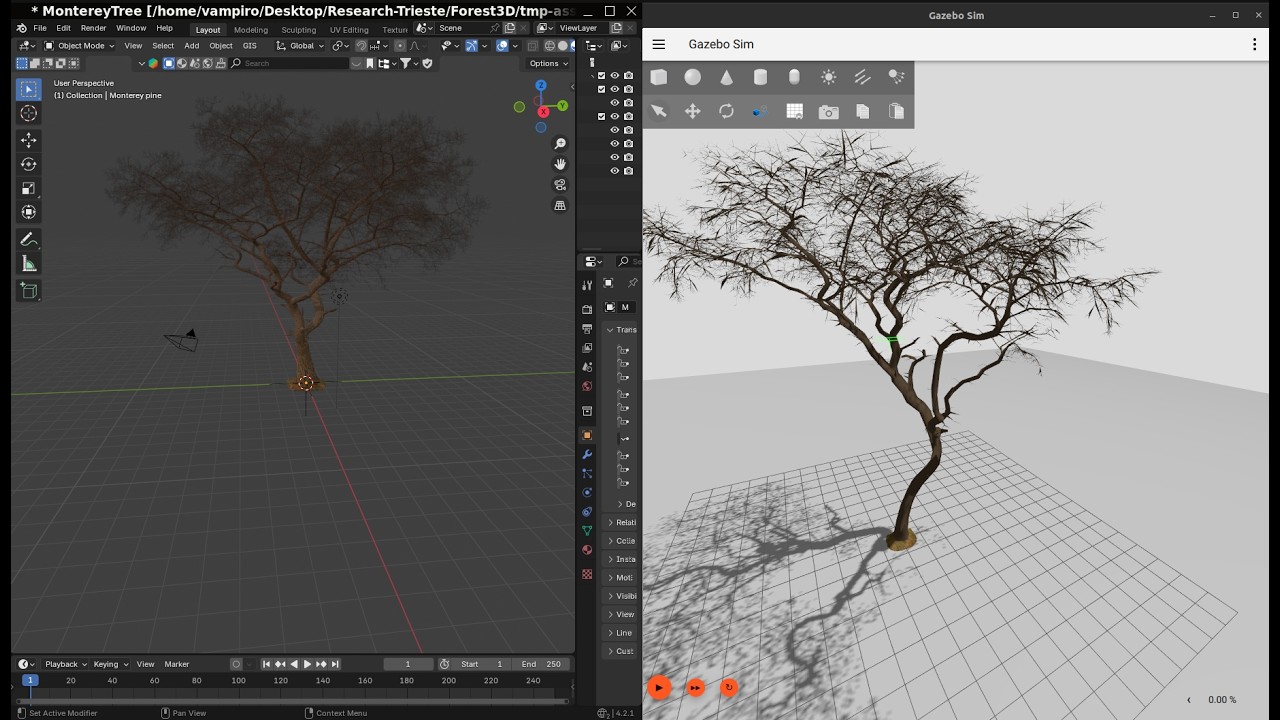


Forest3D follows a 4-step pipeline to generate simulation environments:
┌─────────────────┐     ┌─────────────────┐     ┌─────────────────┐     ┌─────────────────┐
│   1. TERRAIN    │     │   2. CONVERT    │     │   3. GENERATE   │     │   4. LAUNCH     │
│                 │     │                 │     │                 │     │                 │
│  DEM (GeoTIFF)  │────►│ Blender Assets  │────►│  Place Models   │────►│ Open Gazebo     │
│       ↓         │     │       ↓         │     │       ↓         │     │       ↓         │
│  models/ground/ │     │ models/{tree,   │     │ worlds/forest_  │     │  Simulation     │
│                 │     │  rock,bush,...} │     │    world.world  │     │                 │
└─────────────────┘     └─────────────────┘     └─────────────────┘     └─────────────────┘
| Step | Command | Input | Output |
|---|---|---|---|
| 1 | forest3d terrain |
DEM file (.tif) | Terrain mesh + SDF model |
| 2 | forest3d convert |
Blender files (.blend) | Gazebo models (glTF + SDF) |
| 3 | forest3d generate |
models/ directory | World file (.world) |
| 4 | forest3d launch |
World file | Gazebo simulation |
Example workflow:
# Step 1: Generate terrain from DEM
forest3d terrain --dem ./DEM/terrain.tif

# Step 2: Convert Blender assets (auto-detects categories from subfolders)
forest3d convert -i ./Blender-Assets -o ./models

# Step 3: Generate forest world (places models on terrain)
forest3d generate --density '{"tree": 50, "rock": 10, "bush": 20}'

# Step 4: Launch Gazebo to view the result
forest3d launch- Terrain Generation: DEM processing with resolution enhancement and Gaussian smoothing
- Asset Processing: Automatic Blender to Gazebo conversion with optimized collision meshes
- Forest Population: Intelligent procedural placement with natural clustering patterns
- Unified CLI: Simple
forest3dcommand with subcommands for each operation - Docker Support: Pre-built images with GDAL for easy deployment
The Docker image includes everything you need: Python, GDAL, Blender 4.2, and Gazebo Harmonic.
# Build the image (downloads Blender + Gazebo, ~2GB)
cd Forest3D
docker build -t forest3d -f docker/Dockerfile .

# Generate a forest world
docker run -v $(pwd):/workspace forest3d generate

# Convert Blender assets to Gazebo models
docker run -v $(pwd):/workspace forest3d convert \
  -i /workspace/Blender-Assets -o /workspace/models -c tree

# Launch Gazebo to view the world (requires X11)
xhost +local:docker  # Allow Docker to access display
docker run -e DISPLAY=$DISPLAY \
           -v /tmp/.X11-unix:/tmp/.X11-unix \
           -v $(pwd):/workspace \
           --network host \
forest3d launch# Clone and install
git clone https://github.com/khalidbourr/Forest3D.git
cd Forest3D
pip install -e .
# For terrain generation, also install GDAL:
# Ubuntu/Debian:
sudo apt install python3-gdal gdal-bin libgdal-dev
pip install "pygdal==$(gdal-config --version).*"# Use default settings
forest3d generate
# Custom density
forest3d generate --density '{"tree": 100, "rock": 20, "bush": 30}'
# Use a preset configuration
forest3d -c configs/examples/dense_forest.yaml generateforest3d terrain --dem ./DEM/terrain.tif
# With texture from Blender
forest3d terrain --dem ./DEM/terrain.tif --texture ./Blender-Assets/soil/soil.blend
# With options
forest3d terrain --dem ./DEM/terrain.tif --scale 2.0 --smooth 1.5 --enhance# Auto-detect categories from subfolders (tree/, rock/, bush/, etc.)
forest3d convert -i ./Blender-Assets -o ./models
# Or specify category manually
forest3d convert -i ./Blender-Assets/tree -o ./models -c tree# Using the CLI (auto-configures model path)
forest3d launch
# Or manually with Gazebo Sim (Harmonic)
export GZ_SIM_RESOURCE_PATH=$GZ_SIM_RESOURCE_PATH:$(pwd)/models
gz sim worlds/forest_world.worldforest3d --help # Show all commands
forest3d terrain --help # Terrain generation help
forest3d convert --help # Asset conversion help
forest3d generate --help # Forest generation help
forest3d launch --help # Launch Gazebo help
# Global options
forest3d -v ... # Verbose output
forest3d -vv ... # Debug output
forest3d -c config.yaml ... # Use config file
Create forest3d.yaml in your project directory:
terrain:
  scale_factor: 1.0
  smooth_sigma: 1.0
  enhance: false

density:
  tree: 50
  bush: 10
  rock: 5
  grass: 50
  sand: 5

blender:
  visual_decimation: 0.1
  collision_decimation: 0.01
See configs/examples/ for preset configurations.
| Variable | Description |
|---|---|
FOREST3D_BLENDER_PATH |
Path to Blender executable |
FOREST3D_BASE_PATH |
Project base directory |
FOREST3D_MODELS_PATH |
Models output directory |
Forest3D/
├── src/forest3d/          # Python package
│   ├── cli/               # Command-line interface
│   ├── core/              # Core modules (terrain, converter, forest)
│   ├── config/            # Configuration handling
│   └── utils/             # Shared utilities
├── DEM/                   # DEM files (GeoTIFF)
├── Blender-Assets/        # Source .blend files
│   ├── tree/              # Tree models
│   ├── rock/              # Rock models
│   ├── bush/              # Bush models
│   ├── grass/             # Grass models
│   └── soil/              # Terrain textures
├── models/                # Generated Gazebo models
│   ├── ground/            # Terrain model
│   └── tree/, rock/, etc. # Asset models
├── worlds/                # Generated world files
├── configs/               # Configuration presets
└── docker/                # Docker files
| Category | Description | Default Count |
|---|---|---|
| tree | Large vegetation | 50 |
| bush | Small vegetation/shrubs | 10 |
| rock | Rock formations | 5 |
| grass | Ground cover | 50 |
| sand | Sand dunes/patches | 5 |
- Place
.blendfiles in category subfolders:Blender-Assets/ ├── tree/your_tree.blend ├── rock/your_rock.blend └── bush/your_bush.blend - Convert to Gazebo format:
forest3d convert -i ./Blender-Assets -o ./models
- Models will be available for forest generation
# Install with dev dependencies
pip install -e ".[dev]"

# Run tests
pytest

# Format code
black src/

# Lint
pylint src/forest3d/# Development environment (with Blender + GDAL + Gazebo)
docker compose -f docker/docker-compose.yml run forest3d-dev
# Convert Blender assets
docker compose -f docker/docker-compose.yml run convert \
-i /workspace/Blender-Assets -o /workspace/models -c tree
# Generate terrain from DEM
docker compose -f docker/docker-compose.yml run terrain --dem terrain.tif
# Generate forest world
docker compose -f docker/docker-compose.yml run generate
# Launch Gazebo to view world (requires X11)
xhost +local:docker
docker compose -f docker/docker-compose.yml run launchUse Docker or install GDAL system packages:
# Ubuntu/Debian
sudo apt install python3-gdal gdal-bin libgdal-dev
pip install "pygdal==$(gdal-config --version).*"Set the path explicitly:
export FOREST3D_BLENDER_PATH=/path/to/blender
# or
forest3d convert --blender /path/to/blender ...Ensure Gazebo Sim can find models:
export GZ_SIM_RESOURCE_PATH=$GZ_SIM_RESOURCE_PATH:$(pwd)/modelsThis project is licensed under the AGPL-3.0 - see the LICENSE file for details.
Need Custom Environments & Commercial Use ? Forest3D ships natural/forest environments out of the box. Need a different one: vineyard, orchard, agricultural row crops, urban, lunar, or a custom site? Custom environment builds are available. Contact the authors
Contributions are welcome! Please feel free to submit a Pull Request.