
A Tampermonkey script that adds a chat analysis panel to CSTracker.gg player profiles: search, regex matching, a preset-distribution dashboard, and log export, all without scrolling through pages of chat history by hand.
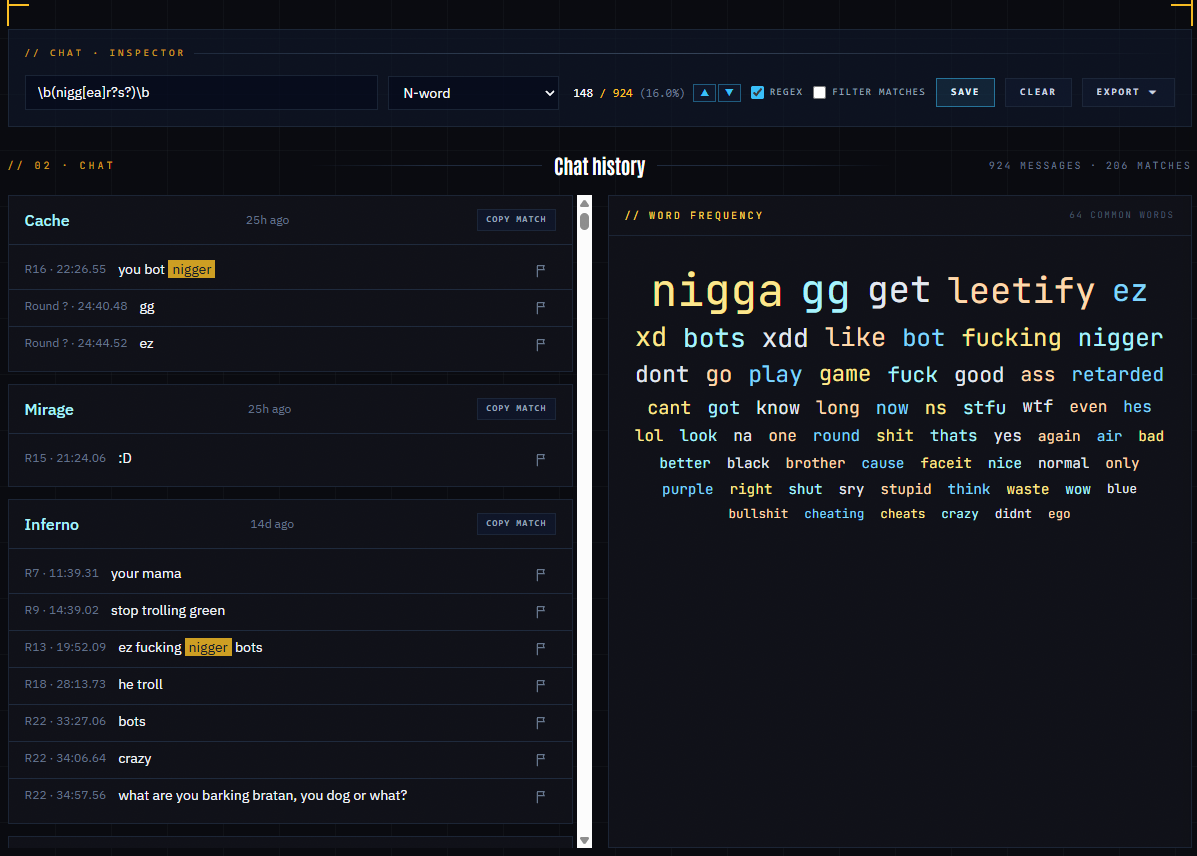
- Regex-aware search bar. Toggle a checkbox to switch the query from plain-text
includes()matching to a full JavaScript regular expression. - Highlight and filter. Matches are wrapped in an amber
<mark>. A second checkbox, "Filter Matches", hides every message that doesn't match, so a long log collapses down to just the hits. - Match counter and navigation. A counter shows hit count against total messages searched. Once a query returns results, ▲/▼ buttons appear next to it and scroll the page directly to the previous or next match, wrapping around at either end.
- Click-to-search on CSTracker's word-frequency cloud. CSTracker.gg's player pages ship their own word-frequency panel next to the chat log. Clicking a word there fills the Inspector's search box with a
\bword\bregex (whole-word, so clicking "gg" doesn't also light up "nigger") and jumps straight to the first hit. - Dynamic pagination bypass. If the profile is paginating chat history, a "FETCH ALL PAGES" button appears and sequentially requests every older page into the current view, so a full chat record can be searched and exported in one pass. The button hides itself on profiles that aren't paginating.

A pull-tab on the right edge of the screen, labeled "BREAKDOWN", opens a fixed sidebar that charts how the loaded chat messages distribute across your presets. It measures the live gutter next to the chat log rather than a hardcoded width, so it fits the layout at 1080p and 1440p alike without covering the chat panel.
Three chart modes, switchable at the top of the panel:
- Bar. Independent per-preset counts: a message that matches two presets counts toward both. Switch between counting Messages (0 or 1 per message) and Occurrences (every regex hit within a message, which can run higher than the message count).
- Pie. Exclusive counts: each message is assigned to the first preset it matches, walking a priority order you control, so the slices always sum to 100%.
- Timeline. Same exclusive assignment as Pie, bucketed by Month (Stacked or Line) or by Map (Stacked only, sorted worst-map-first by flagged-message share). Line mode hides "No preset match" by default since it usually dominates the chart; a checkbox brings it back.
Because presets can overlap (the built-in "N-word" preset is a subset of "Slurs & Hate Speech"), which preset wins an overlapping message in Pie and Timeline mode is controlled by a reorderable priority list under "Edit preset priority & visibility." Hiding a preset there drops it from every chart without touching its saved regex; messages that would've matched it fall through to the next visible preset in line.
Chart rendering uses <canvas> and hand-rolled hit-testing for tooltips, not a charting library.
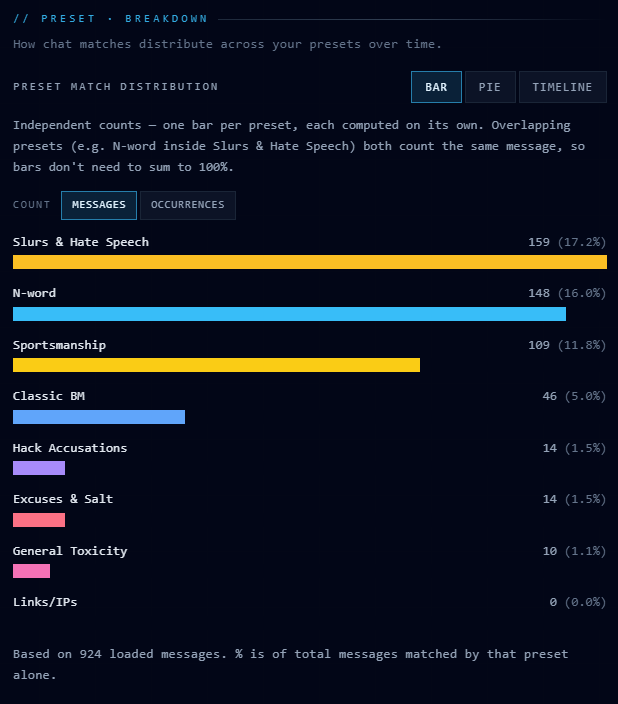
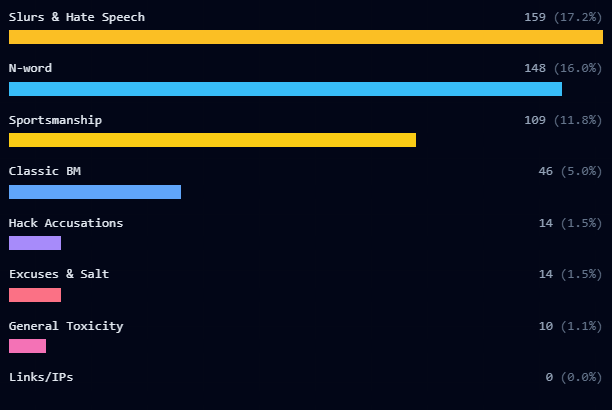 Bar |
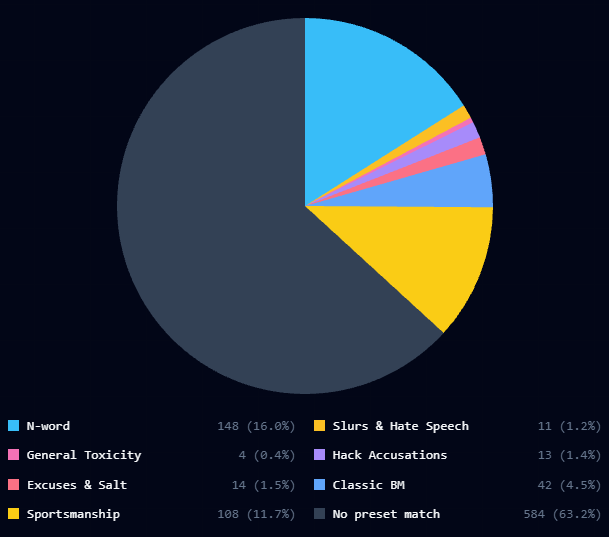 Pie |
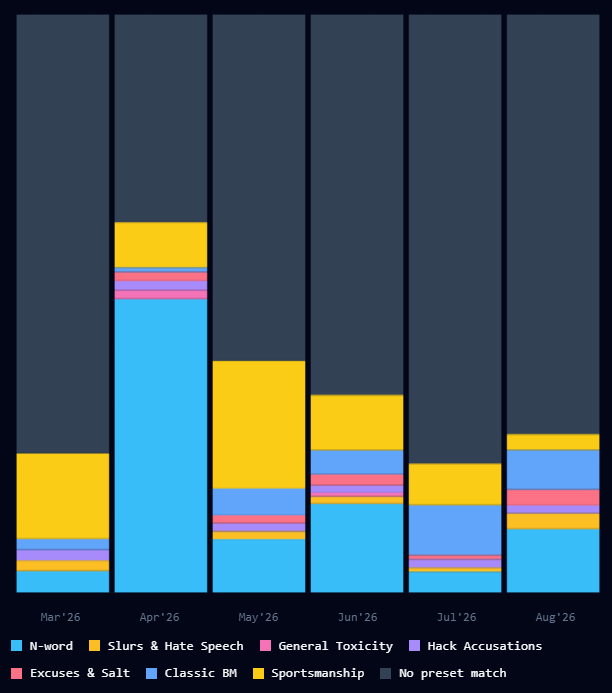 Timeline · Stacked · Month |
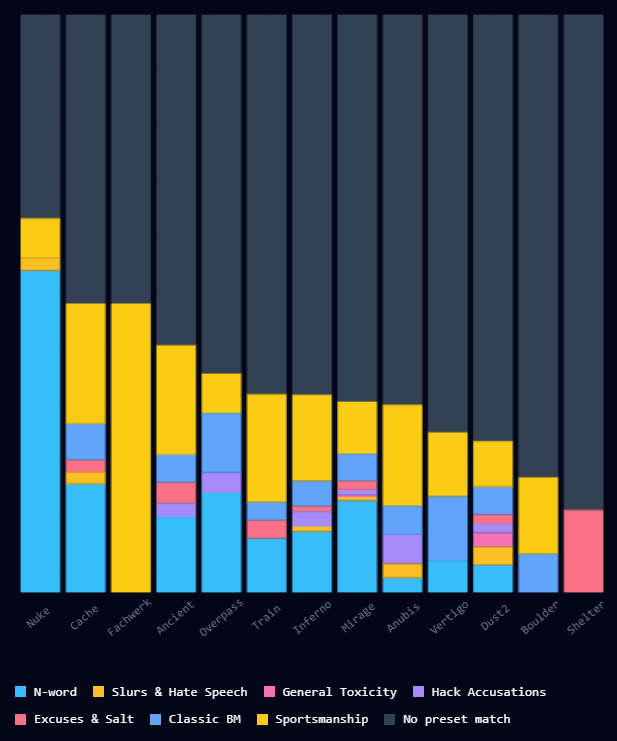 Timeline · Stacked · Map |
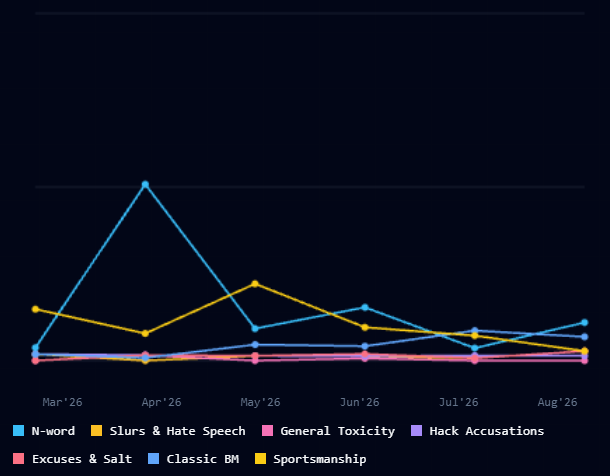 Timeline · Line |
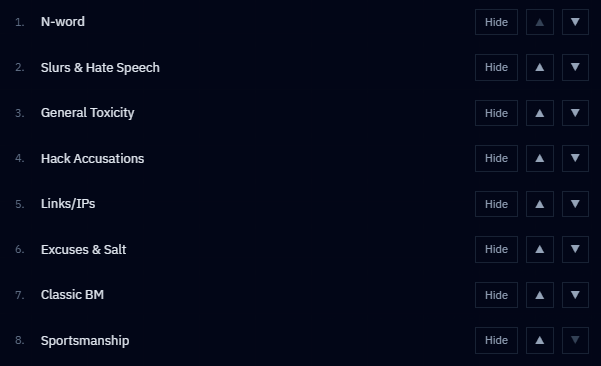 Priority & visibility editor |
- Per-message and per-match copy buttons. Hovering a message reveals a
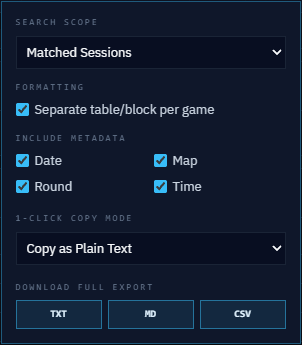
COPYbutton. Each game's match header gets aCOPY MATCHbutton that copies that entire game's log in one click. - Full export to TXT, MD, or CSV. A config panel controls scope (all messages, matched sessions, or matched messages only), whether output is grouped into one block per game, and which metadata columns (Date, Map, Round, Time) are included.
The script ships with seven built-in regex presets targeting common Counter-Strike chat patterns:
- Slurs and hate speech
- N-word (subset of the above, for when you want that count isolated)
- Toxicity (insults and swearing)
- Hack accusations (wh, aimbot, toggled)
- URLs and IPs (Discord links, Twitch URLs, server addresses)
- Excuses (lag, subtick, rng)
- Bad manners (ez, tutorial, uninstall)
- Sportsmanship (gg, glhf, ns; excludes "gg ez")
Type a custom query and click Save Preset to add your own; it's stored under localStorage, alongside the priority order and hidden-preset list.
The built-in presets target English chat. The search engine is standard JavaScript regex, so patterns for Cyrillic, extended Latin, or any other script work the same way. Three tools for building and checking a pattern before saving it:
- Regex101: tests a pattern against sample text and points at syntax errors.
- RegExr: a visual reference for character classes and capture groups.
- Regex Generator: turns literal text strings into a working regex.
An LLM can also write one. A prompt that works:
Generate a JavaScript-compatible regular expression to match toxic vocabulary in [Language]. Target variations of [Word 1], [Word 2], and [Word 3]. Use word boundaries (\b) and output a single-line string.
Paste the result into the search box, check Regex, click Save Preset.
The default preset list only covers English. If you're a native speaker of Russian, Chinese, Polish, Portuguese, Spanish, or another language common on CS2 servers, submit your regex list as an issue or PR. I'll check the syntax, fold it into the default release, and credit you unless you opt out. Same offer applies to expanded English patterns.
The script runs entirely client-side:
- Zero third-party API calls. Pagination fetching uses CSTracker's own endpoints, nothing external.
- No external JavaScript libraries.
- Custom presets, priority order, and export config are written to
localStorageand never leave the browser.
This project is licensed All Rights Reserved. You may install and use it for personal use. You may not copy, modify, distribute, or re-upload it (or a derivative) to GreasyFork, GitHub, or anywhere else without permission.
Contributions are welcome. Fork the repository, make your change, and open a Pull Request. Accepted contributions are credited.