🌐 Easily host your Evolution API on Square Cloud and create powerful chat automations with it.
New to Square Cloud? Follow these steps in order. Evolution API needs a PostgreSQL database, so besides the upload you will create the database and prepare the project on your computer.
Sign up on the Square Cloud signup page with your email.
Hosting on Square Cloud requires an active plan, and both the database and the upload ask for one, so choose it now.
Evolution API needs 3 GB of RAM and a PostgreSQL database: choose the Standard plan, which has 4 GB of RAM, 4 vCPU and includes managed databases. Compare every plan and its price on the pricing page.
- Create a PostgreSQL database in the Square Cloud dashboard (see how to create a managed database).
- On the database page, copy the connection URL and download the certificate files (
.crtand.key). - Evolution API reads the certificate as a
.p12file. Convert it with OpenSSL and choose an export password:openssl pkcs12 -export -out client-identity.p12 -inkey <certificate>.key -in <certificate>.crt
- Download
project.zipfrom the latest release and extract it. - Put the
client-identity.p12file in the extracted folder. - Open the
.envfile and set:DATABASE_CONNECTION_URI: your database URL, ending with?sslmode=require&sslidentity=client-identity.p12&sslpassword=<export password>SERVER_URL:https://<subdomain>.squareweb.app, with the subdomain you will use in step 6, for examplehttps://my-evolution-api.squareweb.appAUTHENTICATION_API_KEY: a long random value only you know. The one in the file is public, so always replace it.
Install Node.js 24 on your computer. Then, in the extracted folder, run:
npm install
npm run db:deploy # on Windows: npm run db:deploy:win- Delete the
node_modulesfolder thatnpm installcreated: Square Cloud installs the dependencies itself. - Select all files inside the folder (including
.env,.p12and the hidden.squarecloudfolder) and compress them into a new.zip. Compress the files, not the folder itself:squarecloud.appmust be at the root of the zip. - Open the Square Cloud upload page.
- Select the zip option and send your zip.
- Select Web Publication and use the same subdomain as your
SERVER_URL, for examplemy-evolution-api. - Click Deploy and wait a few minutes: the first start builds the project.
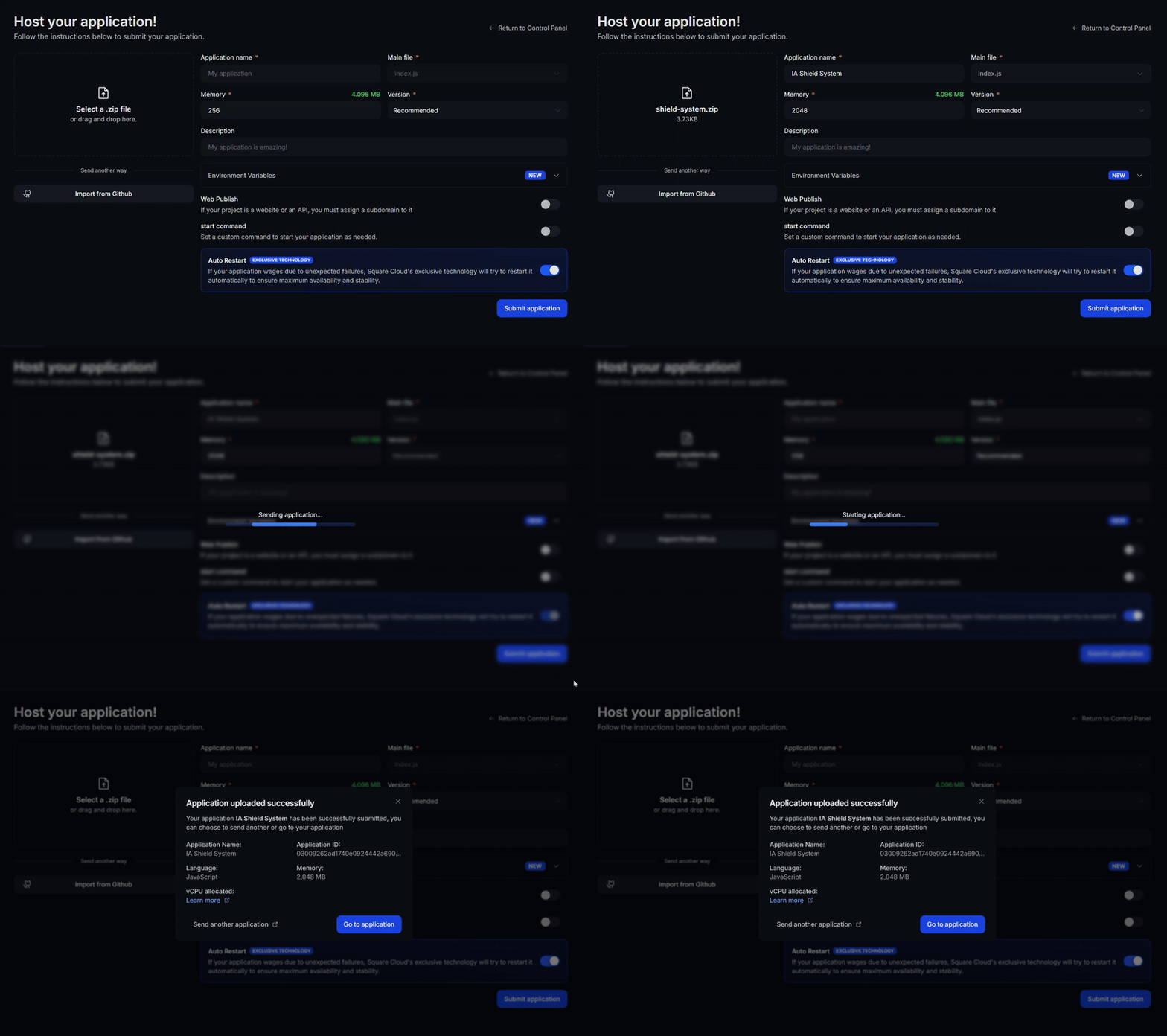
Open https://my-evolution-api.squareweb.app/manager, enter your SERVER_URL and AUTHENTICATION_API_KEY, and create your first WhatsApp instance.
📖 Need more details, like the optional Redis cache? Read the full Evolution API guide in the Square Cloud documentation.
⚠️ Updating from an older release? Evolution API 2.3.7 adds a database migration: run step 5 against your database again before uploading the new version.
Evolution API is a solution developed to control Whatsapp and other messaging services.
Evolution API supports various integrations to enhance its functionality. Below is a list of available integrations and their uses:
-
- Build conversational bots using Typebot, integrated directly into Evolution with trigger management.
-
- Direct integration with Chatwoot for handling customer service for your business.
-
- Receive events from the Evolution API via RabbitMQ.
-
- Receive events from the Evolution API via Apache Kafka for real-time event streaming and processing.
-
- Receive events from the Evolution API via Amazon SQS.
-
- Receive events from the Evolution API via WebSocket.
-
Dify:
- Integrate your Evolution API directly with Dify AI for seamless trigger management and multiple agents.
-
- Integrate your Evolution API with OpenAI for AI capabilities, including audio-to-text conversion, available across all Evolution integrations.
-
Amazon S3 / Minio:
Evolution API Official repository here
Evolution API is licensed under the Apache License 2.0, with the following additional conditions:
-
LOGO and copyright information: In the process of using Evolution API's frontend components, you may not remove or modify the LOGO or copyright information in the Evolution API console or applications. This restriction is inapplicable to uses of Evolution API that do not involve its frontend components.
-
Usage Notification Requirement: If Evolution API is used as part of any project, including closed-source systems (e.g., proprietary software), the user is required to display a clear notification within the system that Evolution API is being utilized. This notification should be visible to system administrators and accessible from the system's documentation or settings page. Failure to comply with this requirement may result in the necessity for a commercial license, as determined by the producer.
Please contact contato@evolution-api.com to inquire about licensing matters.
Apart from the specific conditions mentioned above, all other rights and restrictions follow the Apache License 2.0. Detailed information about the Apache License 2.0 can be found at http://www.apache.org/licenses/LICENSE-2.0.
© 2025 Evolution API