Repository navigation
Fix GitHub casing #2133
+18
−18
There are no files selected for viewing
This file contains hidden or bidirectional Unicode text that may be interpreted or compiled differently than what appears below. To review, open the file in an editor that reveals hidden Unicode characters.
Learn more about bidirectional Unicode characters
This file contains hidden or bidirectional Unicode text that may be interpreted or compiled differently than what appears below. To review, open the file in an editor that reveals hidden Unicode characters.
Learn more about bidirectional Unicode characters
This file contains hidden or bidirectional Unicode text that may be interpreted or compiled differently than what appears below. To review, open the file in an editor that reveals hidden Unicode characters.
Learn more about bidirectional Unicode characters
| Original file line number | Diff line number | Diff line change |
|---|---|---|
|
|
@@ -35,7 +35,7 @@ There are three ways to connect a GitHub App: | |
|
|
||
| To create a GitHub App and connect it to Sourcegraph: | ||
|
|
||
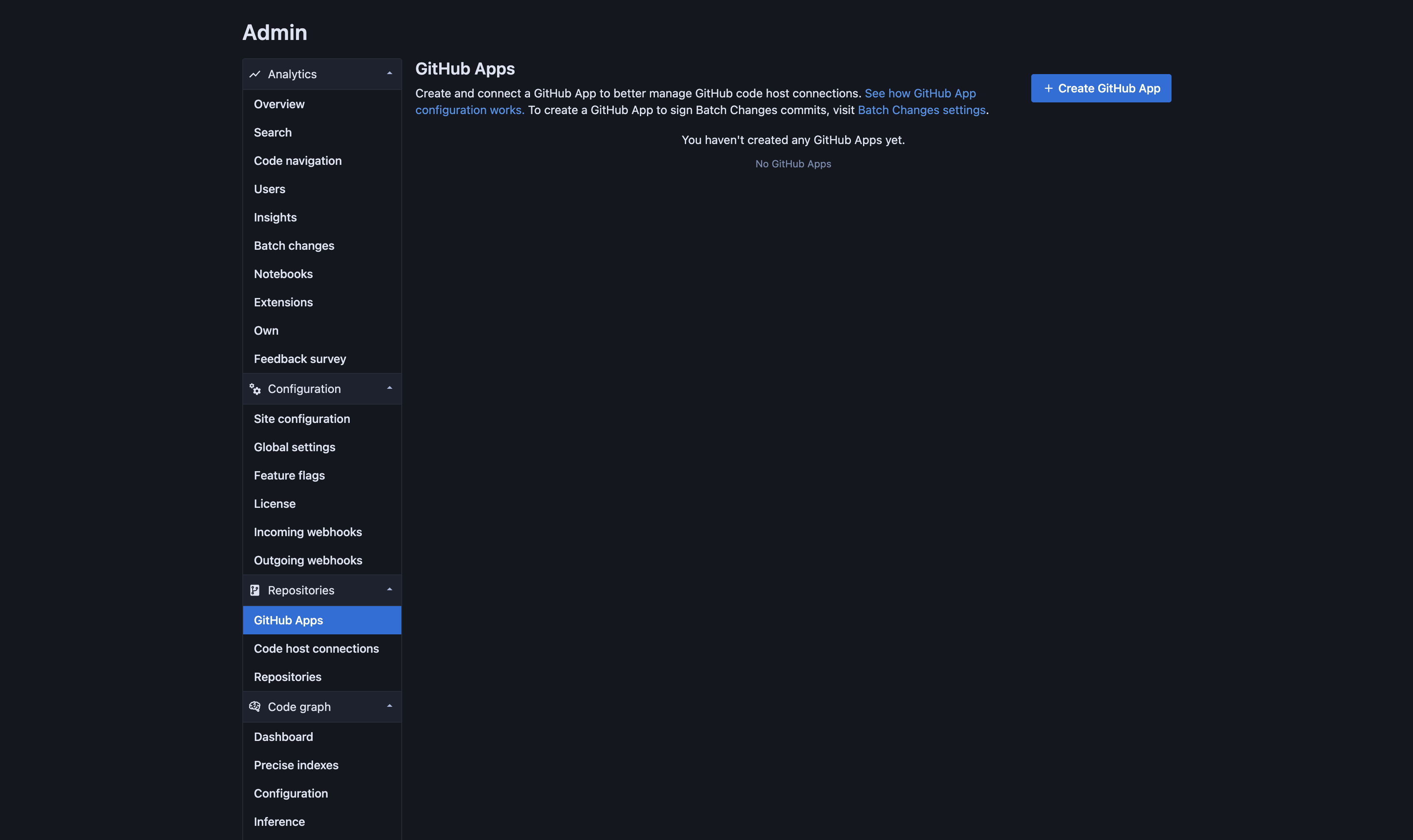
| 1. Go to **Administration > Repositories > GitHub Apps** on Sourcegraph. | ||
|
|
||
|  | ||
|
|
||
|
|
@@ -91,7 +91,7 @@ Once public, App can be installed in additional namespaces either from Sourcegra | |
|
|
||
| ##### Installing from Sourcegraph | ||
|
|
||
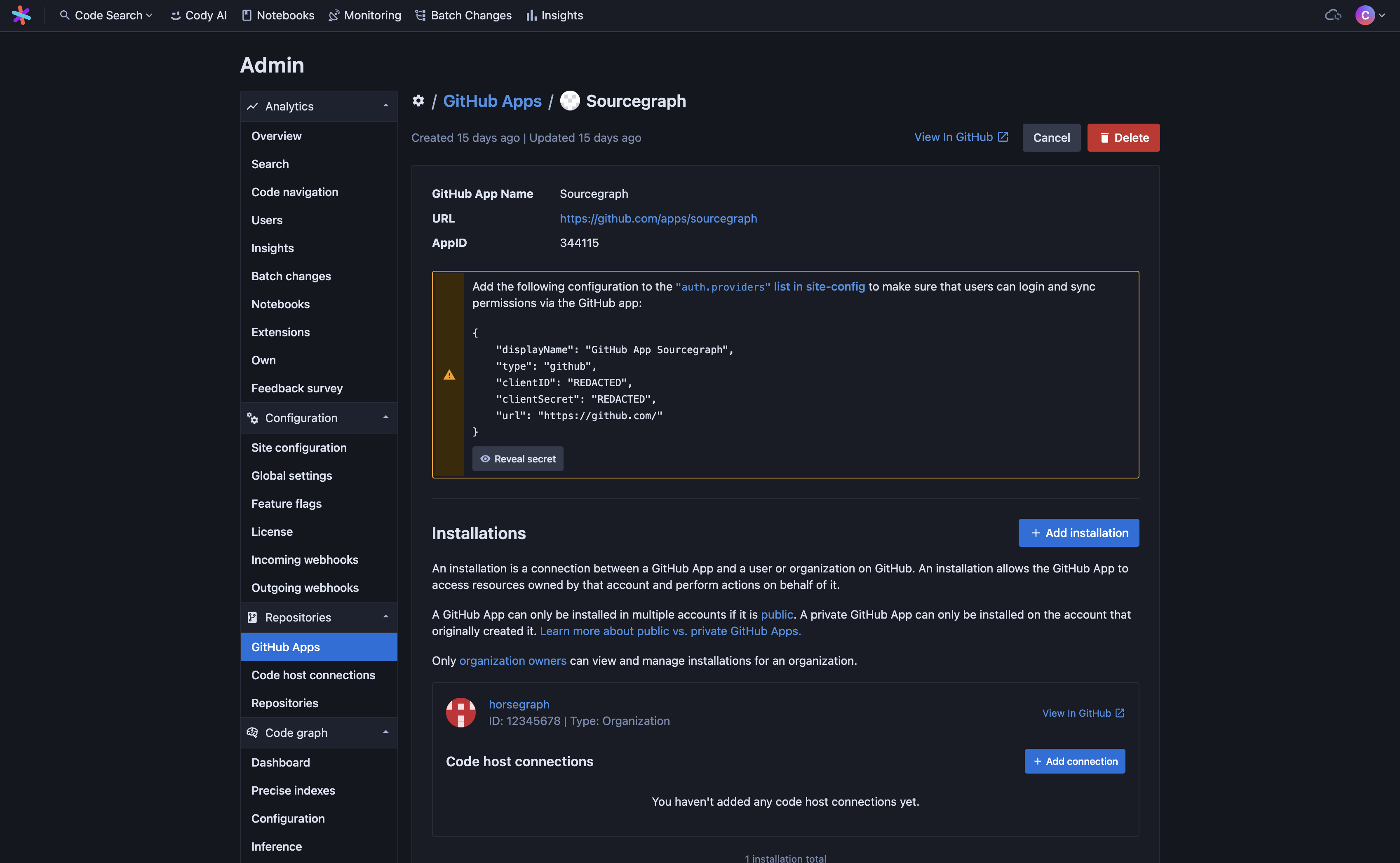
| 1. Go to **Administration > Repositories > GitHub Apps** and click **Edit** on the App you want to install in another namespace. You'll be taken to the App details page. | ||
|
|
||
|  | ||
|
|
||
|
|
@@ -112,7 +112,7 @@ Once public, App can be installed in additional namespaces either from Sourcegra | |
| 1. Go to the GitHub App page. You can get here easily from Sourcegraph by clicking **View in GitHub** for the App you want to install in another namespace. | ||
| 2. Click **Configure**, or go to **App settings > Install App**, and select the organization or user account you want to install the App on. | ||
| 3. As before, you will be asked to review the App permissions and select which repositories the App can access before installing it in a namespace. Once you click **Install** and the setup completes, you will be redirected back to Sourcegraph. | ||
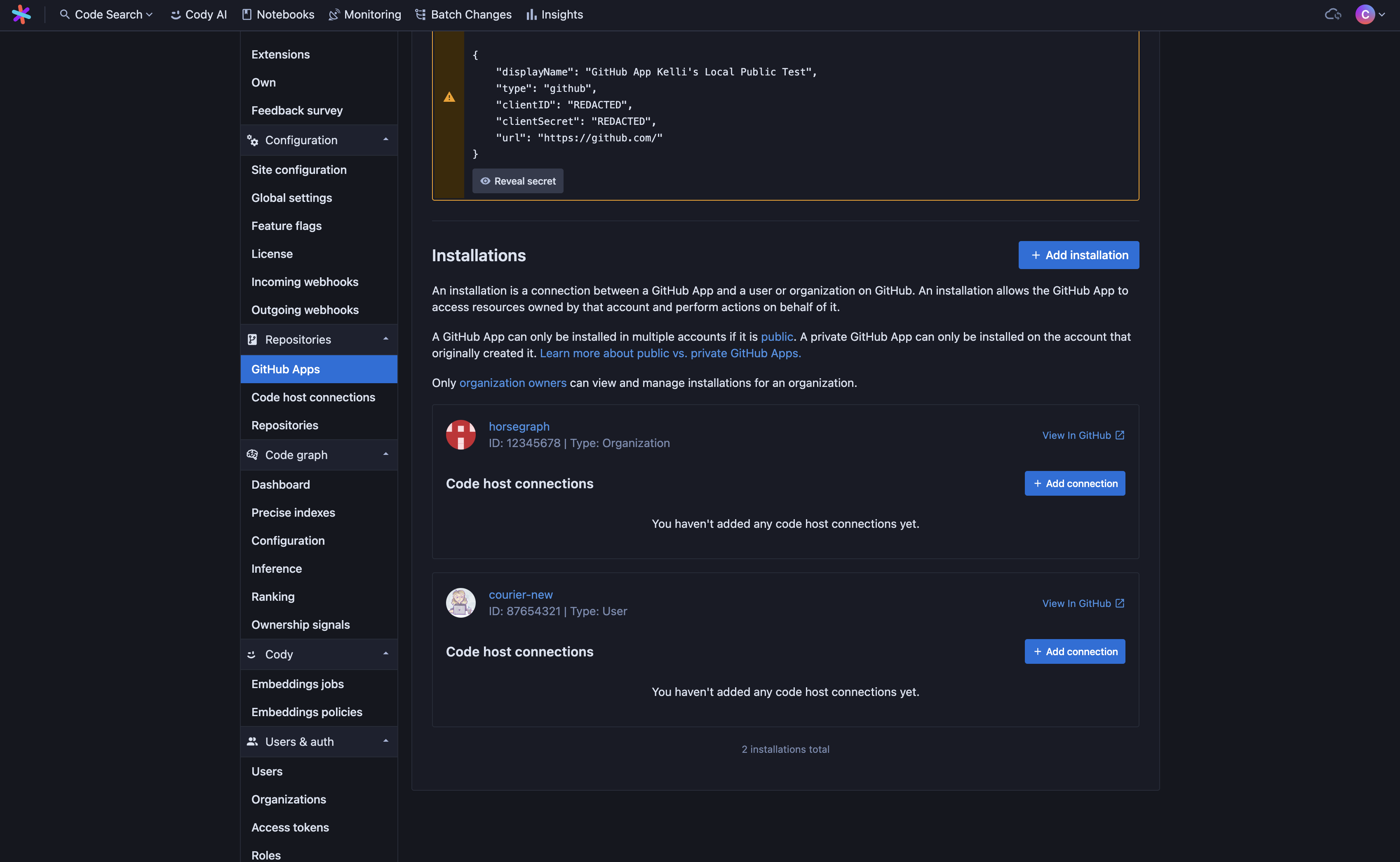
| 4. GitHub App installations will be automatically synced in the background. Return to **Administration > Repositories > GitHub Apps** and click **Edit** on the App you added the new installation for. You'll be taken to the App details page. Once synced, you will see the new installation listed. | ||
|
Contributor
There was a problem hiding this comment. This passage was already duplicated, and is now out of step with:
The passage you changed is also written somewhere else, so the two copies now disagree. Decide which page is the home for it, and replace the other copy with a link; or make the same change there too. |
||
|
|
||
|  | ||
|
|
||
|
|
@@ -136,7 +136,7 @@ Use these steps to connect a GitHub App that was created outside Sourcegraph, su | |
| 1. On the App's settings page on GitHub, copy the **Client ID**. | ||
| 2. Under **Private keys**, click **Generate a private key**. GitHub downloads the key as a `.pem` file. | ||
| 3. To use the App for sign-in and repository permissions, under **Client secrets**, click **Generate a new client secret** and copy it. GitHub shows the secret only once. | ||
| 4. Go to **Administration > Repositories > GitHub Apps** on Sourcegraph. | ||
| 5. Click **Add an existing GitHub App**. | ||
| 6. Enter the following details of your existing GitHub App: | ||
| - **GitHub URL**: The URL of your GitHub instance (e.g., `https://github.com` or `https://github.example.com`) | ||
|
|
@@ -211,7 +211,7 @@ You can uninstall a GitHub App from a namespace or remove it altogether at any t | |
|
|
||
| To remove an installation in a single namespace, click **View in GitHub** for the installation you want to remove. If you are able to administer Apps in this namespace, you will see **Uninstall "[APP NAME]"** in the "Danger zone" at the bottom of the page. Click **Uninstall** to remove the App from this namespace. Sourcegraph will periodically sync installations in the background. It may temporarily throw errors related to the missing installation until the sync completes. You can check the GitHub App details page to confirm the installation has been removed. | ||
|
|
||
| To remove an App entirely, go to **Administration > Repositories > GitHub Apps** and click **Remove** for the App you want to remove. You will be prompted to confirm you want to remove the App from Sourcegraph. Once removed from the Sourcegraph side, Sourcegraph will no longer communicate with your GitHub instance via the App unless explicitly reconnected. However, the App will still exist on GitHub unless manually deleted there, as well. | ||
|
Contributor
There was a problem hiding this comment. This passage was already duplicated, and is now out of step with:
The passage you changed is also written somewhere else, so the two copies now disagree. Decide which page is the home for it, and replace the other copy with a link; or make the same change there too. |
||
|
|
||
| ### GitHub App token use | ||
|
|
||
|
|
@@ -364,7 +364,7 @@ Then, add or edit the GitHub connection as described above and include the `auth | |
| } | ||
| ``` | ||
|
|
||
| This needs to be done for every GitHub code host connection if there is more than one configured. | ||
|
|
||
| Repo-centric permission syncing is done by calling the [list repository collaborators GitHub API endpoint](https://docs.github.com/en/rest/collaborators/collaborators#list-repository-collaborators). To call this API endpoint correctly, we need a [GitHub access token](#github-api-access) with the required scopes and read and write access to all relevant repositories. | ||
|
|
||
|
|
@@ -404,15 +404,15 @@ If you would like internal repositories to remain private, but you're experienci | |
|
|
||
| ### Trigger permissions sync from GitHub webhooks | ||
|
|
||
| Follow the link to [configure webhooks for permissions for GitHub](/admin/webhooks/incoming#user-permissions) | ||
|
|
||
| ### Teams and organizations permissions caching | ||
|
|
||
| > NOTE: This is an experimental feature. | ||
|
|
||
| > WARNING: The following section is experimental and might not work properly. Please prefer [configuring webhooks for permissions instead](/admin/webhooks/incoming#user-permissions) | ||
|
|
||
| GitHub code host can leverage caching mechanisms to reduce the number of API calls used when syncing permissions. This can significantly reduce the amount of time it takes to perform a full cycle of permissions sync due to reduced instances of being rate limited by the code host, and is useful for code hosts with very large numbers of users and repositories. | ||
|
|
||
| Sourcegraph can leverage caching of GitHub [team](https://docs.github.com/en/organizations/managing-access-to-your-organizations-repositories/managing-team-access-to-an-organization-repository) and [organization](https://docs.github.com/en/organizations/managing-access-to-your-organizations-repositories/repository-permission-levels-for-an-organization) permissions. | ||
|
|
||
|
|
||

This file contains hidden or bidirectional Unicode text that may be interpreted or compiled differently than what appears below. To review, open the file in an editor that reveals hidden Unicode characters.
Learn more about bidirectional Unicode characters
This file contains hidden or bidirectional Unicode text that may be interpreted or compiled differently than what appears below. To review, open the file in an editor that reveals hidden Unicode characters.
Learn more about bidirectional Unicode characters
This file contains hidden or bidirectional Unicode text that may be interpreted or compiled differently than what appears below. To review, open the file in an editor that reveals hidden Unicode characters.
Learn more about bidirectional Unicode characters
This file contains hidden or bidirectional Unicode text that may be interpreted or compiled differently than what appears below. To review, open the file in an editor that reveals hidden Unicode characters.
Learn more about bidirectional Unicode characters
This file contains hidden or bidirectional Unicode text that may be interpreted or compiled differently than what appears below. To review, open the file in an editor that reveals hidden Unicode characters.
Learn more about bidirectional Unicode characters
This file contains hidden or bidirectional Unicode text that may be interpreted or compiled differently than what appears below. To review, open the file in an editor that reveals hidden Unicode characters.
Learn more about bidirectional Unicode characters
This file contains hidden or bidirectional Unicode text that may be interpreted or compiled differently than what appears below. To review, open the file in an editor that reveals hidden Unicode characters.
Learn more about bidirectional Unicode characters
Oops, something went wrong.
Add this suggestion to a batch that can be applied as a single commit.
This suggestion is invalid because no changes were made to the code.
Suggestions cannot be applied while the pull request is closed.
Suggestions cannot be applied while viewing a subset of changes.
Only one suggestion per line can be applied in a batch.
Add this suggestion to a batch that can be applied as a single commit.
Applying suggestions on deleted lines is not supported.
You must change the existing code in this line in order to create a valid suggestion.
Outdated suggestions cannot be applied.
This suggestion has been applied or marked resolved.
Suggestions cannot be applied from pending reviews.
Suggestions cannot be applied on multi-line comments.
Suggestions cannot be applied while the pull request is queued to merge.
Suggestion cannot be applied right now. Please check back later.
There was a problem hiding this comment.
Choose a reason for hiding this comment
The reason will be displayed to describe this comment to others. Learn more.
This passage was already duplicated, and is now out of step with:
docs/admin/config/batch-changes.mdx:287(69% similar)The passage you changed is also written somewhere else, so the two copies now disagree. Decide which page is the home for it, and replace the other copy with a link; or make the same change there too.