
English | 繁體中文


A desktop workbench for the kudio audio toolkit.
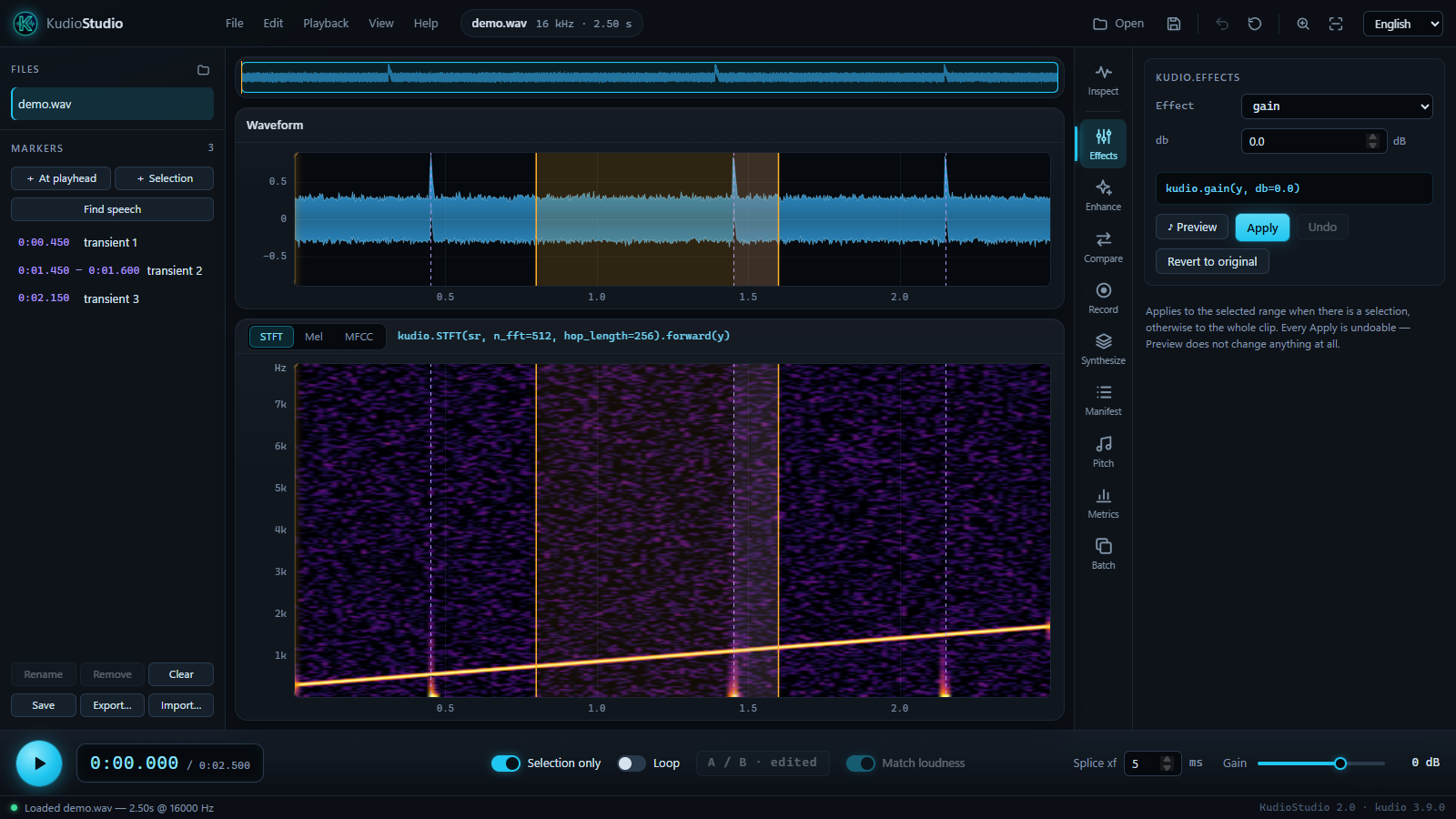
Open a clip, look at it, change it, measure it, and build datasets from it,
without writing a script first. Every control maps to one documented kudio
function, and the caption under each panel shows the exact call it will make,
so anything you work out here translates straight into code.
The user guide is at recklight.github.io/KudioStudio: every panel, every control, and the reasons behind them.
pip install kudiostudio
kudiostudio
KudioStudio needs Python 3.9 or newer. The window is drawn by the web view the system already has, through pywebview: WebView2 on Windows 10 and 11, WebKit on macOS. Linux needs GTK or Qt for pywebview and PortAudio's library for sound; without a web view, the same page opens in the default browser. Getting started has the details.
The heavy parts are extras:
| Extra | Adds |
|---|---|
pip install "kudiostudio[eval]" |
STOI and SDR |
pip install "kudio[pesq]" |
PESQ. It builds from source and needs a C compiler, so it is in neither [eval] nor [all] |
pip install "kudiostudio[dnsmos]" |
DNSMOS opinion scores (the weights are not bundled) |
pip install "kudiostudio[enhance]" |
learned denoising on PyTorch, through kudioenhance |
pip install "kudiostudio[audio]" |
recording until you press Stop, on Linux and macOS (PyAudio; Windows has it already) |
pip install "kudiostudio[all]" |
all of the above except PESQ |
kudiostudio clip.wav           # open a file on start-up
kudiostudio manifest.json      # a corpus manifest opens in the Manifest panel
kudiostudio --browser          # the same page in the default browser
kudiostudio --lang zh_TW # the interface in Traditional Chinese| Panel | What it is for |
|---|---|
| Inspect | the analysis view (STFT, mel, MFCC), the selection, and the Levels readout with true peak and a loudness curve |
| Effects | one kudio effect at a time on the selection or the whole clip, heard before it is applied |
| Enhance | statistical denoisers and learned models |
| Compare | every denoiser on the same clip, ranked, each row a click from your ears |
| Record | a fixed-length take, or one that runs until you stop it, drawn as it arrives |
| Synthesize | a noisy dataset from clean and noise folders, rooms and phone lines included |
| Manifest | that dataset read back: missing files and the noise × SNR coverage |
| Pitch | the f0 contour over the spectrogram, and the voiced spans as markers |
| Metrics | what is wrong with a recording without a reference, and scores with one |
| Batch | a whole folder converted, normalised or denoised, with the files that missed named |
Around them: cut, copy and paste with a crossfade at every join, A/B against the file as it was opened, markers that outlive the session, and the whole edit history written out as a Python script that makes the same samples (Editing and markers). Other packages can add panels of their own (Writing a panel).
git clone https://github.com/recklight/KudioStudio.git
cd KudioStudio
pip install -e ".[dev]"
pytest -q
tools/smoke.py runs the end-to-end checks the unit tests cannot, and
pip install -e ".[docs]" then mkdocs serve builds the guide locally.
- kudio: the audio toolkit underneath.
- kudioenhance: trains the denoising models this app loads.
MIT, see LICENSE.txt.