
"AI writes the docs, and the docs teach the AI how to write" - John Archibald Wheeler
The Mintlify-compatible alternative — open-source MDX documentation.
Point it at a folder of MDX and a docs.json. Profit.




Quickstart · Commands · Sign in · Deploy · Self-hosting · AI assistant · MCP · What ships · Compatibility · Docs
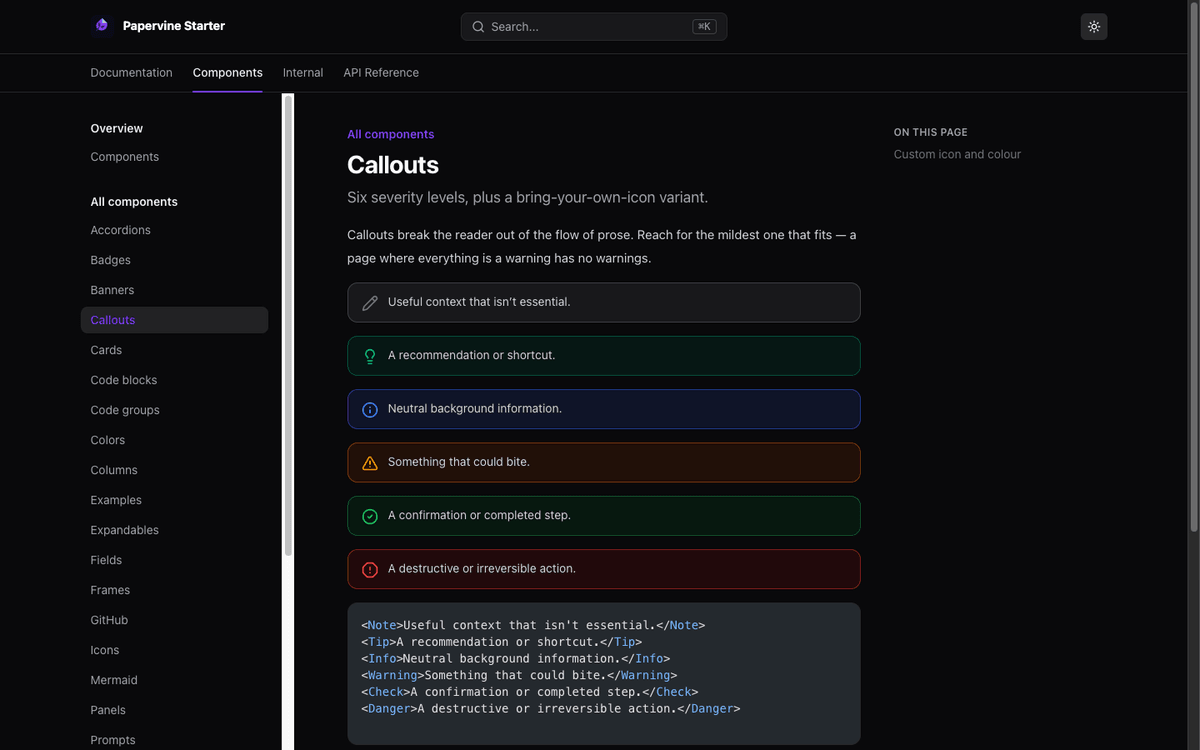
No docs yet? Create a site and preview it:
npx papervine@latest new my-docs
cd my-docs
npx papervine@latest dev
Already have a folder of MDX and a docs.json? Skip straight to previewing it:
npx papervine@latest dev ./docs
Requires Node 20.9 or higher. The CLI ships a prebuilt renderer, so there's no build toolchain to install and no first-run compile — it starts serving in about a second.
Running through npx needs no install. To have it permanently:
npm i -g papervine
Create a docs site in [dir], defaulting to the current directory. The starter it writes
is a complete, working site — docs.json, a few pages, a component gallery, and an OpenAPI
example — so you can preview it immediately and delete what you don't want.
papervine new my-docs
Options
| Flag | Description |
|---|---|
-f, --force |
Scaffold into a directory that isn't empty |
-h, --help |
Show help |
A directory that isn't empty is refused unless you pass --force, since scaffolding writes
files and overwriting your work because of a mistyped path isn't recoverable. Directories
containing only dotfiles (a fresh git init, say) count as empty.
The template is bundled in the package, so new works offline and always matches the
version of the CLI that wrote it.
Serve the docs in [dir], defaulting to the current directory. The directory must
contain a docs.json at its root.
Despite the name, this is not a development server. It runs a production build of the
renderer with NODE_ENV=production — there is no dev-mode compile step and no HMR. For a box
serving real traffic, use papervine serve, which is the same server
with production defaults.
papervine dev
Options
| Flag | Description | Default |
|---|---|---|
-p, --port <port> |
Port to serve on | 3000 |
-y, --yes |
Create a starter site if there are no docs, no prompt | — |
-h, --help |
Show help | — |
Nothing to preview yet? Run in an empty folder and it offers to create a site rather than just failing:
$ papervine dev
! no docs.json in /Users/you/my-docs
  Create a starter docs site here? [y/N]
The prompt only appears in an interactive terminal. In CI or a pipe it prints the error and
exits non-zero as before, because a prompt nobody can answer is worse than a clear failure.
Use --yes to scaffold without being asked.
Preview a subfolder
Docs usually live in a subdirectory of a larger repo:
papervine dev ./docs
Custom port
papervine dev --port 4000
Without --port, if 3000 is taken the CLI moves to the next free port. With an
explicit --port it fails instead of silently serving somewhere you didn't ask for.
Editing
Pages are rendered per request, so saving an .mdx file and refreshing the browser
shows the change. There is no hot reload — a refresh is the update. (This is the same
mechanism that lets a deployed site pick up new files without a restart.)
The same server as dev, with production defaults. Use this one on anything serving real
traffic.
papervine serve ./docs
Options
| Flag | Description | Default |
|---|---|---|
-p, --port <port> |
Port to serve on | 3000 |
--host <addr> |
Bind address | 0.0.0.0 |
-h, --help |
Show help | — |
Two things differ from dev, and nothing else does:
- It binds every interface (
0.0.0.0), because being reachable is the point.devstays on loopback so a command you run on your laptop isn't on the LAN by default. Both print which address they bound. - It never scaffolds.
devoffers to create a starter site when it finds nodocs.json;servefails, because a production server that invents content hides the real problem — a wrong path, an unmounted volume.
You don't need an account to use this package — everything above works offline. An account is for the hosted product, and you can create one without leaving the terminal:
papervine signup    # create a Papervine account
papervine login     # sign in to one you already have
papervine whoami    # who is this terminal signed in as?
papervine logout    # forget the stored credential
signup prints a short code and opens your browser; you create the account (or continue with
Google/GitHub), approve the code, and the command finishes:
▲ papervine create your account

  Your code   7LRB-Z9EN
  Open        https://app.papervine.io/signup?redirect=%2Fdevice%3Fuser_code%3D7LRBZ9EN

✓ signed in to https://papervine.io as you@example.com
  credential saved to ~/.config/papervine/credentials.json
Options
| Flag | Description |
|---|---|
--url <origin> |
A self-hosted control plane (or set PAPERVINE_API_URL) |
--no-browser |
Print the URL instead of opening a browser |
No password ever reaches this process. These commands run the OAuth 2.0 Device Authorization Grant (RFC 8628) — the flow a smart TV uses — so the account part happens in a browser. That's what makes "Continue with Google" work from a terminal, and it means nothing secret lands in a shell history, a CI log, or an agent transcript.
The credential is written to ~/.config/papervine/credentials.json ($XDG_CONFIG_HOME honoured,
%APPDATA%\papervine\ on Windows) with 0600 permissions, keyed by control-plane origin.
PAPERVINE_TOKEN overrides the file, for CI and sandboxes.
On a machine with no browser, --no-browser prints the URL and waits — open it anywhere, and the
terminal finishes on its own.
The endpoints behind this are public and documented, so an agent can walk the same flow without this package installed — see Agent sign-in.
Dokploy, Railway, Render, Fly, Heroku — anything that builds a repo and runs npm start. A site
made by papervine new is ready with no configuration: its package.json depends on papervine
and starts it.
{
  "scripts": { "start": "papervine serve ." },
  "dependencies": { "papervine": "^0.1.0" }
}
serve binds the port the platform assigns through $PORT, on every interface, so a health check
reaches it. Adding this to a docs repo you already have is two commands:
npm install papervine
npm pkg set scripts.start="papervine serve ."
Each setting takes a flag, then an environment variable, then a default — --port / PORT,
--host / PAPERVINE_HOST, and the directory / PAPERVINE_CONTENT — so a platform can configure
it entirely through the environment.
The CLI is an ordinary Next.js app underneath, so the same source that serves your laptop also deploys as a hosted site. One click forks the repo and builds it:
You get the starter site live on a URL, which is then
yours to edit — replace examples/starter with your own MDX and docs.json, or point
PAPERVINE_CONTENT at a different folder in your fork.
The button targets apps/cli as the Root Directory; apps/cli/vercel.json supplies the rest.
output: "standalone" is skipped on Vercel (it exists to make the npm tarball relocatable), so
Vercel builds its own serverless output from the same code.
Every page renders per request, so a deployed site does a function invocation per view with
no caching — correct, but not as fast as a static build. Static export (papervine build) is on
the roadmap and is the better answer for a high-traffic site.
The renderer here is the one behind Papervine's hosted sites, built the same way, so serving your own docs from it is a supported thing to do rather than a hack.
Terminate TLS in front of it. There is no HTTPS here and no Host routing — run it behind
nginx, Caddy, a cloud load balancer, or whatever already terminates certificates for you, and
proxy to the port. Behind a proxy, pin the server back to loopback so only the proxy can reach
it:
papervine serve ./docs --host 127.0.0.1
(--host or PAPERVINE_HOST — not HOSTNAME, which Docker and Kubernetes set for their own
reasons and which shouldn't decide what your site is reachable from.)
Deploying an update is replacing files. Pages are read from disk per request, so writing new MDX into the served directory publishes it — no rebuild, no restart. The expensive half of rendering (MDX compilation, syntax highlighting) is cached, so repeat requests don't recompile, and the search index is fingerprinted by content and rebuilt when the files change.
What it doesn't do. One site per process, no built-in caching layer or CDN, no access control, no analytics — the reader-authentication, multi-tenant hosting and usage metering that papervine.io provides are the control plane, and none of it is in this package. If those matter, that's what the hosted product is for; if they don't, a process and a reverse proxy is a complete deployment.
The whole thing in a Dockerfile:
FROM node:22-slim
RUN npm i -g papervine
COPY docs /docs
EXPOSE 3000
CMD ["papervine", "serve", "/docs", "--port", "3000"]
Mount your docs instead of copying them (-v /srv/docs:/docs:ro) and writing new MDX into that
directory publishes it — no rebuild, no restart.
→ Self-hosting guide — Docker, systemd, container platforms, nginx and Caddy configs, and what the hosted product does that this doesn't.
Images are optimized on the fly — resized to what the page needs and served as WebP where the
browser accepts it. This is done by sharp, an optional
dependency: it contains a compiled binary specific to your OS and CPU, so npm installs the
right one for your machine. Nothing to configure.
If it can't be installed, the CLI still runs, serves images at their original size, and tells you at startup:
! image optimization unavailable — serving images at original size.
  Install the optional dependency with `npm i sharp` in this project.
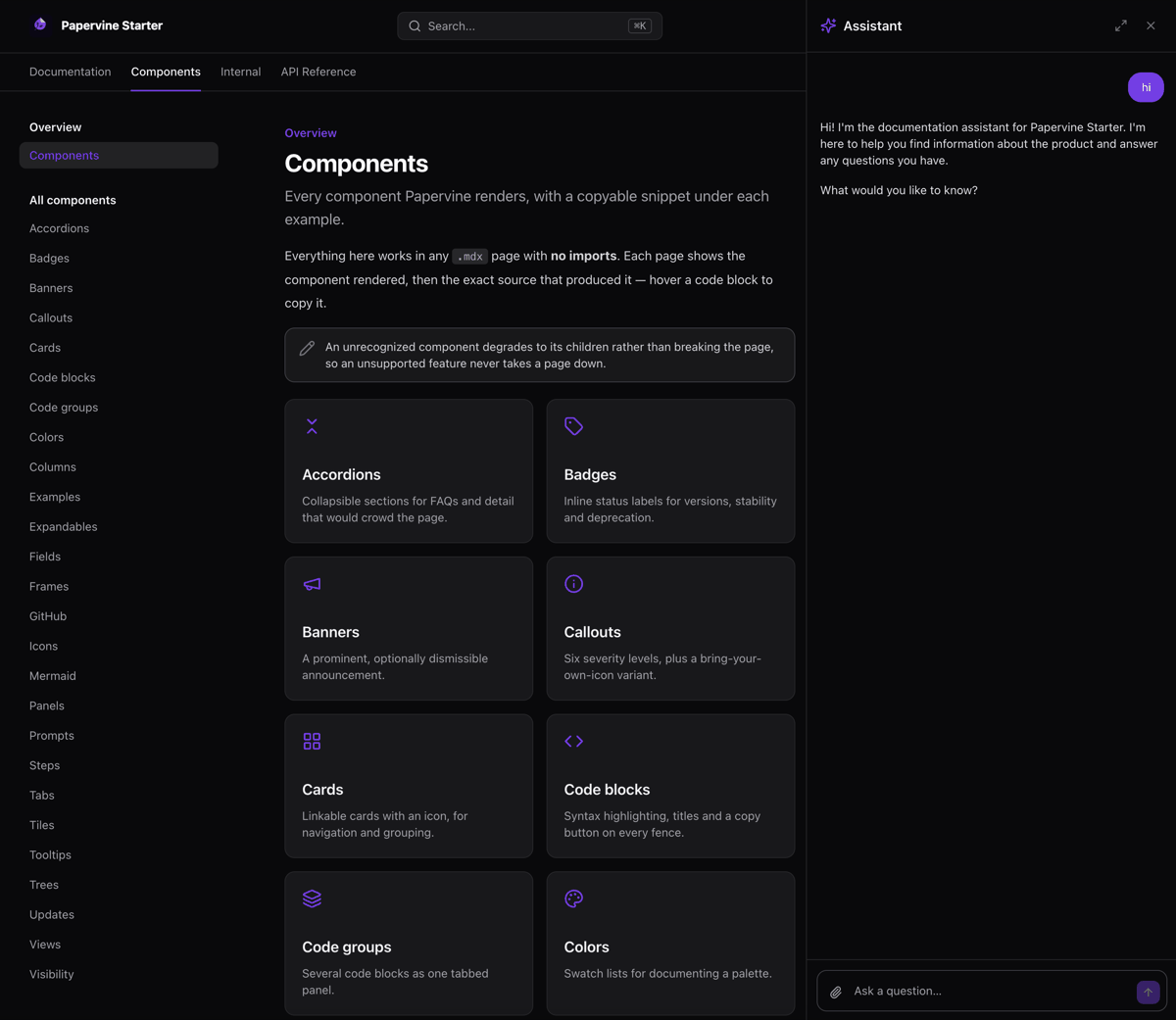
Ask questions about your docs and get answers with citations, from the same assistant that runs on hosted Papervine. It retrieves by searching and reading your pages — there is no index to build, no vector database, and nothing leaves your machine except the model call itself.
It appears when a model is configured, and is simply absent when one isn't. You bring the model; the SDKs ship with the CLI.
Put one of these in your docs project's .env.local (the CLI loads it) or export it before
running. The model id and the routing always travel together — see the warning below.
Claude
AI_ROUTING=direct
PAPERVINE_AI_MODEL=anthropic/claude-haiku-4-5
ANTHROPIC_API_KEY=sk-ant-...
ChatGPT
AI_ROUTING=direct
PAPERVINE_AI_MODEL=openai/gpt-5-nano
OPENAI_API_KEY=sk-...
Gemini — note the variable name, which is neither GOOGLE_API_KEY nor GEMINI_API_KEY
AI_ROUTING=direct
PAPERVINE_AI_MODEL=google/gemini-3.1-flash-lite
GOOGLE_GENERATIVE_AI_API_KEY=...
Vercel AI Gateway — one key, nearly every provider
AI_ROUTING=gateway
PAPERVINE_AI_MODEL=anthropic/claude-haiku-4-5
AI_GATEWAY_API_KEY=...
Free and entirely offline — Ollama, LM Studio, or any OpenAI-compatible
server (vLLM, llama.cpp, LiteLLM, a remote GPU box). No key, and no AI_ROUTING: a local model
always goes direct, because a hosted gateway can't reach your network.
PAPERVINE_AI_MODEL=ollama/qwen3.5        # defaults to http://localhost:11434/v1
PAPERVINE_AI_MODEL=lmstudio/qwen3.5      # defaults to http://localhost:1234/v1
PAPERVINE_AI_MODEL=local/qwen3.5         # anything else — AI_BASE_URL required
AI_BASE_URL=http://gpu-box.lan:8000/v1
Warning
A provider key on its own does nothing. AI_ROUTING defaults to gateway, so exporting
OPENAI_API_KEY and starting the server leaves the assistant hidden — it's looking for a
gateway key it hasn't got. And on the direct route the model prefix must match the key you set:
an OPENAI_API_KEY does not satisfy the default anthropic/… model.
| Variable | Effect |
|---|---|
PAPERVINE_AI_MODEL |
provider/model id. Default anthropic/claude-haiku-4-5 |
AI_ROUTING |
direct (your own key) or gateway (default; via the Vercel AI Gateway) |
ANTHROPIC_API_KEY / OPENAI_API_KEY / GOOGLE_GENERATIVE_AI_API_KEY |
Key for the direct route |
AI_GATEWAY_API_KEY |
Key for the gateway route |
AI_BASE_URL |
Endpoint for a local model; required for local/ |
AI_LOCAL_API_KEY |
Only if your local server demands a key |
AI_LOCAL_REASONING |
1 to let a local thinking model think — off by default, because on a laptop it turned a 1.9s answer into a 40s one |
If the assistant doesn't appear, ask the API why — it answers 503 with the reason:
curl -s -X POST localhost:3000/api/assistant \
  -H 'content-type: application/json' -d '{"messages":[]}'
Small local models are less reliable at the multi-step tool use the assistant does, so expect weaker answers than a frontier model gives.
Usage is billed by whoever provides the model — your key, your account. The CLI has no metering and reports nothing anywhere. Full guide: Connecting a model.
The docs are also served as a Model Context Protocol server at
/mcp, so an AI client — Claude, Cursor, Windsurf, an agent — can search and read them live.
Nothing to enable and no key required: it is the same retrieval the assistant uses, over a second
transport.
Add it as a Streamable HTTP MCP server:
http://localhost:3000/mcp
| Tool | What it does |
|---|---|
search_docs |
Full-text search; returns titles, hrefs with #anchors, and snippets |
read_page |
The full Markdown of a page, by slug |
list_pages |
Every page, so a model can see what exists |
search_api |
Search OpenAPI operations — registered only when your docs.json references a spec |
Because it reads from disk per request like every other route, an edit is visible to the next tool call.
Warning
The CLI has no reader authentication, so this server applies no gate: list_pages returns
every page, including any marked groups: [...] in frontmatter. Self-hosting a repo with gated
pages makes them enumerable in one request.
On a deployed site this is the endpoint that makes your docs usable by other people's
agents; see the self-hosting guide.
papervine --help and papervine --version print the command surface and the installed
version. Help and status output is colourised at a terminal and plain everywhere else, so
piping or redirecting gives you clean text rather than escape codes:
| Variable | Effect |
|---|---|
NO_COLOR |
Set to anything non-empty to disable colour entirely |
FORCE_COLOR |
Set to keep colour through a pipe; 0 disables it |
Just the renderer: MDX compilation, docs.json parsing, navigation, the component
set, and OpenAPI endpoint pages — the same engine that serves hosted Papervine sites,
compiled in.
It carries none of the hosted control plane: no authentication, database, object storage, or realtime. Those are services of a hosted deployment, not things a local previewer needs, so they are absent from the package rather than disabled at runtime.
That includes signup / login: those don't embed an
auth system, they make a few HTTPS requests to one and write a JSON file.
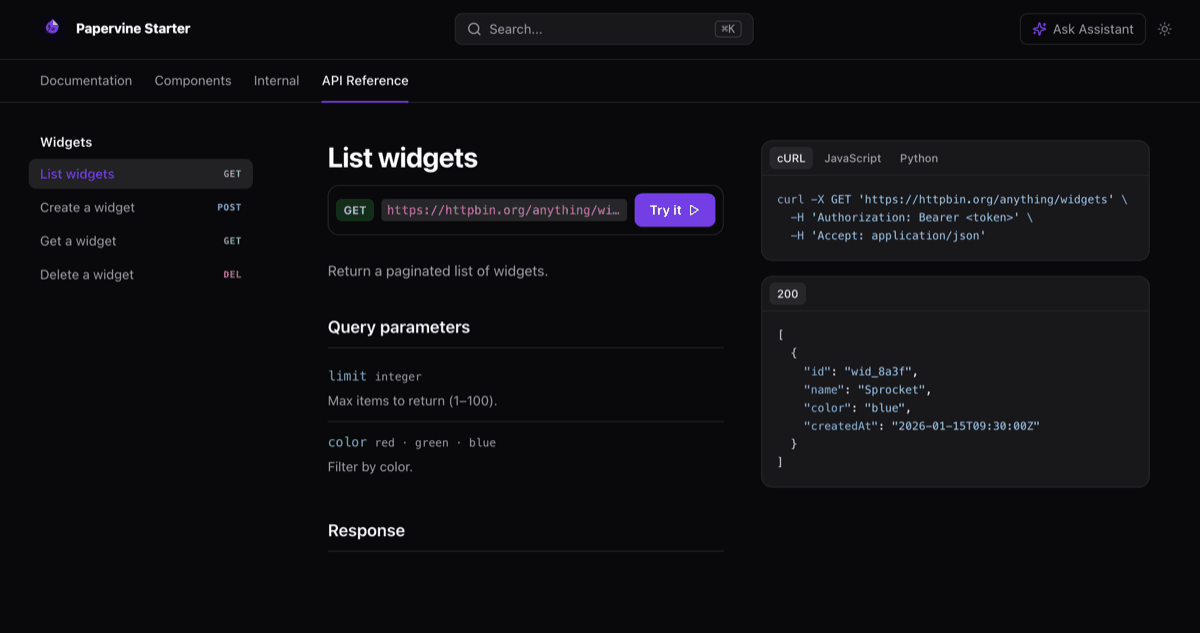
API reference pages are generated from your OpenAPI spec — one page per endpoint, with
parameters, schemas, a language-tabbed request sample and a Try it console that calls the real
API from the browser. Point docs.json at a spec and the pages exist; there is nothing to write.
The renderer has no runtime dependencies — it is compiled in. The one thing npm installs
alongside it is sharp, an optional dependency for image optimization.
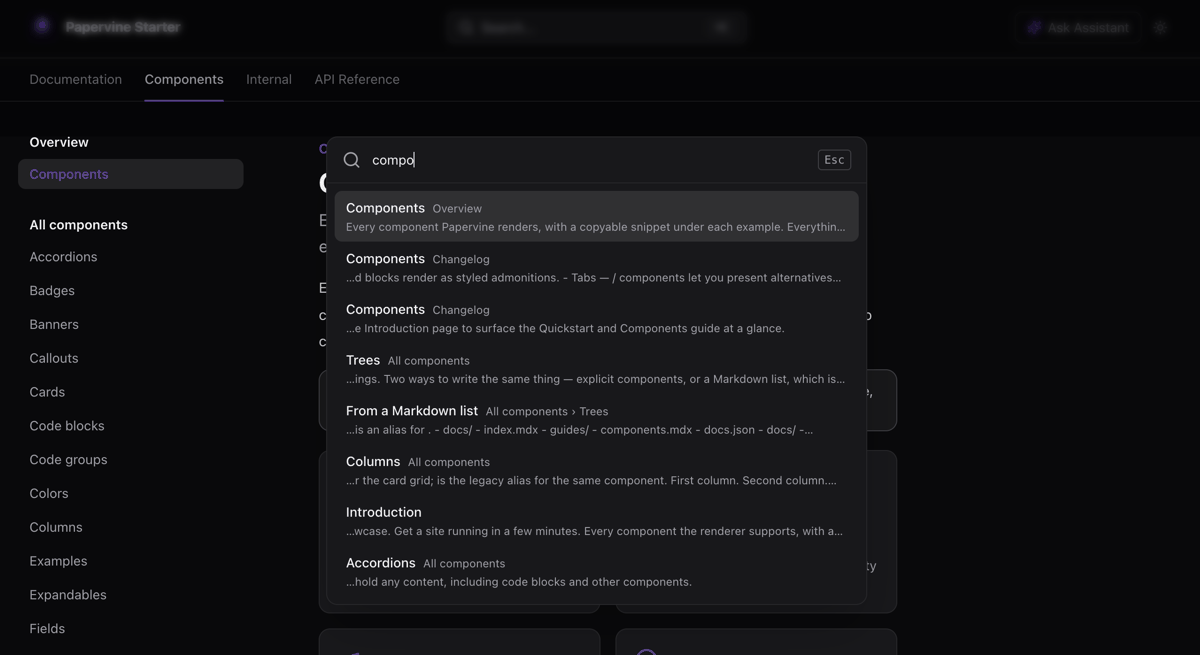
Search is included, and works with no service behind it: ⌘K searches your docs from an
in-memory index built over your pages. It's built at startup and rebuilt in the background when
you edit a file, so searching doesn't wait on it.
The AI assistant is included too, and appears once you configure a model — see below. So is
an MCP server at /mcp, which needs no configuration at all.
Papervine is Mintlify-compatible. It reads the same MDX content and the same
docs.json navigation file, so an existing Mintlify project runs with no migration step,
no proprietary build and no conversion tool:
git clone https://github.com/your-org/your-docs
npx papervine dev ./your-docs
One gap worth knowing before you point it at a large repo: shared snippets aren't resolved
yet. A page that imports from /snippets/ renders an inline notice where the snippet
should be, rather than the snippet's content. The rest of the page renders normally.
That also makes it a practical GitBook or ReadMe alternative if you'd rather keep your docs as MDX files in your own repo than in someone's CMS. Your content stays files you own.
Papervine is an independent project and is not affiliated with Mintlify, GitBook, or ReadMe.
no docs.json in <dir> — you're not in a docs repo root. Pass the folder that
contains docs.json, e.g. papervine dev ./docs.
port 3000 is already in use — pass --port, or drop the flag and let the CLI
pick the next free port.
A component renders as plain text — an unknown component degrades to its children rather than failing the page. Check the spelling against the supported component set.
Utility classes in your own MDX don't apply — the stylesheet is compiled when this
package is built, so arbitrary Tailwind classes written in your MDX aren't in it. Use
the documented components and docs.json theming instead.
papervine dev compiles the repo's MDX on your machine but does not execute the
repo's code there. Expressions, components you define, and hooks all run in your
browser; the server renders only Markdown, built-in components and literal values.
So a docs page can't read your environment variables, touch your filesystem, or run
commands — there's no server-side step where its code runs. Imports outside /snippets/
and dynamic import() are refused entirely.
It's still someone else's JavaScript in your browser on the server's origin, which is the trust you extend to any site you visit — so use normal judgement with an unfamiliar repo. But previewing one no longer hands it your machine.
The surface is narrow by construction: it binds loopback unless you say otherwise, serves only asset file types from your content directory, and refuses remote image URLs. That first default is the one you deliberately relax to serve in production — worth doing knowingly, since it's what takes the process from "reachable by me" to "reachable by the network".
new, dev and serve are the surface today. Next up: broken-links, validate,
openapi-check, and build (static export).
Docs at docs.papervine.io · source and issues at github.com/papervine/papervine.
Licensed under the Elastic License 2.0 — source-available: use it, change it, self-host it, ship docs with it. The one restriction is offering Papervine itself to third parties as a hosted or managed docs service.