
A quiet dark theme for VS Code. Near-black ground, one acid lime accent, and syntax colours tuned so nothing shouts.
The rule behind it: lime is spent on one thing only — function names. A colour that saturated will wreck a full screen of code if it also lands on keywords, strings, and numbers. Everything else sits in a narrow, low-chroma band so the eye has one place to land.
Works in VS Code, and unchanged in Cursor, Windsurf, VSCodium, and other forks that read the same extension format.
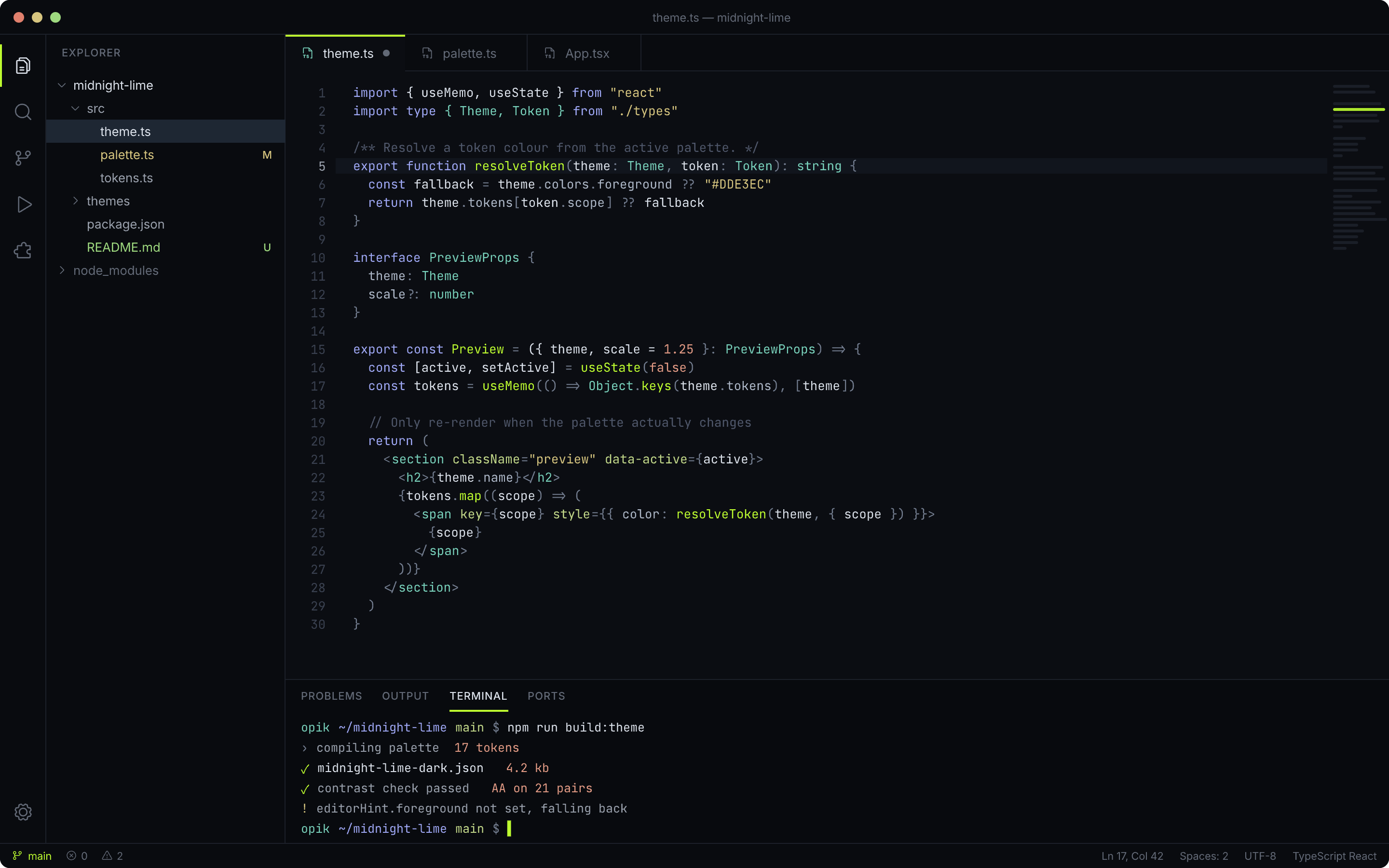
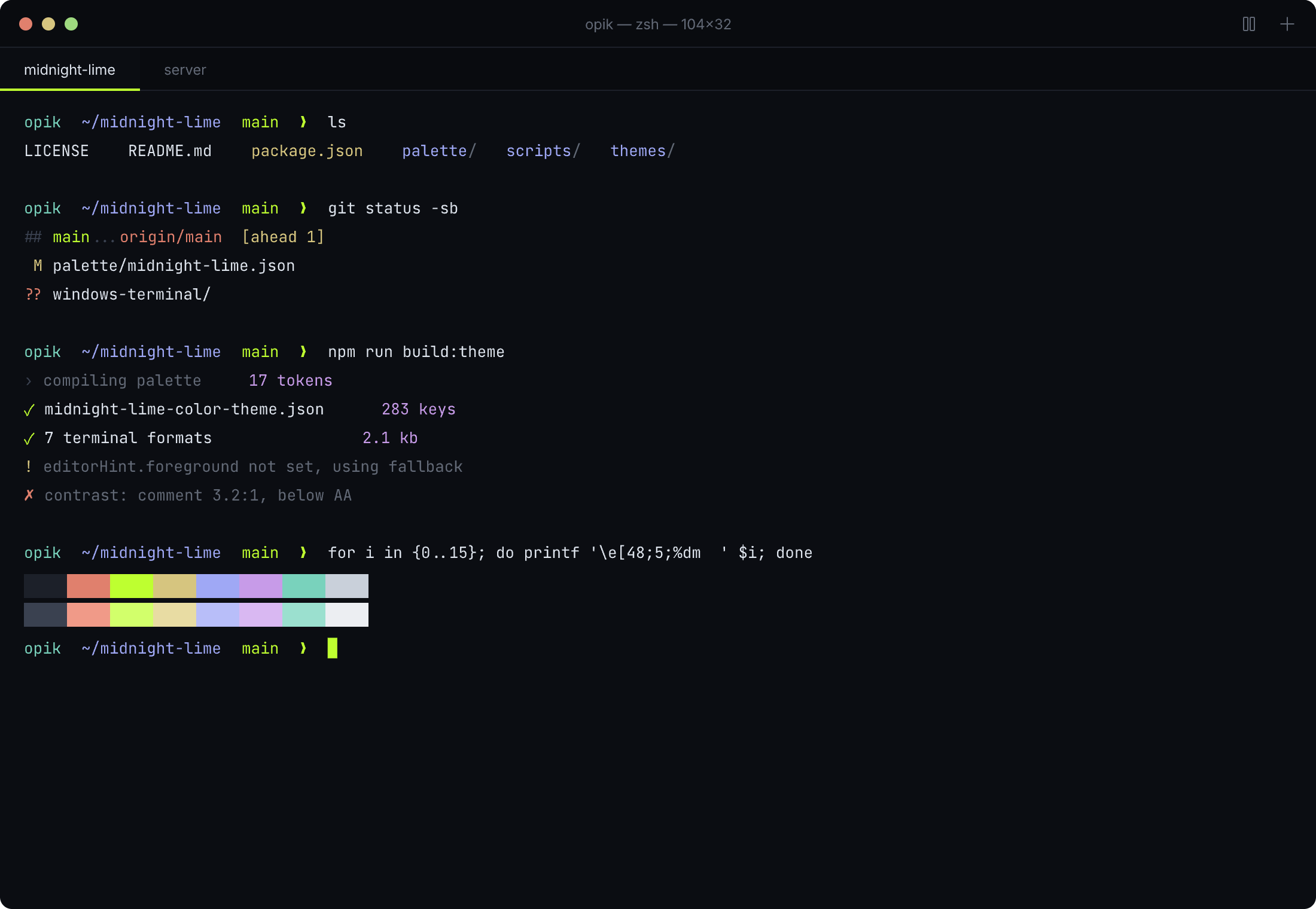
The integrated terminal uses the same 16-colour ANSI set, so git output and build logs
stay in the family:
Marketplace
Cmd/Ctrl+P, then:
ext install opik.midnight-lime
From source
git clone https://github.com/opikdev/midnight-lime-vscode-theme
ln -s "$(pwd)/midnight-lime-vscode-theme" ~/.vscode/extensions/opik.midnight-lime-0.1.0
Reload the window, then Cmd/Ctrl+K Cmd/Ctrl+T and pick Midnight Lime. A symlink means
edits to the theme show up on the next reload, which is what you want while tuning.
For Cursor or Windsurf, swap the target directory for ~/.cursor/extensions/ or
~/.windsurf/extensions/.
Package a .vsix
npm install -g @vscode/vsce
vsce package| Role | Hex |
|---|---|
| Editor background | #0B0D12 |
| Chrome (sidebar, tabs, status) | #090B0F |
| Panel / terminal | #080A0E |
| Raised surface (inputs, menus) | #12151C |
| Border | #1C2029 |
| Current line | #11151D |
| Selection | #1E2733 |
| Foreground | #DDE3EC |
| Muted foreground | #9AA1AD |
| Line numbers | #3A4150 |
| Accent | #BEFF30 |
| Token | Hex | Note |
|---|---|---|
| Function, method | #BEFF30 |
the only high-chroma colour |
| Keyword, storage | #9FA8F5 |
soft periwinkle |
| Type, class, tag | #79D2BC |
muted teal |
| String | #D6C57F |
warm sand |
| Number, constant | #E39B85 |
soft terracotta |
| Attribute | #C3D98A |
lime-tinted, one step back |
| Decorator | #C79BE8 |
|
| Variable | #DDE3EC |
stays neutral |
| Property | #AEB8C8 |
|
| Punctuation, operator | #737D8F |
recedes |
| Comment | #4F576A |
italic |
Supporting hues sit between 68% and 82% lightness, which is what keeps a syntax palette from looking like confetti. Bracket pair colours cycle through those hues and skip lime, so nesting never competes with function names.
Comments sit at roughly 3.2:1 against the editor background. That is deliberately below
the body-text threshold — dimming comments aids scanning — but if you read heavily
commented code, #5A6377 gets you to about 4:1.
283 workbench colour keys, 30 tokenColors rules across 91 TextMate scopes, 15
semanticTokenColors, and the full 16-colour terminal ANSI set. Semantic highlighting is
on, so language servers override TextMate where they know better.
| Port | Repo |
|---|---|
| Terminals (Warp, Ghostty, iTerm2, Alacritty, kitty, WezTerm, Windows Terminal) | midnight-lime-terminals |
Every port reads the same palette/midnight-lime.json, so a colour changed in one place
stays true everywhere. That file also records the rules — lime on functions only, the
lightness band, brackets skipping lime — which is the part that keeps a port faithful. A
list of hexes on its own does not tell a porter where the accent may go.
Colours live in themes/midnight-lime-color-theme.json. colors covers workbench chrome;
tokenColors covers TextMate scopes; semanticTokenColors overrides them where the
language server provides richer information.
To find the scope under your cursor, run Developer: Inspect Editor Tokens and Scopes from the command palette.
MIT