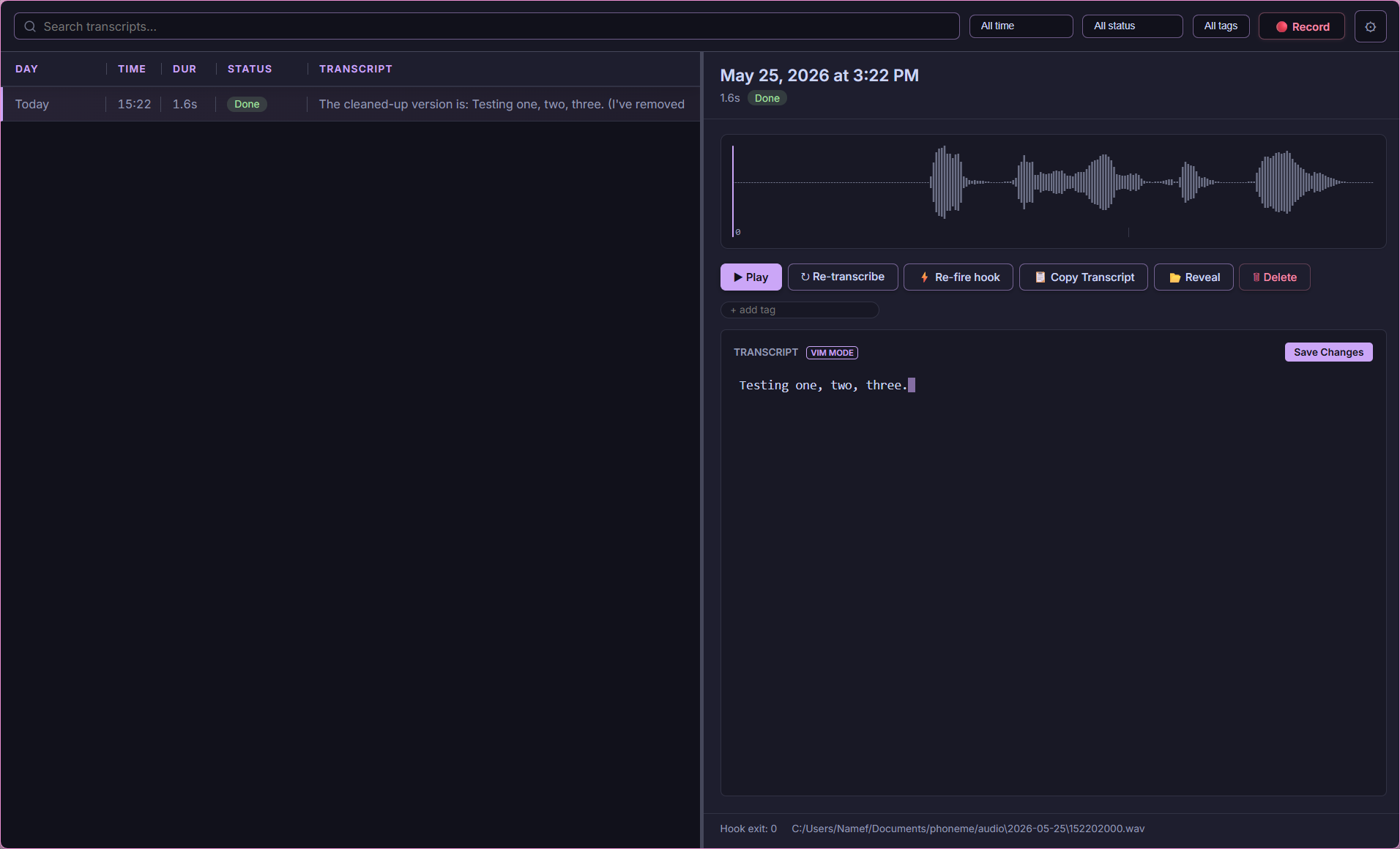



Local-first voice transcription for power users.
Hit a hotkey. Speak. Get text anywhere.
Phoneme runs 100% offline by default. No cloud required, no subscriptions, no telemetry.
| Principle | What It Means |
|---|---|
| 🔒 Privacy First | Voice never leaves your machine. No forced updates, no tracking. |
| ⚡ Flexible | Transcription and the LLM steps are chosen independently. Transcribe locally (whisper.cpp) or on a cloud STT API (OpenAI, Groq, Deepgram, AssemblyAI, ElevenLabs); run cleanup/summary/title on local Ollama or a cloud LLM (OpenAI, Anthropic, Groq, Gemini, …). Each step picks its own provider. |
| 🔌 Extensible | JSON output → your scripts. Obsidian, Notion, Jira, Discord, Python—wherever you want. |
Most people speak faster than they type, so voice is a good fit for a few kinds of work:
- Capturing ideas hands-free — while walking, driving, or away from the keyboard. Hit a hotkey and talk.
- Dictating prompts to an LLM — speaking a prompt often gives more context (pauses, asides, clarifications) than you'd bother typing.
- Accessibility — for RSI, vision strain, dyslexia, or tremors, voice is an alternative to the keyboard.
- Rough drafts — you say it once and let the cleanup step fix punctuation and formatting, instead of editing as you go.
- Meetings — record the call and keep participating instead of stopping to take notes.
Phoneme uses a decoupled, pipeline-driven architecture.
%%{init: {'flowchart': {'curve': 'basis', 'useMaxWidth': false}, 'theme': 'dark', 'themeVariables': { 'fontSize': '12px' }}}%%
flowchart TD
    Input[🎤 Voice] -->|Hotkey| Daemon[Daemon]

    subgraph T [Transcribe]
        Daemon --> Whisper{Whisper}
        Whisper -->|Local/Cloud| Raw[Raw Text]
    end

    subgraph E [Enrich]
        Raw --> Diarize{Diarize}
        Diarize -->|Opt| Tagged[Tagged]
    end

    subgraph P [Process]
        Tagged --> LLM{LLM}
        LLM -->|Opt| Final[Final]
    end

    Final --> Catalog[(SQLite)]
    Final --> Hooks[[Hooks]]
    Hooks --> Dest[Obsidian/Webhooks/Type]
- 🎙️ Local transcription by default: A bundled
whisper.cppserver runs on your machine — audio never leaves your PC. The First Run Wizard detects your RAM/VRAM and picks the right model. - 🔌 Bring-your-own provider: Transcription, live preview, cleanup, summary, auto-title, and auto-tags each pick their own provider+model independently. Local whisper.cpp/Ollama for privacy, or cloud APIs (OpenAI, Anthropic, Groq, Gemini, Deepgram, AssemblyAI, ElevenLabs, and many more) for speed. One-click presets, live model lists.
- 👥 Meeting Mode (Dual-Track Capture): Capture both your microphone and your computer's audio as two linked tracks sharing a wall-clock timeline, merged into one chronological transcript. Optional speaker diarization (offline ONNX, or cloud) labels who spoke on any Zoom, Teams, or Meet call.
- ⌨️ Transcribe-in-Place (
Ctrl+Alt+I): Speak with a global hotkey and Phoneme types (or pastes) your dictated words into the focused application (Word, Slack, Chrome, VS Code). A zero-latency fast lane skips the queue entirely so text lands the moment you stop talking. - ✨ Smart Cleanup, AI Summary & Auto-Titles: Pipe raw transcripts through an LLM to fix stutters, reformat, or translate — and optionally generate a per-recording summary, on demand or automatically. Every recording gets a readable auto-title (a free heuristic, or an optional LLM title). Three transcript layers (raw → cleaned → edited) are kept so nothing is lost.
- 🔍 Keyword + Semantic Search: Manage thousands of recordings with SQLite FTS5 full-text search, or search by meaning with an offline, chunked hybrid index — per-passage ONNX embeddings fused with keyword ranking (RRF), cached in memory for fast recall, so a query finds the recording whether you remember the gist or the one distinctive word. More-like-this finds a recording's neighbours from its stored vectors (no re-embedding). Bring your own embedding model.
- 🏷️ Organize at scale: Tags with a full manager, ⭐ favorites, 📌 pinned recordings that sort to the top, saved searches that snapshot every filter, AI auto-tag suggestions you approve before they apply, and a side-by-side view for any two transcripts.
- 💬 Ask your archive (local RAG): Ask a plain-language question and get an answer drawn only from your own recordings, with a citation per claim. It reuses the same hybrid retriever as search; nothing leaves your machine beyond the LLM call you already use for cleanup.
- 🔎 Entities & ✅ tasks from voice: Optional LLM enrichment pulls structured entities (people / orgs / topics / terms) and task-shaped action items out of a transcript. Browse the library by entity (the entity counterpart of the tag facet), and check off, edit, or hand-add tasks — with a cross-recording "all tasks" view.
- 🕮 Topic timelines & digests: Split a long recording into time-ranged chapters, generate a whole-meeting digest across both meeting tracks, or roll up every recording in a date window into a daily/weekly digest.
- ⌨️ Dictation that fits the app: Text snippets (trigger → expansion), editable voice commands, and per-app tone — dictation picks its cleanup recipe by the focused app, so an email client gets a formal register and an editor gets a terse one.
- 📤 Import & export anything: Import
.wav/.mp3/.m4a/.flacstraight into the pipeline; export the whole library as a portable zip, or any recording as SRT / WebVTT captions. - ⌨️ Keyboard everything: Opt-in vim-style navigation drives all three panes (and the queue) — the detail pane is a 2D grid you walk with
h/j/k/l, the waveform has an Enter-to-scrub mode (h/l±1s, Space to play),g-chords jump anywhere, the list zooms withCtrl+=/-, and?shows the full cheat sheet. - 🩺 Provider-aware Self-healing: A header health pill + Doctor watch the local servers and follow the effective connection each feature uses (cloud keys included); one click (or
phoneme doctor --fix) sweeps a hung/orphaned whisper-server and respawns it from config. - ♻️ Clean lifecycle: The daemon owns the work and outlives any window. Quit stops it cleanly (finalizing an in-flight take, killing its whisper/Ollama children) — or leave it running headless. A Phoneme-launched Ollama is started on demand and never touches an Ollama you already had running.
- 💻 CLI is a Peer: Every GUI action is a CLI command (
phoneme record start). Bind it to AutoHotkey, Stream Deck, or Kanata.
Phoneme isn't for everyone, and that's fine. If one of these fits your needs better, use it:
- Wispr Flow — Highly polished, commercial, cloud-based. Types directly into your focused app.
- MacWhisper & Superwhisper — Excellent local dictation for macOS.
- AudioPen — Cloud web app that beautifully summarizes rambling thoughts.
Reach for Phoneme when you want it local-first, open-source, Windows-native, and endlessly scriptable.
| Guide | Topic |
|---|---|
| Getting Started | Install, wizard, first recording |
| Providers & Models | Pick STT/LLM providers, keys, local vs cloud |
| Meeting Mode | Dual-track capture + wall-clock sync |
| Hotkeys & Recording Modes | Hold, toggle, CLI bindings |
| Settings Overview | Every settings screen (with screenshots) |
| Smart Cleanup & Summary | LLM post-processing + AI summary |
| Semantic Search & Ask | Meaning-based recall + Ask your archive (cited answers) |
| FAQ | Common questions |
| Troubleshooting | Fixes and diagnostics |
| Guide | Topic |
|---|---|
| CONTRIBUTING.md | Dev setup, IPC workflow, PR checklist |
| Architecture | The full journey: three processes, a recording's life, recall path |
| Internals | Subsystem deep dives: async topology, audio, catalog/search, alignment math |
| Backend Guide | Rust workspace map, actors, supervision, SQLx/WAL |
| Config Reference | Full config.toml schema |
| IPC Integration | NDJSON named pipe |
| CLI Reference | All commands |
| Testing & CI | Local checks matching GitHub Actions |
| Roadmap | Planned features & direction |
| Changelog | Shipped releases |
Download the latest MSI from the Releases page. The included First Run Wizard will detect your hardware and configure the optimal Whisper model automatically!
# Power users can bypass the UI entirely and use the CLI:
phoneme record start
phoneme record stop
phoneme listMIT OR Apache-2.0.
Phoneme is built by @namefailed. It is not a commercial product, has no telemetry, and never will.
If you find Phoneme useful, please consider supporting my work:
