
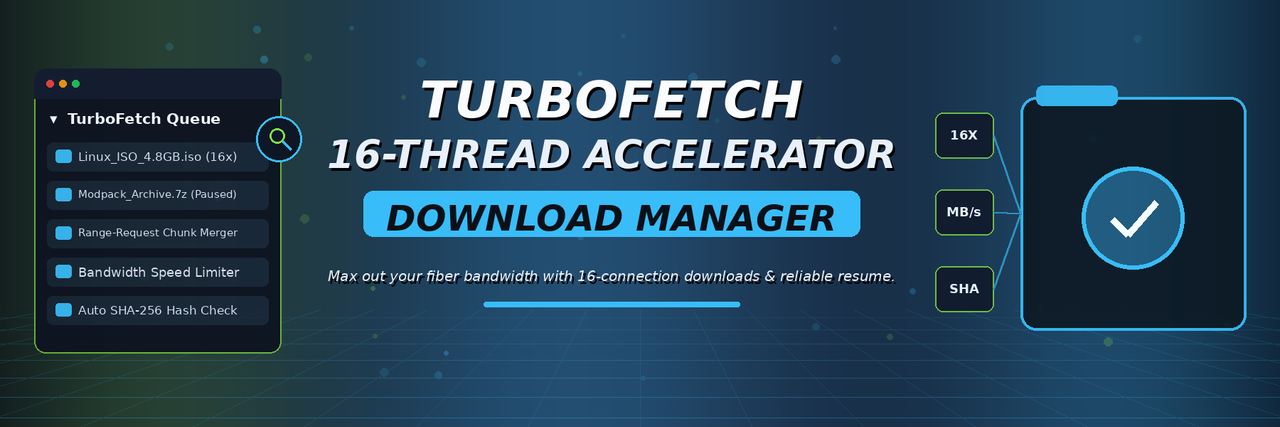



Browser capping a 15 GB modpack, game patch, or ISO download to a single slow connection that fails at 94% with 'Network Error'? Split downloads across up to 16 parallel HTTP byte-range connections with reliable pause/resume and automatic SHA-256 verification.
TurboFetch Download Manager is a clean, ad-free alternative to paid download accelerators on Windows: opening 4–16 concurrent HTTP/HTTPS range streams to saturate your full ISP bandwidth, saving chunk progress to disk for crash-safe resuming, and verifying SHA-256 hashes on completion.
This project is aimed at Windows 10 and Windows 11 (64-bit) PC users downloading large open-source ISOs, game mods, datasets, and release archives over HTTP/HTTPS.
| Scenario / Issue | Cause | Solution |
|---|---|---|
| Single-threaded browser download crawls at 2 MB/s on a 500 Mbps line | Server throttles individual TCP streams per connection | Split the file into 8 or 16 parallel HTTP Range connections |
| 12 GB download fails at 95% due to brief Wi-Fi drop | Standard browser downloads restart from 0% on connection reset | Save .part chunk state to disk and resume cleanly from exact byte offset |
| Background download chokes ping during online games | Unthrottled download saturates home router bufferbloat | Set a live Max Speed Cap (e.g. 15 MB/s) without pausing the queue |
| Need to verify downloaded ISO or archive wasn't corrupted | Running certutil -hashfile manually in CMD is tedious |
Paste expected SHA-256 / MD5 hash for automatic post-download verification |
Download TurboFetch.zip — Latest GitHub Release (Windows x64)
View All Releases & Changelog · Report an Issue
- Accelerates HTTP/HTTPS downloads using
1to16parallel byte-range connections. - Crash-safe Pause & Resume stores chunk offsets on disk so interrupted downloads never restart from zero.
- Includes a live Bandwidth Limiter so background downloads never lag your online games or calls.
- Built-in SHA-256 / SHA-1 / MD5 checksum verifier confirms file integrity immediately upon completion.
[TurboFetch] URL: https://releases.example.org/ubuntu-26.04-desktop-amd64.iso (5.42 GB)
[INFO] Connections      : 16/16 Active Byte-Range Streams | Speed: 61.8 MB/s
[OK]   Download Complete: C:\Users\Player\Downloads\ubuntu-26.04-desktop-amd64.iso
[OK]   SHA-256 Verify   : MATCH (e3b0c44298fc1c149afbf4c8996fb924...)
The release ZIP is named TurboFetch.zip; the Windows executable inside is named TurboFetch.exe.
- Close TurboFetch before updating or replacing executable files.
- Click Download TurboFetch.zip above.
- Right-click the downloaded archive and choose Extract All.
- Open the extracted folder and run
TurboFetch.exe. - Review the options and output paths before processing files.
Requirements: Windows 10 or 11 (64-bit) with an active internet connection.
- Offline & standard user permissions:
TurboFetch.exeruns locally without uploading your personal files and does not require disabling Windows Defender. - Windows SmartScreen: Because this is an independent open-source utility without a commercial EV code-signing certificate, Windows SmartScreen may show "Windows protected your PC" on first launch. Click More info → Run anyway after verifying the release checksum on the Releases page.
Parallel byte-range requests bypass per-socket throughput bottlenecks on standard HTTP CDNs.
Persistent chunk metadata lets you pause, reboot your PC, and resume the next day.
Clean, open-source portable utility with clipboard URL auto-detection.
Verifies SHA-256 checksums automatically as soon as the final chunk merges.
TurboFetch downloads files to your Windows Downloads folder and merges .part segments automatically:
%USERPROFILE%\Downloads\
Typical directory layout:
%USERPROFILE%\Downloads\
├── LargeArchive.zip         (Merged final file)
└── .turbofetch_state\       (Temporary chunk progress — auto-cleaned on finish)
If a server does not advertise Accept-Ranges: bytes, TurboFetch automatically falls back to a reliable single-stream download.
Follow these steps to get started:
- Extract
TurboFetch.zipand launchTurboFetch.exe. No installation or browser extension required. - Copy any direct download link (
Ctrl+C) and click Add URL. Choose connection count (8or16threads) and optional expected SHA-256 hash. - Click Start Download and monitor per-thread speeds. Use the speed limiter slider if gaming simultaneously.
- Verify the green SHA-256 Match badge once complete. Open the file directly from the queue.
Temporary .part chunk files are cleaned up automatically once the final file is assembled and verified.
TurboFetch displays active connection count, real-time MB/s throughput, ETA, percentage per chunk, and SHA-256 match status.
Does TurboFetch work with every website?
It accelerates any HTTP/HTTPS direct download link whose server supports standard Accept-Ranges: bytes headers, and falls back to 1 thread otherwise.
Can I pause a download, turn off my PC, and resume tomorrow?
Yes—chunk progress is saved to disk so you can resume anytime.
Does it contain ads or trial expiration popups?
No. TurboFetch is 100% free and open-source.
- StreamGrab-4KVideoDownloader — Visual 4K/1080p60 video, playlist & MP3 downloader with SponsorBlock
- WakeLock-KeepAwakeTray — Keep Windows awake during long downloads & renders with a timer
- PortWatch-LocalPortKiller — Find & free blocked Windows TCP/UDP ports in one click
- DupeSweep-HashFileCleaner — Fast SHA-256 duplicate photo, video & download cleaner
Independent open-source desktop utility for Windows. Use only to download files you have the legal right to access.