This VIM settings is newest for my MacOSX, I usually use my VIM to write some Golang, Python, Markdown, C/C++, etc. It use vim-plug replace to the vundle to manage the plugins. Replaced many old plugins with new plugin which are more suitable in VIM-8 And remove some plugin which I dose not usually use.
VIM - Vi IMproved 8.1 (2018 May 18, compiled Oct 15 2019 10:20:59) macOS version
brew install cmake macvim pygments global cppcheck prettier
brew unlink ctags && brew install --HEAD universal-ctags/universal-ctags/universal-ctags
sudo pip install isort yapf flake8 autopep8 pylint
use vim-plug manage plugins: the .vimrc will automatic download the vim-plug
- nerdtree A tree explorer plugin for vim.
- nerdcommenter Vim plugin for intensely orgasmic commenting
- vim-airline lean & mean status/tabline for vim that's light as air
- vim-surround quoting/parenthesizing made simple
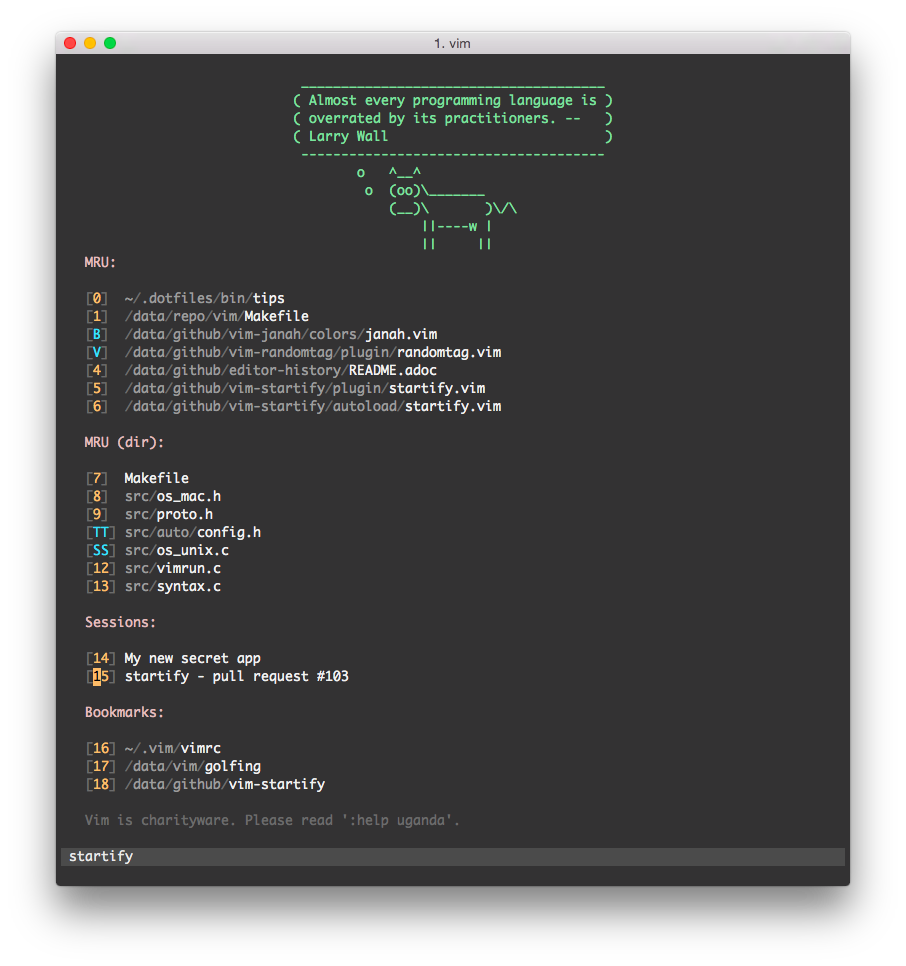
- vim-startify A fancy start screen for Vim
- vim-json-line-format format json line
- vim-signify Show a diff using Vim its sign column.
- favorite-vim-colorscheme Tomorrow night bright color scheme
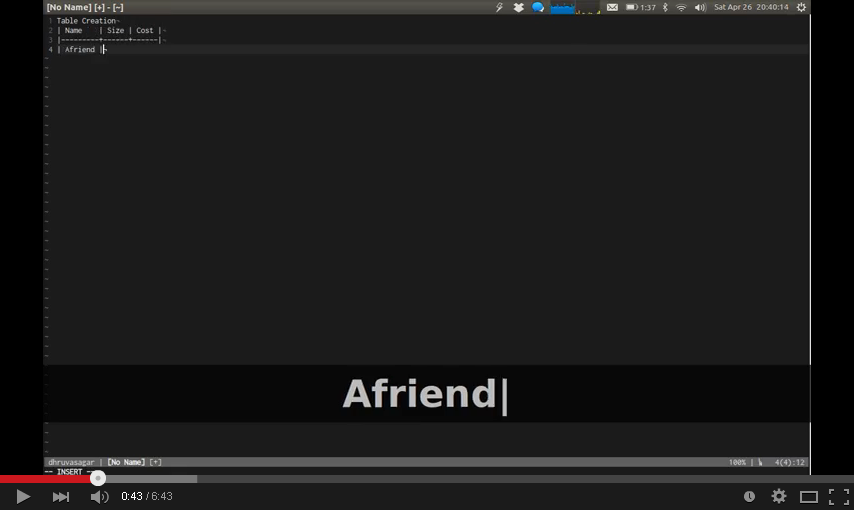
- vim-table-mode VIM Table Mode for instant table creation.
- vim-go Go development plugin for Vim
- rainbow_parentheses.vim Better Rainbow Parentheses.
- vim-coloresque css/less/sass/html color preview for vim.
- asyncrun.vim Run Async Shell Commands in Vim 8.0 / NeoVim and Output to Quickfix Window.
- vim-json-line-format format json line in Vim.
- vim-visual-multi Multiple cursors project for vim/neovim.
- vim-airline lean & mean status/tabline for vim that's light as air.
- LeaderF An asynchronous fuzzy finder which is used to quickly locate files, buffers,mrus, tags, etc. in large project
- YouCompleteMe A code-completion engine for Vim.
- vim-gutentags A Vim plugin that manages your tag files.
- gutentags_plus The right way to use gtags with gutentags.
- ale Check syntax in Vim asynchronously and fix files, with Language Server Protocol (LSP) support.
- echodoc.vim Print documents in echo area.
- vimwiki Personal Wiki for Vim
- vim-snippets vim-snipmate default snippets
- UltiSnips The ultimate snippet solution for Vim
- auto-pairs Insert or delete brackets, parens, quotes in pair.
- calendar.vim A calendar application for Vim
- killersheep Silly game for Vim 8.2
- vim-plugin-random-colorscheme-picker Pick the VIM colorscheme that you are destined to be with.:)
- change buf:
]b[b - open a new tab:
<F6> - change tab:
]t[t - copy (all/selected) content:
Ctrl+c - write RO file:
w!! - line number toggle:
<F2> - nerdtree toggle:
<F3> - function list:
<F4> - run python script:
<F5> - paste toggle:
<F7> - lint fix:
<F8> - format current json content:
<F9> - Automatically wrap spaces for English words and numbers in Chinese:
<F10> - wrap
"/'for a word:<leader>w"/<leader>w' - uppercase/lowercase toggle with a
_prefix:! - delete current letter and toggle uppercase/lowercase:
@ - continue indent text to left or right on select/normal mode:
>< - switch window:
<C-HJKL> - resize window:
<C-UpDownLeftRightEnter> - close quickfix window:
<leader>q - find files:
<leader>f - find mru files:
<leader>m - complete python code:
<C-n> - format json line:
<leader>wj<leader>pj - change surround:
csXY - del surround:
dsX - comment/uncomment:
<leader>cc/<leader>cu - table mode:
<leader>tm - build gofile:
<leader>gb - run gofile:
<leader>gr - run go test:
<leader>gt - code complete:
<c-z> - write vimwiki:
<leader>ww - expand snips:
<c-e> - change random colorscheme:
<leader>c
- no backup and swap file
- correct encoding for chinese
- beautiful statusline and startify
- auto reload vimrc when it is changed
- highlight and ignorecase for search text
- support using mouse
- auto remove whitespace which at the line tail and blank line at the latest
- show content in terminal when exit the vim
- open a file at the latest change position
- auto check syntax
- one key to fix linter check
- run python script with virtualenv if there is a
$VIRTUAL_ENV(open script with virtualenv in terminal) - auto complete the code
- show git diff in vim
- multiple cursors for editing
- use tomorrow-night-bright color scheme
- color preview for .css files
- auto format markdown tables in table mode
- auto choice random colorscheme, use
<leader>cor:CSnextcan change the theme,:Hateto let the colorscheme be used again
some pics are old, don't trust them...
default open a python file

working

next pics come from the plugin projects
json line format(I am the author 😳)

startify
vim-coloresque
vim-table-mode
use vim-plug, just need copy .vimrc to your HOME path and run :PlugInstall in vim.