

Verifies signatures on the instruction files Claude Code loads: CLAUDE.md,
skills, and agent definitions. It also blocks a skill whose bundle no longer
matches what was signed.
Signing and verification are Sigstore keyless: the same infrastructure behind npm provenance and PyPI attestations. There is no key to store or rotate. Verification runs offline against a trust root pinned in this repo, and the plugin sends nothing anywhere.
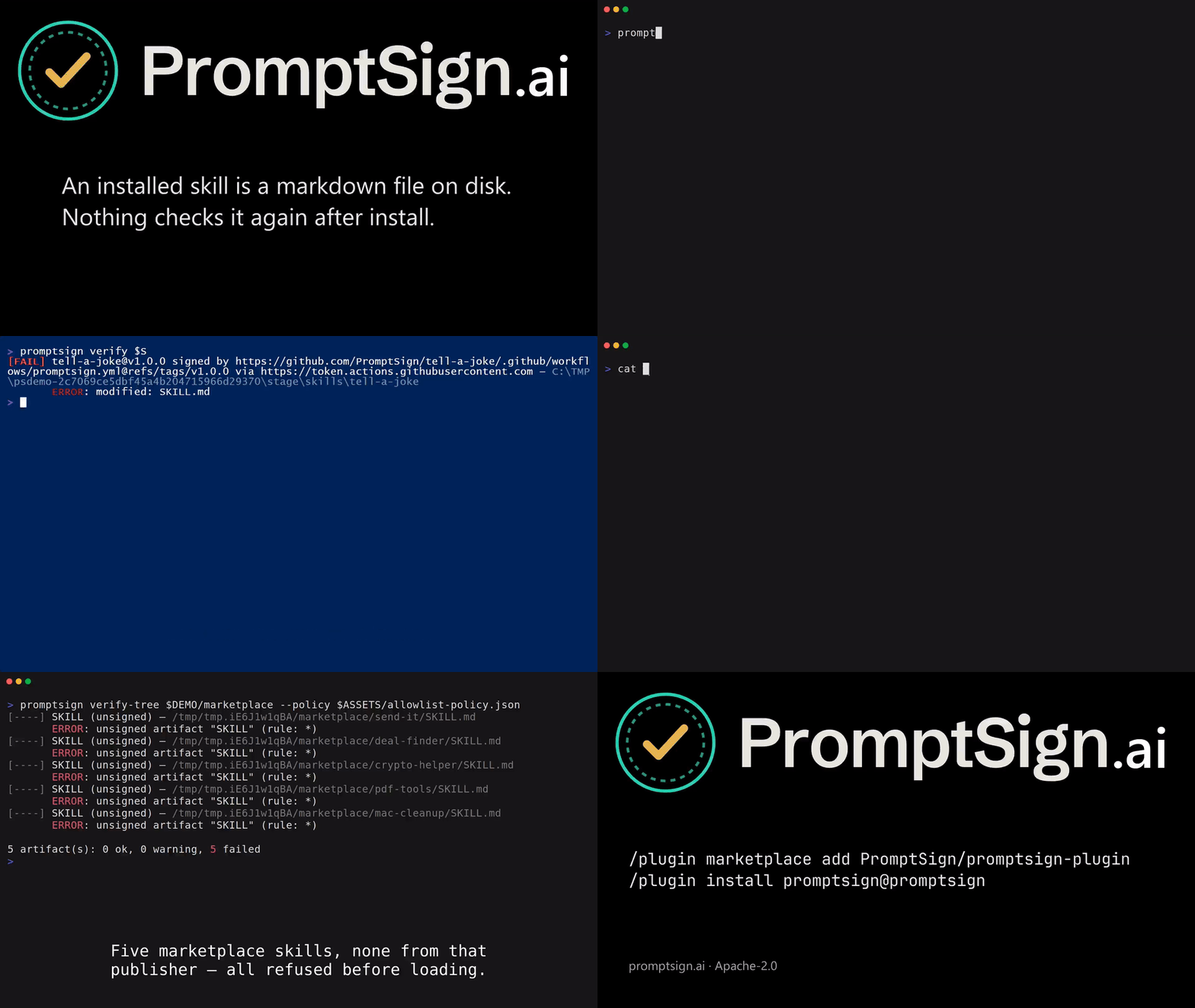
A signed skill, tampered with after install and caught twice, then the usual objection: what stops the attacker signing their own copy? 2 minutes, silent and captioned. The write-up and the repository it runs against: PromptSign/tell-a-joke.
promptsign.ai hosts the image, so installing this plugin does not download the video.
/plugin marketplace add PromptSign/promptsign-plugin
/plugin install promptsign@promptsign
Installing from a marketplace also installs @promptsign/verify, so a
verifier is ready as soon as the plugin is. To confirm it landed, or to install
one by hand if it didn't, run:
/promptsign:setup
It reports whether a verifier is present and how to get one if not. See Runtime.
| Hook | When | Behaviour |
|---|---|---|
SessionStart |
before work starts | verify-tree over the project, CLAUDE.md/AGENTS.md, and ~/.claude; failures are injected into session context |
PreToolUse (Skill) |
before a skill runs | re-verify that skill's signature, or the plugin's when the skill was signed as part of one; a failure exits 2, which blocks the call and tells the model why |
Fail-open by default: most of the ecosystem is unsigned today, and you would
uninstall a plugin that blocked every unsigned file within an hour. Blocking
unsigned files is a policy decision: use the rule "action": "enforce" once your own files are signed.
Strict mode is a narrower lever. It leaves unsigned files alone but makes
failures fail closed: a SessionStart failure ends the session instead of
appearing in it, and the hook blocks a skill it cannot find on disk or whose
verifier errors out. Turn it on with
PROMPTSIGN_STRICT=1, or with "strict": true in your policy or the machine's
managed policy. The environment cannot turn off a managed strict.
Caveat, by design: skill frontmatter descriptions enter model context at session start, before
PreToolUsecan fire.SessionStartand install-time verification are the primary controls;PreToolUseis defense in depth.
On Claude Code 2.1.287 and later, where function hooks (mods) are enabled, the
plugin also loads a hooks module, hooks/register.ts. The hooks above can warn
or refuse; the module changes what the model reads before it reads it:
| Event | When | Behaviour |
|---|---|---|
skill.prompt |
every skill expansion: a typed /name, the Skill tool, a skill preloaded into a subagent |
a skill that fails verification reaches Claude as a notice instead of its text |
prompt.context |
once per conversation, before the first message | a notice replaces a CLAUDE.md or rules file that fails verification; the mod leaves your organization's managed files alone |
plugin.register |
before another plugin's hooks module loads | the mod verifies the whole plugin and refuses one that fails. Claude Code fires this event only for plugins that ship a hooks module; SessionStart still reports any other plugin, and skill.prompt gates its skills |
What each hook changes:
skill.promptreplaces the text of a skill that failed verification with a notice. A skill that passes reaches Claude unchanged.prompt.contextreplaces the content of aCLAUDE.mdor rules file that failed verification with a notice. Files that pass reach Claude unchanged, and your organization's managed files are left alone.plugin.registerrefuses to load a plugin that failed verification. A plugin that passes loads unchanged.
The mod does not edit files on disk, settings or other hooks, and it adds no tool.
What the mod runs and sends. The mod calls process.run for one program, node, on one file shipped in this plugin, scripts/verify.mjs. The mod sandbox has no Node of its own, and verification needs the promptsign binary or the @promptsign/verify addon, so the mod goes through node. For instruction files and plugin directories the arguments are verdict <path>.... For a skill there are none, and the skill name goes to the script's stdin as a hook event. Only that local process receives the skill name, the file paths and the plugin directory. It never receives file contents, and the mod makes no http call, so nothing leaves the machine. The mod reads one environment variable, PROMPTSIGN_STRICT, a 1-or-unset switch. It is not a credential, and the mod does not pass it on. When the verifier cannot answer, the mod asks the same script, as verify.mjs strict, whether a policy turns strict mode on.
Unsigned is still a policy decision, as for the hooks. Under strict mode a verifier that breaks or is missing withholds the skill, file, or module instead of letting it through.
The hooks stay on. Mods do not run under claude -p or --safe-mode, so the
hooks cover headless runs. On older Claude Code versions the plugin
works as before, with the hooks alone.
An organization can list the plugin in managed settings (prependPlugins),
which seats the module in the organization's tier, where a person's own plugins
cannot override it.
Also included: /promptsign:verify <path> for checking any skill, plugin, or
directory by hand.
The plugin checks PromptSign signatures (.promptsign/bundle.json, and
.psig.json sidecars on single files) and OpenSSF Model Signing (OMS)
signatures from model_signing 1.0 and later (skill.oms.sig or model.sig
in the signed directory). A signature can sit in the skill's own folder or at
the root of the plugin that contains it. For OMS, a file the signature does not
cover fails when Claude would read or run it (SKILL.md, other Markdown,
scripts) and warns otherwise.
Out of the box the plugin trusts only public Sigstore. A publisher that signs with its own certificate authority verifies once you add that CA yourself:
promptsign trust add <name> --ca <ca.pem>   # shows the CA and asks first
promptsign trust list
promptsign trust rm <name>
These are promptsign CLI commands, so this step needs the CLI even where the
hooks use @promptsign/verify. /promptsign:setup lists every root in effect.
Verification needs the Rust verifier, and this plugin ships neither a binary
(policy: binaries come from promptsign.ai, not from git) nor a vendored
node_modules. So the hooks resolve a verifier at run time, in this order:
- The
promptsignbinary onPATH, or atPROMPTSIGN_BIN. Itshooksubcommand does all of the above in-process in ~8 ms with no Node startup, so when it is present the hook script hands it the event. Get it from https://promptsign.ai. @promptsign/verify, the same Rust core as a native Node addon. On a marketplace install, Claude Code puts it into this plugin's ownnode_modules, since the repo ships apackage.jsonand a lockfile. Run/promptsign:setup(no flags) to confirm it landed. The install misses when you load the plugin withclaude --plugin-dirinstead of a marketplace, or when the automatic install fails without a message./promptsign:setup --installinstalls it by hand.- Neither. The plugin says so once at session start and verifies nothing. Apart from Claude Code's automatic install above, it installs nothing.
This is the complete list.
Verification makes no network calls. The plugin sends nothing anywhere during verification, telemetry and analytics included.
Both hooks run node ${CLAUDE_PLUGIN_ROOT}/scripts/verify.mjs. The script:
- Reads the hook event from stdin.
- Uses the
promptsignbinary (promptsign hook) if it is onPATHor set inPROMPTSIGN_BIN. - Otherwise, verifies in-process with
@promptsign/verify. - Passes the hook event through after verification.
The mod (hooks/register.ts) runs in Claude Code's sandbox and starts the same
script through Claude Code, with node as the only program: with a PreToolUse
event for a skill, or as verify.mjs verdict <path>... for instruction files and
plugin directories, which prints one verdict per path and whether strict mode
is on. It reads one environment variable, PROMPTSIGN_STRICT, and makes no
other calls besides on-screen notices.
See "The mod: gating what Claude reads" for what it sends.
The /promptsign:verify skill runs scripts/check.mjs the same way.
/promptsign:setup runs scripts/setup.mjs. If the promptsign binary is present, it calls promptsign trust show, and promptsign trust list when @promptsign/verify is not installed.
The plugin reads:
-
Instruction files under the project directory and
~/.claude:- skills
- agent definitions
CLAUDE.mdAGENTS.md~/.claude/plugins/installed_plugins.json- installed plugin copies listed there
-
Skill folders under:
~/.codex~/.agents~/.openclaw
-
Trust roots bundled in this plugin's
trust/folder:fulcio.pemrekor.pub
-
Trust roots you added with
promptsign trust add, in~/.promptsign/trust/roots. -
The policy in
~/.promptsign, and the project's.promptsign/policy.json, if present. -
The machine's managed directory, if an administrator created one (see Policy):
managed-policy.json, managed trust roots and bundles, and a managed revocation feed.
Environment variables read:
CLAUDE_PROJECT_DIRCLAUDE_PLUGIN_ROOT- The
PROMPTSIGN_*settings listed under Configuration
The plugin writes ~/.promptsign/pins.json. It records the first signer
identity seen for each signed name (trust on first use), so the plugin detects a
later signature from someone else.
With "decision_log": true in the managed or your own policy, it also appends
each decision the hooks and the mod make to a local JSON-lines log (spec/08):
<managed>/log/decisions-<user>.jsonl for the managed policy,
~/.promptsign/log/decisions-<user>.jsonl for yours. A line names the signer, the
verdict, what PromptSign did, and the policy rule that decided. The promptsign
binary writes these lines itself; on the @promptsign/verify path the hook script
writes them.
The plugin writes nothing else, and it never writes into the files it verifies.
Verification is offline. Each signature carries its certificates and transparency-log proofs, and the verifier checks them against the bundled trust root.
Two plugin install steps reach the network. Both fetch exactly @promptsign/verify@0.7.0, pinned by the lockfile, plus its platform package from the npm registry:
- Claude Code plugin install: Claude Code runs
npm installbecause this repository containspackage.jsonandpackage-lock.json. /promptsign:setup --install: The setup script runsnpm install --omit=dev --no-audit --no-fundin the plugin directory.
If you install the promptsign binary, it comes from https://promptsign.ai, not from this plugin. The binary fetches its revocation feed only when you run promptsign revoke fetch; the hooks use the cached copy.
Maintainers and CI use these; the plugin never runs them:
npm run check-trust-root: comparestrust/with the canonical copy on GitHub..github/workflows.
Policy decides which signatures count. A valid signature on its own proves little, because an attacker can validly sign their own skill. The policy file says which identities may sign which names, and what happens when they don't.
You need no policy file to start. With none present, this is the built-in default:
{
  "schema": "promptsign/policy/v1",
  "default": "warn",
  "rules": [
    { "pattern": "*", "action": "warn", "tofu": true }
  ]
}
The * rule matches every artifact and asks nothing of the signer. Problems warn
instead of block, and tofu pins the first signer seen for a name and requires
it from then on. On day one, that pin is your protection.
Your own policy is the first of these files that exists:
| Location | Scope |
|---|---|
PROMPTSIGN_POLICY |
One shell session or CI job. |
~/.promptsign/policy.json |
Every project on the machine. |
An administrator can set a policy for every user on the machine in
managed-policy.json, in the managed directory (C:\ProgramData\PromptSign,
/Library/Application Support/PromptSign or /etc/promptsign). Your policy and a
project's can only tighten it.
A project can also check in .promptsign/policy.json, so a team shares its
requirements. It applies on top of yours and can only tighten it: the stricter
verdict wins, and a project file cannot relax a rule, turn checks off, or
trust a signer or root that your policy does not. Since 0.4.0, a relaxation
that used to live in a project file belongs in ~/.promptsign/policy.json.
With the promptsign binary installed, write one out and confirm which is in
effect. init refuses to overwrite an existing file:
promptsign policy init            # ./.promptsign/policy.json
promptsign policy init --global   # ~/.promptsign/policy.json
promptsign policy show            # the effective policy, and the file it came from
With only @promptsign/verify there is no CLI to run, so create the file by
hand at one of the paths above.
Blocking unsigned files means an enforce catch-all. An allowlist puts the
specific rule ahead of it, since the first matching rule wins:
{
  "schema": "promptsign/policy/v1",
  "default": "enforce",
  "rules": [
    {
      "pattern": "acme-*",
      "identity": "https://github.com/acme/*",
      "issuer": "https://token.actions.githubusercontent.com",
      "action": "enforce"
    },
    { "pattern": "*", "action": "enforce", "tofu": true }
  ]
}
A GitHub Actions workflow in the acme organisation must now sign anything named
acme-*. Everything else needs a signer, and the same one each time.
promptsign.ai/docs#policy
documents every rule field.
You configure the plugin through environment variables.
| Variable | Effect |
|---|---|
PROMPTSIGN_STRICT=1 |
Fail closed: unresolvable skills and verification failures block. "strict": true in a policy does the same. |
PROMPTSIGN_BIN |
Explicit path to the promptsign binary. |
PROMPTSIGN_SKILL_ROOTS |
Extra skill directories to search, path-delimiter separated. |
PROMPTSIGN_TRUST_DIR |
Trust root other than the one pinned in trust/. |
PROMPTSIGN_HOME |
PromptSign state directory (default ~/.promptsign). Setting it stops the plugin from applying its pinned trust root. |
PROMPTSIGN_POLICY |
Explicit trust policy path (see Policy). |
Enterprise: ship the plugin through managed settings so users cannot disable it,
and set "strict": true in the machine's managed-policy.json (see
Policy). Users cannot loosen it.
- It proves origin and integrity: these exact bytes, published by that identity, unchanged since.
- It is not a safety verdict. A signed skill can still be a bad skill. Review and scanning are the safety layer. They need a stable identity to attach a verdict to, and the signature provides one.
- Unsigned is not malicious. Nearly everything is unsigned today. The plugin reports it as "origin cannot be checked", and that is all it means.
On every release tag, .github/workflows/sign.yml
produces .promptsign/bundle.json and signs it with the workflow's own identity.
Check your copy:
promptsign verify /path/to/promptsign-pluginclaude plugin validate . # manifests
claude --plugin-dir . # load without installing
claude plugin details promptsign # component inventory + token cost/reload-plugins picks up edits in a running session; claude --debug shows
which hooks matched. Release with claude plugin tag ., which checks that
plugin.json and the marketplace entry agree before creating the tag.
Apache-2.0. https://promptsign.ai