GPRMax UI is a Python interface for building, running, and inspecting gprMax electromagnetic simulations. It wraps gprMax input commands with typed Python objects, manages common output workflows, and provides plotting helpers for B-scans, model geometry, snapshots, and videos.
Current package version: 1.0.3
- Define gprMax domains, materials, geometry, waveforms, sources, and receivers in Python.
- Run simulations through
GprMaxModelwhile preserving access to gprMax API options. - Read merged receiver data and plot B-scans, geometry, and snapshot progress.
- Render simulation videos with configurable frame steps and parallel workers.
- Import gprMax geometry-object files with
GeometryObjectsRead. - Export and reload model definitions with
GprMaxModel.to_json()andGprMaxModel.from_json().
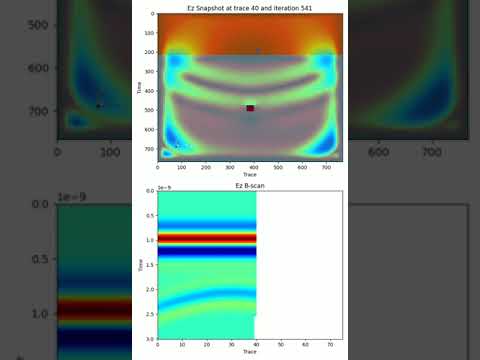
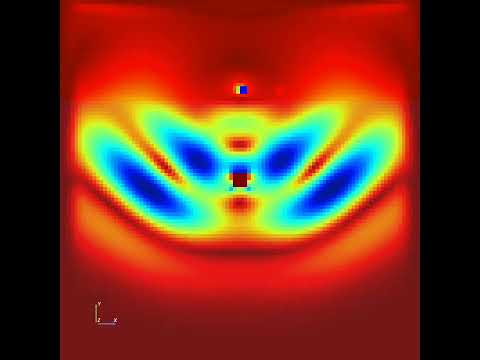
These videos were generated with GPRMax UI:
- Python 3.10 or newer
- A working gprMax installation in the same Python environment
- Optional CUDA/PyCUDA setup for GPU execution
pip install gprmaxuiPlotting helpers, geometry rendering, and video export use optional visualization dependencies:
pip install "gprmaxui[viz,video]"For GPU support, install the optional extra after CUDA and PyCUDA prerequisites are available:
pip install "gprmaxui[gpu]"For local development:
uv sync --group dev
uv run --group dev python -c "import gprmaxui; print(gprmaxui.__version__)"
See the installation docs for gprMax setup notes.
make check
make build
make check runs the package test suite and builds the MkDocs site in strict
mode. make build runs a syntax check and builds the source distribution and
wheel.
from pathlib import Path

from gprmaxui import GprMaxModel
from gprmaxui.commands import (
    DomainBox,
    DomainResolution,
    DomainSize,
    DomainSphere,
    HertzianDipole,
    Material,
    Rx,
    RxSteps,
    SrcSteps,
    TimeWindow,
    Tx,
    TxRxPair,
    Waveform,
)

model = GprMaxModel(
    title="B-scan from a single target buried in a dielectric half-space",
    output_folder=Path("output"),
    domain_size=DomainSize(x=0.2, y=0.2, z=0.002),
    domain_resolution=DomainResolution(dx=0.002, dy=0.002, dz=0.002),
    time_window=TimeWindow(twt=3e-9),
)

model.register_materials(
    Material(id="half_space", permittivity=6, conductivity=0, permeability=1)
)

box = DomainBox(
    x_min=0.0,
    y_min=0.0,
    z_min=0.0,
    x_max=0.2,
    y_max=0.145,
    z_max=0.002,
    material="half_space",
)
model.add_geometry(box)

model.add_geometry(
    DomainSphere(
        cx=box.center().x,
        cy=box.center().y,
        cz=box.center().z,
        radius=0.005,
        material="pec",
    )
)

tx_rx_sep = 2e-2
tx = Tx(
    waveform=Waveform(wave_family="ricker", amplitude=1.0, frequency=1.5e9),
    source=HertzianDipole(polarization="z", x=0.03, y=0.15, z=0.0),
)
rx = Rx(x=tx.source.x + tx_rx_sep, y=0.15, z=0.0)

model.set_source(
    TxRxPair(
        tx=tx,
        rx=rx,
        src_steps=SrcSteps(dx=0.002, dy=0.0, dz=0.0),
        rx_steps=RxSteps(dx=0.002, dy=0.0, dz=0.0),
    )
)

model.run(n="auto", geometry=True, snapshots=True)
model.plot_data()For larger B-scans, reduce snapshot output and parallelize video-frame rendering:
model.run(
    n="auto",
    geometry=True,
    snapshots=True,
    snapshot_stride=10,
    num_threads=8,
    mpi="auto",
    gpu=[0, 1],
    geometry_fixed=True,
)

model.save_video(
    "model.mp4",
    fps=25,
    rx_component="Ez",
    figsize=(6, 10),
    cmap="jet",
    frame_step=10,
    workers="auto",
)
Use a frame_step that matches the snapshots written during model.run(). For
example, snapshot_stride=10 pairs with frame_step=10.
model.to_json("model_config.json")
restored_model = GprMaxModel.from_json("model_config.json")
JSON export includes the title, output folder, domain, resolution, time window, source, materials, and geometry commands.
GPRMax UI can convert image masks into gprMax geometry-object HDF5 files and
reference existing geometry-object files in a model. Use
gprmaxui.utils.png2geometry() when geometry comes from a segmented image or
another preprocessing workflow.
from pathlib import Path

from gprmaxui.utils import png2geometry

png2geometry(
    Path("root_images/root1.png"),
    dxdydz=(0.005, 0.005, 0.005),
    scale=0.05,
)
The function writes root_images/root1.h5 next to the source image. Visible
pixels become geometry cells; transparent pixels remain background. The
dxdydz tuple defines the gprMax cell size, and scale controls how many image
pixels are mapped into the geometry grid.
Pair the generated .h5 file with a gprMax material mapping text file, then
reference both files with GeometryObjectsRead:
from gprmaxui.commands import GeometryObjectsRead

model.add_geometry(
    GeometryObjectsRead(
        filename="root_images/root1.h5",
        materials_filename="root_images/root1.txt",
        x=0.1,
        y=0.02,
        z=0.0,
    )
)
See Geometry Object Import for the full workflow.
Editable documentation lives in mkdocs/; generated GitHub Pages output lives
in docs/.
uv run --group dev mkdocs build --strict
uv run --group dev mkdocs serve -a localhost:8000
Main docs:
Thanks to everyone who has contributed to GPRMax UI.
See LICENSE.