A static blog generator built on Hakyll, with a clean, readable theme tuned for mixed English / Traditional Chinese / Japanese text. It powers blog.paulme.ng.
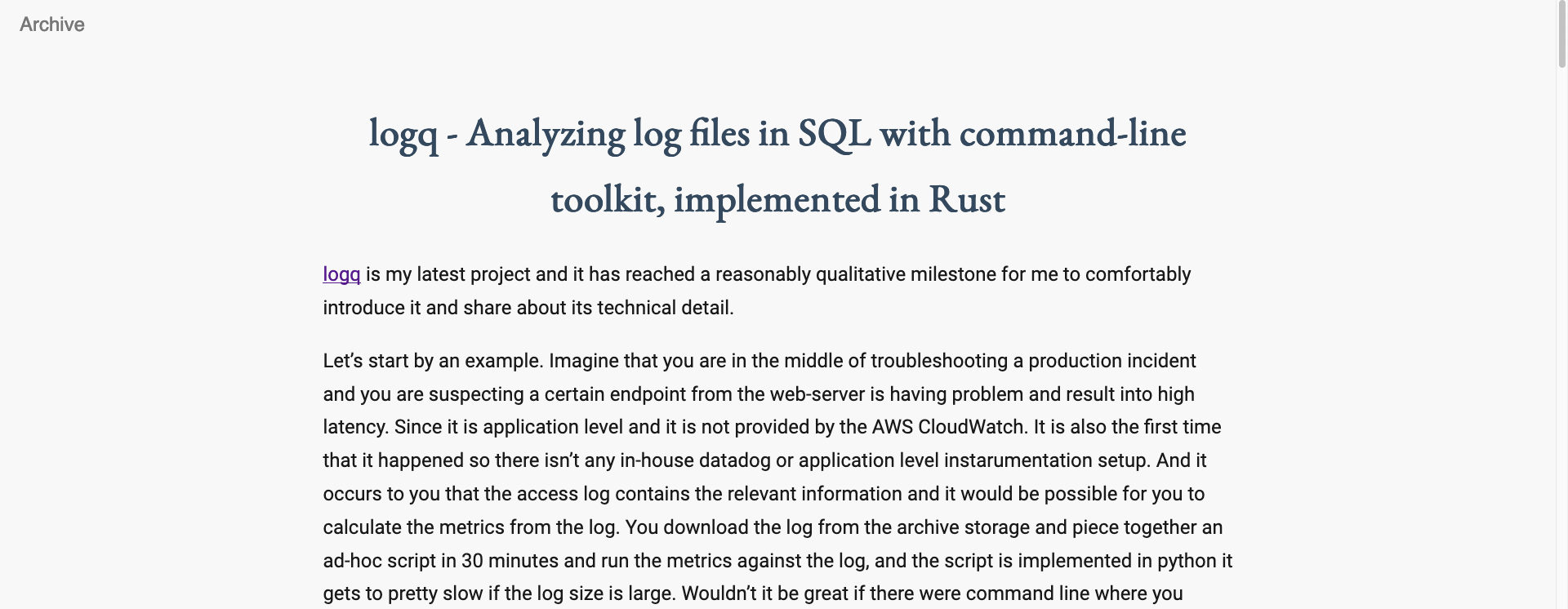
- Markdown posts rendered by Pandoc, with TeX math (
$..$,$$..$$,\(..\),\[..\]) rendered by MathJax 3. MathJax is only loaded on pages that actually contain math. - Paginated front page (
/,/2/,/3/, ...), an archive page, an Atom feed at/rss/feed.xml, asitemap.xmland arobots.txt. - Per-page
<title>, canonical URL and Open Graph tags; optional Google Analytics and Search Console tags driven by configuration. - A helper script for creating posts, previewing, deploying to GitHub Pages and building a Docker image.
- Stack (
brew install haskell-stackon macOS). Stack downloads the pinned GHC for you. pkg-config, which some dependencies need at configure time (brew install pkgconfon macOS,apt install pkg-configon Debian/Ubuntu).
The first build compiles Pandoc and Hakyll from source and takes a while (20-40 minutes on a recent laptop). Later builds are incremental.
git clone https://github.com/MnO2/haspot.git
cd haspot
stack build                    # compile the generator
stack run -- watch             # build the site and serve it on http://127.0.0.1:8000
stack run -- <cmd> forwards Hakyll's usual commands:
| Command | What it does |
|---|---|
stack run -- build |
Generate the site into _site/ |
stack run -- watch |
Build, serve locally and rebuild on change |
stack run -- rebuild |
Clear the cache and build from scratch |
stack run -- clean |
Remove _site/ and _cache/ |
stack run -- deploy |
Run ./cmd_haspot.sh deploy (see below) |
stack run -- check |
Check the generated site for broken internal links |
The same commands are wrapped by ./cmd_haspot.sh build and
./cmd_haspot.sh watch.
./cmd_haspot.sh new "My post title"creates posts/YYYY-MM-DD-my-post-title.md with this front matter:
---
title: "My post title"
date: 2026-09-06T14:03:21-0400
---
Notes:
- Posts live in
posts/and the file name must start withYYYY-MM-DD-; the date in the file name is the fallback when thedatefield cannot be parsed. Hakyll understands2026-09-06,2026-09-06 14:03:21and2026-09-06T14:03:21-0400, among others. - Add
lang: zh-Hant(orja, ...) to the front matter to set the<html lang>attribute of that post. The default isen. - Images go under
images/and are copied verbatim; reference them as/images/.... Hakyll rewrites absolute links to relative ones at build time. - The front page shows two full posts per page. Change
postsPerPageinhaspot.hsto alter that.
All site-wide settings live in conf/setting.yml:
author:
    name: Paul Meng                        # feed author and footer
    email: me@paulme.ng                    # feed author email
    intro: One-line bio (available to templates as $author_intro$)
blog:
    root_url: https://blog.paulme.ng       # no trailing slash; used for canonical URLs, feed and sitemap
    title: "Paul Meng's Blog"
    description: ""                        # <meta name="description"> and feed description (optional)
    about_page_link: /about                # target of the "About" nav item (root-relative)
    google_analytics_id: G-XXXXXXXXXX      # optional; omit to disable the gtag snippet
    google_site_verification: token        # optional; omit to drop the meta tag
Missing or empty optional keys simply drop the corresponding markup. Note that
Universal Analytics (UA-...) properties stopped collecting data in 2023; use
a GA4 measurement id (G-...) if you want analytics.
haspot.hs            the generator: rules, contexts and Pandoc options
haspot.cabal         package description (built with `stack`)
stack.yaml           pins the Stackage LTS snapshot (GHC + library versions)
conf/setting.yml     site settings (see above)
posts/               Markdown posts, one file each
templates/           Hakyll templates
  head.html            <head> shared by every page
  nav.html             top navigation
  footer.html          site footer
  index.html           paginated front page
  post.html            a single post
  teaser.html          a post as shown on the front page
  archive.html         list of all posts
  sitemap.xml, robots.txt
stylesheets/         customize.css, minified at build time
images/, favicon.ico copied as-is
about/               a static "About" page copied as-is
cmd_haspot.sh        helper script (new / build / watch / deploy / docker)
Dockerfile, default.conf   nginx image serving _site/
Generated output goes to _site/; Hakyll's cache lives in _cache/. Both are
ignored by git.
Besides Hakyll's defaults ($body$, $url$, $title$, front-matter keys),
every template can use:
| Variable | Value |
|---|---|
$blog_title$ |
blog.title |
$blog_description$ |
blog.description (absent when empty) |
$root_url$ |
blog.root_url |
$about_page_link$ |
blog.about_page_link |
$blog_google_analytics_id$ |
blog.google_analytics_id (absent when unset) |
$google_site_verification$ |
blog.google_site_verification (absent when unset) |
$author_name$, $author_intro$ |
from the author section |
$current_year$ |
year at build time, for the copyright line |
$canonical_url$ |
absolute URL of the page, index.html stripped |
$page_title$ |
the post's title, or Archive; absent on index pages |
$og_type$ |
article on posts, otherwise absent (template falls back to website) |
$mathjax$ |
present when the page contains math |
$date$, $isodate$ |
September 6, 2026 and 2026-09-06, on posts |
Index pages also get Hakyll's pagination fields ($previousPageUrl$,
$nextPageUrl$, $currentPageNum$, $numPages$, ...).
./cmd_haspot.sh deploy rebuilds the site, copies _site/ into a sibling
checkout of the GitHub Pages repository (../mno2.github.io by default, or
$HASPOT_DEPLOY_DIR), renames customize.css to a timestamped file so
browsers pick up style changes, commits and pushes. stack run -- deploy does
the same.
stack run -- build
./cmd_haspot.sh docker         # builds and pushes paulmeng/blog:<version>
# or, for a local image only:
docker build -t haspot .
docker run --rm -p 8080:80 haspot
The image is plain nginx serving _site/; default.conf holds the server
configuration, including a couple of legacy domain redirects you will want to
edit or remove. Set HASPOT_DOCKER_IMAGE to push under a different name.
stylesheets/customize.cssholds all styling; PureCSS provides only the base reset and the menu classes.about/is a self-contained static page with its own copy of the stylesheet, so it can be redesigned independently of the blog templates.- Fonts are loaded from Google Fonts (Noto Serif TC / Noto Sans TC / Noto Sans
JP) in
templates/head.html.
stack.yaml pins a Stackage LTS snapshot; bump resolver: to a newer LTS that
contains hakyll (check https://www.stackage.org/package/hakyll), run
stack build, and commit the regenerated stack.yaml.lock.
MIT, see LICENSE. Blog content under posts/ is the author's and
is licensed CC BY-NC-SA.