



Real DOM text on any 3D surface — sphere, cylinder, torus, plane, waving flag, stool, or a custom mesh.
wrapType uses Three.js's CSS3DRenderer to distribute HTML text elements across the geometry of a 3D surface. Each character is a real DOM element oriented along the surface normal, which means variable fonts, CSS animations, hover states, and every other Liiift tool compose naturally — no canvas, no textures.
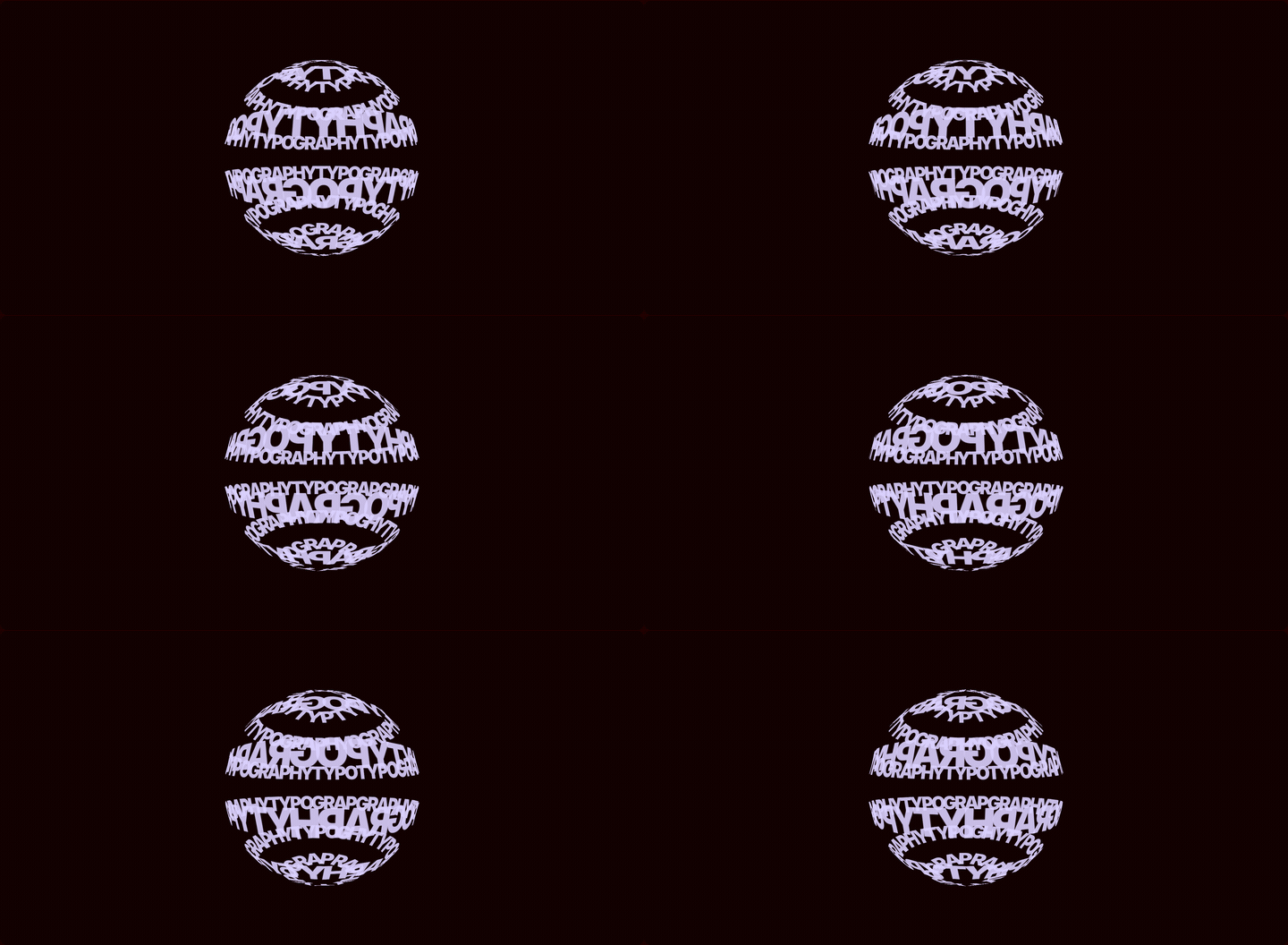
Try it live and drop in your own
.glb/.gltf/.objmesh at wraptype.com.
npm install @liiift-studio/wraptype threeOnly three is required. The remaining peers are optional — install the ones you use:
| Peer dependency | Needed for |
|---|---|
three (required) |
Core geometry + CSS3DRenderer |
react, react-dom |
The WrapTypeScene component / useWrapType hook |
@react-three/fiber, troika-three-text |
The GPU/SDF renderer at @liiift-studio/wraptype/r3f |
# React + DOM renderer (most common):
npm install @liiift-studio/wraptype three react react-dom

# R3F / WebGL renderer:
npm install @liiift-studio/wraptype three @react-three/fiber troika-three-text
Vanilla JS users need only three.
'use client' // Next.js App Router: WrapTypeScene renders in the browser only.

import { WrapTypeScene } from '@liiift-studio/wraptype'

<WrapTypeScene
  text="Typography is the art and technique of arranging type"
  shape="sphere"
  fill="cover"
  fontSize={13}
  color="rgba(220,210,255,0.85)"
  autoRotate
  style={{ width: '100%', height: '500px' }}
/>
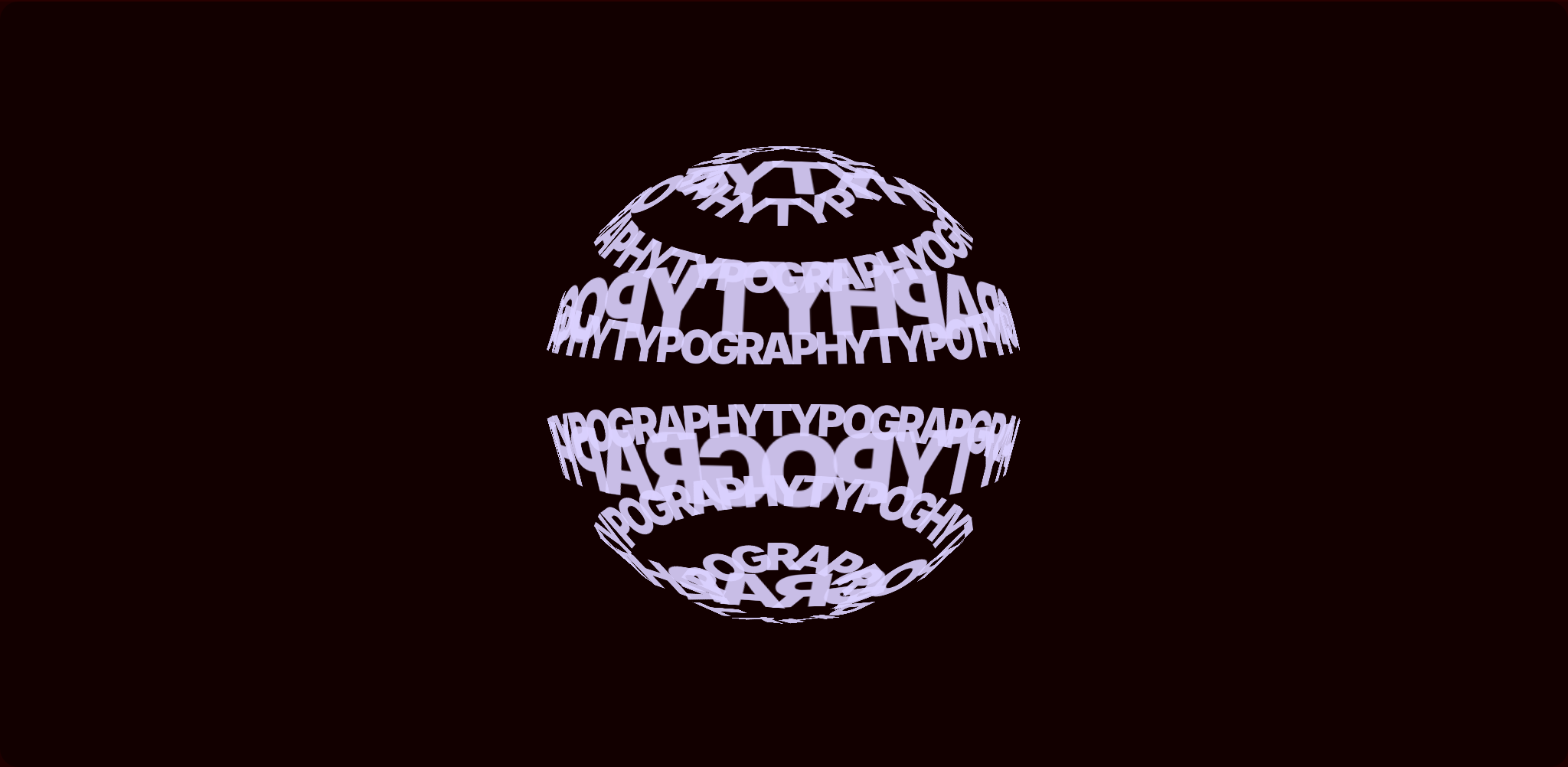
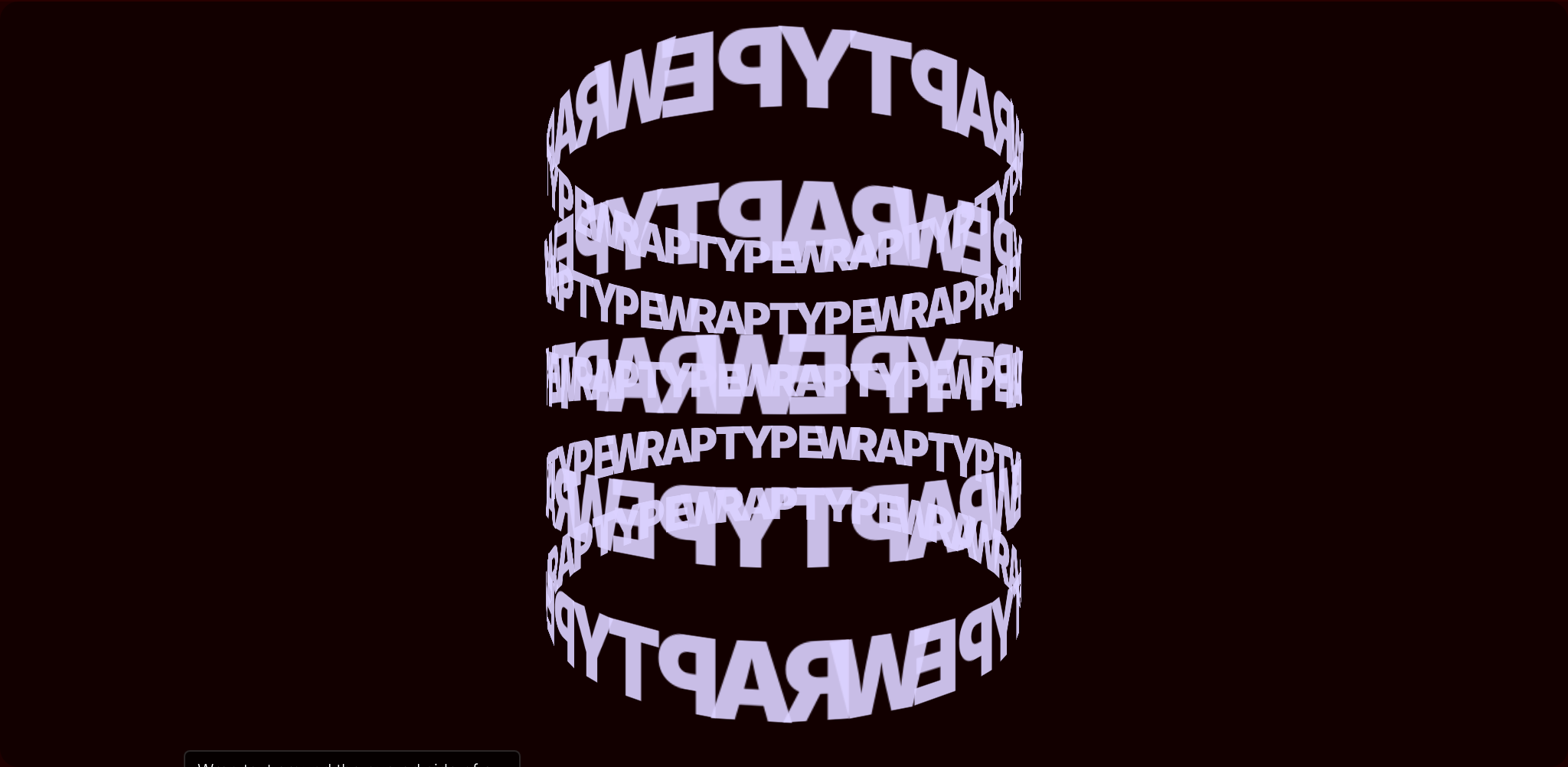
Every glyph above is a live <span> placed in 3D by CSS3DRenderer — selectable, styleable, animatable.
import { useWrapType } from '@liiift-studio/wraptype'

const { ref } = useWrapType({
  text: 'Typography is the art and technique of arranging type',
  shape: 'cylinder',
  fill: 'flow',
})

<div ref={ref} style={{ width: '100%', height: '500px' }} />import { getCharPositions, createWrapScene } from '@liiift-studio/wraptype'
const container = document.getElementById('scene')
const positions = getCharPositions({
text: 'Typography is the art and technique of arranging type',
shape: 'torus',
fill: 'cover',
})
const scene = createWrapScene(container, positions, {
autoRotate: true,
autoRotateSpeed: 0.6,
})
// Later, to clean up:
scene.destroy()
// Rebuild after changing options:
const newPositions = getCharPositions({ text: 'New text', shape: 'sphere' })
scene.rebuild(newPositions)The default renderer places real HTML in 3D (CSS3DRenderer). For text that needs to live inside a WebGL scene — receiving lights, shaders, and post-processing — import the SDF renderer from the @liiift-studio/wraptype/r3f entry point. It uses troika-three-text for GPU-antialiased glyphs curved onto the surface via troika's native curveRadius.
Requires @react-three/fiber and troika-three-text as peers.
import { Canvas } from '@react-three/fiber'
import { WrapTypeMesh } from '@liiift-studio/wraptype/r3f'

<Canvas>
  <WrapTypeMesh
    shape="sphere"
    radius={1}
    text="Typography on any surface"
    color="#ffffff"
    fontSize={0.1}
    autoRotate
  />
</Canvas>
WrapTypeMesh accepts shape ('sphere' | 'cylinder' | 'torus' | 'plane'), radius, text, font, fontSize, letterSpacing, maxWidth, textAlign, color, curvatureTracking, curvatureTrackingFactor, plus standard transform props (position, rotation, scale, autoRotate, autoRotateSpeed).
import { createSDFText, updateSDFText } from '@liiift-studio/wraptype/r3f'

const { group, dispose } = createSDFText('cylinder', {
  text: 'Typography on any surface',
  fontSize: 0.1,
  color: '#ffffff',
}, /* radius */ 1)

scene.add(group)

// Rebuild in place — keeps the same group reference:
updateSDFText(group, 'torus', { text: 'New text', color: '#ffccaa' }, 1)

// Free GPU resources when done:
dispose()| When to use | Renderer | Import |
|---|---|---|
| Variable fonts, CSS animation, selectable text, compose with other Liiift tools | DOM (CSS3DRenderer) | @liiift-studio/wraptype |
| Text inside a WebGL scene — lighting, shaders, post-processing, large glyph counts | SDF (WebGL) | @liiift-studio/wraptype/r3f |
| Option | Type | Default | Description |
|---|---|---|---|
text |
string |
— | Text to distribute across the surface. Repeats to fill. |
shape |
'sphere' | 'cylinder' | 'torus' | 'plane' | 'stool' | 'flag' |
'sphere' |
Built-in 3D geometry to wrap text onto. |
mode |
'surface' | 'silhouette' |
'surface' |
Surface mode places characters on the geometry; silhouette places them along the outline contour. |
fill |
'cover' | 'flow' | 'full-width' | 'full-height' | 'pattern' |
'cover' |
How to distribute characters across the surface. |
fontSize |
number |
14 |
Character font size in px. |
fontFamily |
string |
undefined |
CSS font-family override applied to each character span. |
fontWeight |
string | number |
'normal' |
CSS font-weight applied to each character span. |
color |
string |
'white' |
CSS color applied to every character element. |
radius |
number |
300 |
Surface radius in scene units. |
height |
number |
radius * 2 |
Cylinder or plane height in scene units. |
autoRotate |
boolean |
false |
Continuously rotate the scene. |
autoRotateSpeed |
number |
1.0 |
Rotation speed multiplier. |
camera |
'orbit' | 'fixed' |
'orbit' |
'orbit' — drag to rotate, scroll to zoom. 'fixed' — static camera. |
cameraPosition |
[number, number, number] |
[0, 0, 700] |
Initial camera position in scene units. |
charAdvanceRatio |
number |
0.62 |
Fraction of fontSize used as character advance width. |
lineHeightRatio |
number |
1.4 |
Line height multiplier relative to fontSize. |
repeat |
boolean |
true |
When false, text is placed exactly once without tiling. |
characterCurve |
number |
0 |
Bend characters to follow surface curvature. 0 = flat, 1 = full bend. |
style |
CSSProperties |
— | Applied to the container div. (React only) |
cover— tiles the full surface, latitude bands scaled by circumferenceflow— a single band around the equator / circumference, text repeatsfull-width— one horizontal pass at the widest point of the shapefull-height— one vertical pass from pole to polepattern— repeating tiled pattern with configurable gap
Returned by createWrapScene():
| Method | Description |
|---|---|
destroy() |
Removes the renderer and all event listeners. |
rebuild(positions) |
Replaces all character elements without rebuilding the renderer. |
Returns CharPosition[] — one entry per character instance placed on the surface.
interface CharPosition {
  char: string
  position: [number, number, number]  // world position
  normal:   [number, number, number]  // outward surface normal
  right:    [number, number, number]  // tangent along text direction
  up:       [number, number, number]  // tangent perpendicular to right
}Like getCharPositions, but evaluates positions at a specific time parameter t — useful for animating the geometry.
Returns true if the given shape name requires time-stepped updates (e.g. 'flag').
Three.js's CSS3DRenderer maps HTML elements into 3D space using CSS perspective and matrix3d transforms. wrapType computes character positions analytically from the shape's surface equations — no UV unwrapping or texture atlases.
Each character element is oriented so its visible face points along the outward surface normal using a rotation matrix built from the surface's local right/up/normal frame.
OrbitControls are wired to a transparent overlay <div> so that pointer events reach the controls without selecting text.
| Shape | Notes |
|---|---|
| Sphere | Latitude bands from φ = 0.12π to 0.88π. Band character count scales with sin(φ). |
| Cylinder | Characters arc around the circumference, stacked in rows. |
| Torus | Characters follow the outer ring parameterised by major and minor angle. |
| Plane | Grid of characters on a flat surface facing the camera. |
| Stool | Cylinder with disc caps — top, side, and bottom surfaces sampled separately. |
| Flag | Animated surface — characters follow a sinusoidal wave that propagates along the flag. |
Drop any .glb, .gltf, or .obj file onto the demo. wrapType samples the surface with MeshSurfaceSampler, orients each character along the local normal, and auto-scales to fit the scene radius.
In code, load any Three.js Mesh and feed it to getCharPositionsFromMesh, then render the result through the same scene API (or pass positions to <WrapTypeScene> in React):
import { GLTFLoader } from 'three/addons/loaders/GLTFLoader.js'
import { Mesh } from 'three'
import { getCharPositionsFromMesh, createWrapScene } from '@liiift-studio/wraptype'

new GLTFLoader().load('/model.glb', (gltf) => {
  let mesh = null
  gltf.scene.traverse((c) => { if (!mesh && c instanceof Mesh) mesh = c })
  if (!mesh) return

  const positions = getCharPositionsFromMesh(
    mesh,
    'Typography on any surface',
    { radius: 300 },
    250, // sample count
  )
  createWrapScene(document.getElementById('scene'), positions, { autoRotate: true })
})| Runtime | Modern evergreen browsers (CSS3DRenderer needs transform-style: preserve-3d + matrix3d). |
| Peer deps | three >= 0.160. Optional: react/react-dom >= 17, @react-three/fiber >= 8, troika-three-text >= 0.47. |
| Module formats | ESM + CJS, with bundled TypeScript declarations. |
| SSR | Browser-only. In Next.js App Router, mark the consuming component 'use client'. |
The DOM renderer creates one HTML element per character instance, so cost scales with the number of placed glyphs (which fill, repeat, and surface area all affect). It is built for striking display typography — wrap a headline, a logo, a hero — not for paragraphs of thousands of characters. For very high glyph counts, or to embed text inside a lit/shaded WebGL scene, use the SDF renderer instead.
- drei
<Text3D>/ extruded geometry — renders solid 3D letterforms in WebGL. wrapType's DOM mode instead keeps glyphs as flat, real HTML on the surface, so they stay selectable, accessible, and styleable with CSS. - Plain
troika-three-text— gives you GPU SDF text but not surface distribution. wrapType's/r3frenderer wraps troika with shape geometry and curvature; its DOM renderer needs no WebGL text at all. - CSS-only 3D transforms — can fake perspective on a block of text, but cannot distribute individual characters analytically across a curved surface with correct per-glyph normals. That is wrapType's core.
git clone https://github.com/Liiift-Studio/wrapType.git
cd wrapType
npm install

npm test        # vitest unit tests (happy-dom)
npm run typecheck
npm run build   # vite library build → dist/ (ESM + CJS + types)
The package source lives in src/ (core/ is framework-agnostic; react/ holds the hook + component; r3f/ is the SDF renderer). The landing page and interactive demo are a separate Next.js app in site/. README visuals are regenerated reproducibly with npm run capture (drives the running demo with Playwright; see scripts/capture.mjs).
MIT © Liiift Studio
Part of type-tools — a suite of typographic tools for techniques that are impossible or impractical in CSS alone.