






Keep a Ghost portfolio page in step with your GitHub repositories.
ghost-github-portfolio reads your public GitHub repositories, keeps the most starred ones, and writes them to a Ghost page as a grid of cards through the Ghost Admin API. Run it as a CLI, in Docker, or as a GitHub Action on a schedule, and the page follows your star counts.
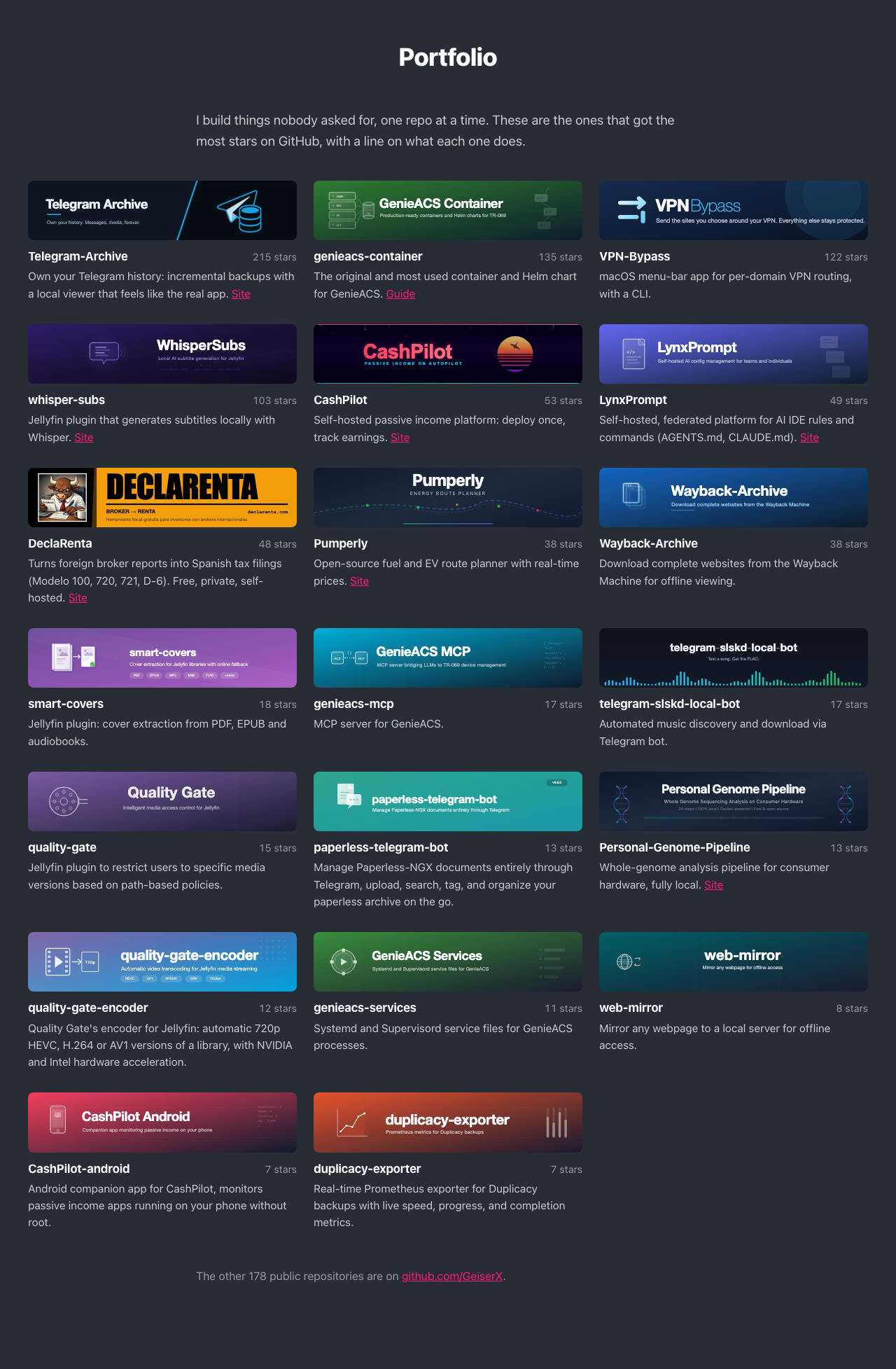
- One Ghost html card with its own scoped style: an intro, a card per repository, and a line pointing at your GitHub profile.
- Each card has the repository banner (or a name tile), the name and star count, one line on what it does, and a "Site" link.
- Three columns on desktop, two on tablets, one on phones; wide cards on Alto, Source and Casper.
- Filters by stars, forks, archived, name patterns and awesome lists, then cuts to
maxRepos. - Per-repo overrides in
config.ymlor in a.ghost-portfolio.ymlinside each repository. - Checks that each SVG banner is self-contained, and warns when it falls back to a name tile.
- Can write through the Ghost origin when a firewall blocks
<imgin request bodies. --dry-run,--jsonand--html-outpreviews that never touch Ghost.
npm install -g ghost-github-portfolio
ghost-github-portfolio init
ghost-github-portfolio sync --config config.yml --html-out preview.html
Open preview.html in a browser; Ghost is not touched. When the preview looks right, drop --html-out and set GHOST_ADMIN_API_KEY (Ghost, Settings, Integrations, "Add custom integration") to write the page. Usage has the other install paths.
- Configuration:
config.yml, filters, environment variables, descriptions, banners, writing through the Ghost origin - Usage: install, init, preview and sync
- How it works: the page layout and the sync steps
- Running on a schedule: the GitHub Action, cron and a Docker loop
The roadmap is in docs/ROADMAP.md.