
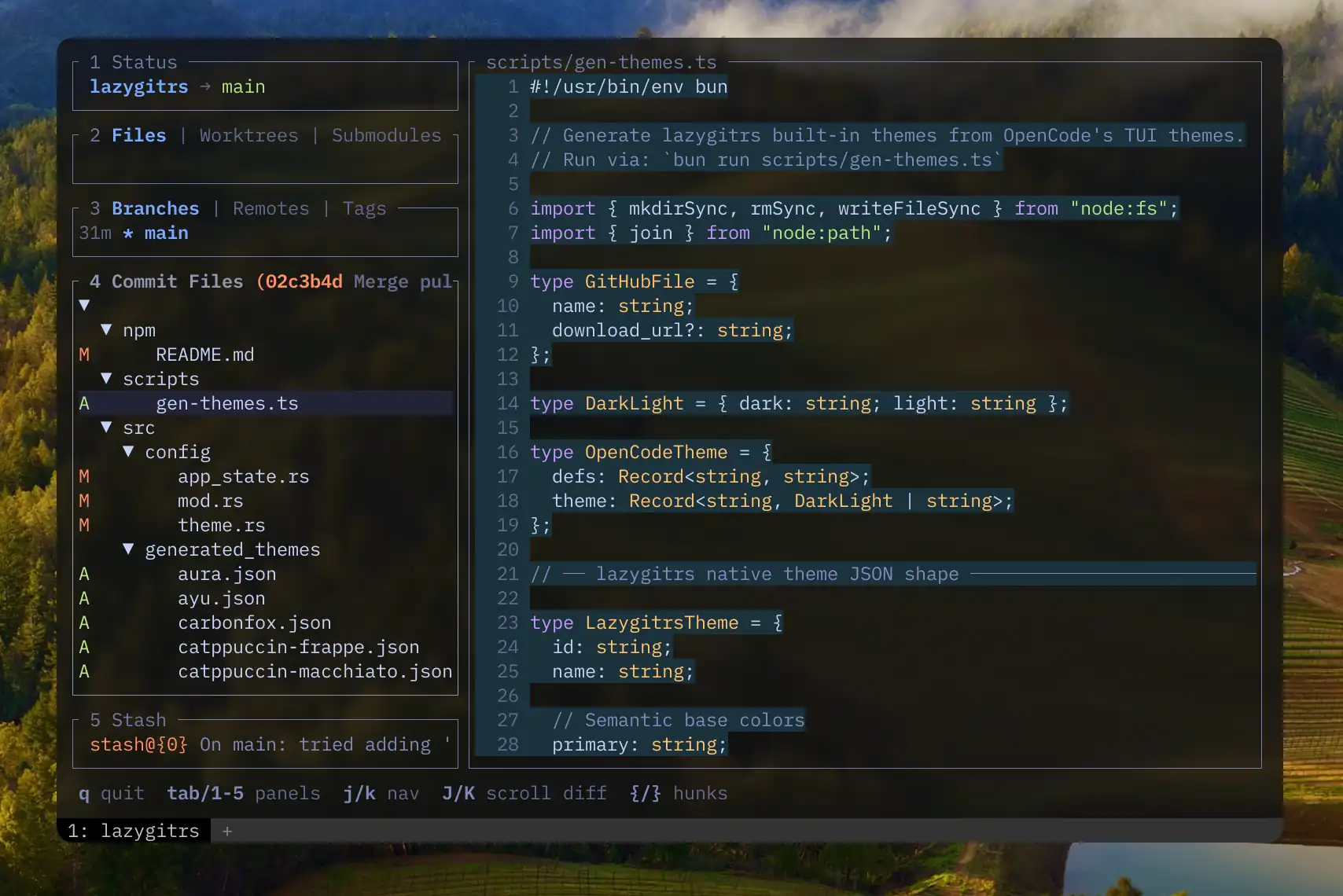
A faster, memory-safe, more ergonomic slopfork of lazygit (🦀 rust btw).
This is mostly a "for me" tool — built for my own workflow. Not saying you shouldn't use it, but don't expect it to be a community project. But hey, it works for me!
Why fork? PRs were sitting too long, or the upstream direction didn't match how I wanted to work.
The goal: everything lazygit does, but faster and with opinions I actually agree with. (I can't promise backwards-compat w/ lazygit's config since it'll eventually drift w/ my own opinions, but I made sure to do that)
Make sure you have:
brew install blankeos/tap/lazygitrs # Homebrew (macOS/Linux)
npm install -g lazygitrs            # or npm
bun install -g lazygitrs            # or bun
cargo binstall lazygitrs            # or cargo-binstall (prebuilt binary, faster)
cargo install lazygitrs             # or cargo (build from source)
curl -sSL https://raw.githubusercontent.com/Blankeos/lazygitrs/main/install.sh | sh # or linux/macos (via curl)
Then run:
lazygitrsUse lazygitrs --commits to start at the checked-out HEAD commit. If filters
or pagination hide HEAD, it opens a separate HEAD history view without clearing
your filters. Use 2 and 4 to navigate between Files and Commits; Ctrl+G
in Files generates a commit message using git.commit.generateCommand.
In Files, commit/stash file lists, and compare mode, press backtick (`) to
toggle the tree view. With a tree active:
-folds/unfolds the selected directory (including the root).Enterfocuses the selected file or combined directory diff without changing your normal/half/full layout;Escreturns to the file list.,/.select the parent / first visible child.</>select the previous / next sibling, skipping nested descendants. Hierarchy navigation also works while the diff is focused.
These shortcuts are configurable under keybinding.universal in your config:
keybinding:
  universal:
    foldDirectory: "-"
    treeParent: ","
    treeChild: "."
    treePrevSibling: "<"
    treeNextSibling: ">"
Set a binding to "" to disable it. Collapsed directories must be unfolded
before their children can be selected. Tree-navigation actions appear in ?
only while a tree is active. The footer shows just the fold/unfold shortcut
(default -) in tree views, not hierarchy navigation or commit details.
' (apostrophe) toggles commit details, also shown on the panel’s top-right
border; explicitly remapping a tree action to ' will override it while
the tree is active.
Press : in the normal view or compare mode to run a shell command from the
repository root without leaving the TUI. Remap the prompt shortcut in your config,
or set it to "" to disable it:
keybinding:
  universal:
    customCommandPrompt: ":" # e.g. "<c-x>" to remap; "" to disable
The prompt uses $SHELL, falling back to sh when it is unset or empty. Bash
loads ~/.bash_aliases and ~/.bashrc and enables alias expansion; zsh keeps
native .zshenv startup (including changes to ZDOTDIR) and then loads
${ZDOTDIR:-$HOME}/.zshrc. Fish keeps its native startup configuration.
Aliases and functions defined there can be used, but a noninteractive guard in
your rc file may skip their definitions. Definitions that exist only in your
current interactive shell are not inherited. Bash, zsh, and Fish restore the
repository root after startup and clear positional arguments ($argv in Fish)
before evaluating your command, even if startup changed them. Paths and commands
are passed as literal arguments or environment values, not interpolated into
wrapper code. Fish uses a Fish-native wrapper; other shells receive a direct
native -c invocation (their startup may change the working directory). Use
your shell's syntax rather than POSIX syntax.
Commands run asynchronously and noninteractively with no input/TTY: editors,
password prompts, and other interactive programs are not supported here. Press
Esc while a command is running to cancel it; commands time out after five
minutes. Output includes the exit status, stdout, and stderr, with a 1 MiB capture
cap per stream (excess output is truncated). Background children are terminated
when the job ends, including on completion, cancellation, or timeout; this is
not a way to launch persistent background services. Processes that explicitly
create their own process group or session can escape cleanup; this prompt is not a
sandbox. The process runner currently requires Unix (macOS/Linux).
Input preserves pasted newlines and quoted spacing; Enter executes the whole
command and Esc dismisses without running it. Scroll command results with
j/k, arrow keys, the mouse wheel, PgUp/PgDn, or g/G; y copies the result and
Esc/Enter closes it. The command log retains a bounded output preview.
Configured customCommands still use sh -c rather than the prompt's $SHELL
and rc-file loading, but now run asynchronously with the same cancellation,
timeout, and output limits.
Detects how you installed (brew / npm / bun / cargo / install.sh) and upgrades in place:
lazygitrs upgrade          # latest
lazygitrs upgrade 0.0.32 # specific version-
AI commit messages — works with whatever agent you already use (claude, opencode, codex, or my minimal shim modelcli). Set
git.commit.generateCommand(see Configuration):# ~/.config/lazygitrs/config.yml git: commit: # Using claude generateCommand: "claude -p 'Generate a conventional commit message for this diff. Do not hard-wrap lines; one bullet per line; blank line between paragraphs.' --no-session-persistence" # Using opencode generateCommand: "opencode run 'Generate a conventional commit message for this diff. Do not hard-wrap lines; one bullet per line; blank line between paragraphs.'" # Using codex generateCommand: "codex exec --ephemeral 'Generate a conventional commit message for this diff. Do not hard-wrap lines; one bullet per line; blank line between paragraphs.'" # Using modelcli generateCommand: 'DIFF=$(git diff --cached) && modelcli "Generate a conventional commit message for this diff. Always provide a bulletpoint body. Do not hard-wrap lines; one bullet per line. $DIFF"'
-
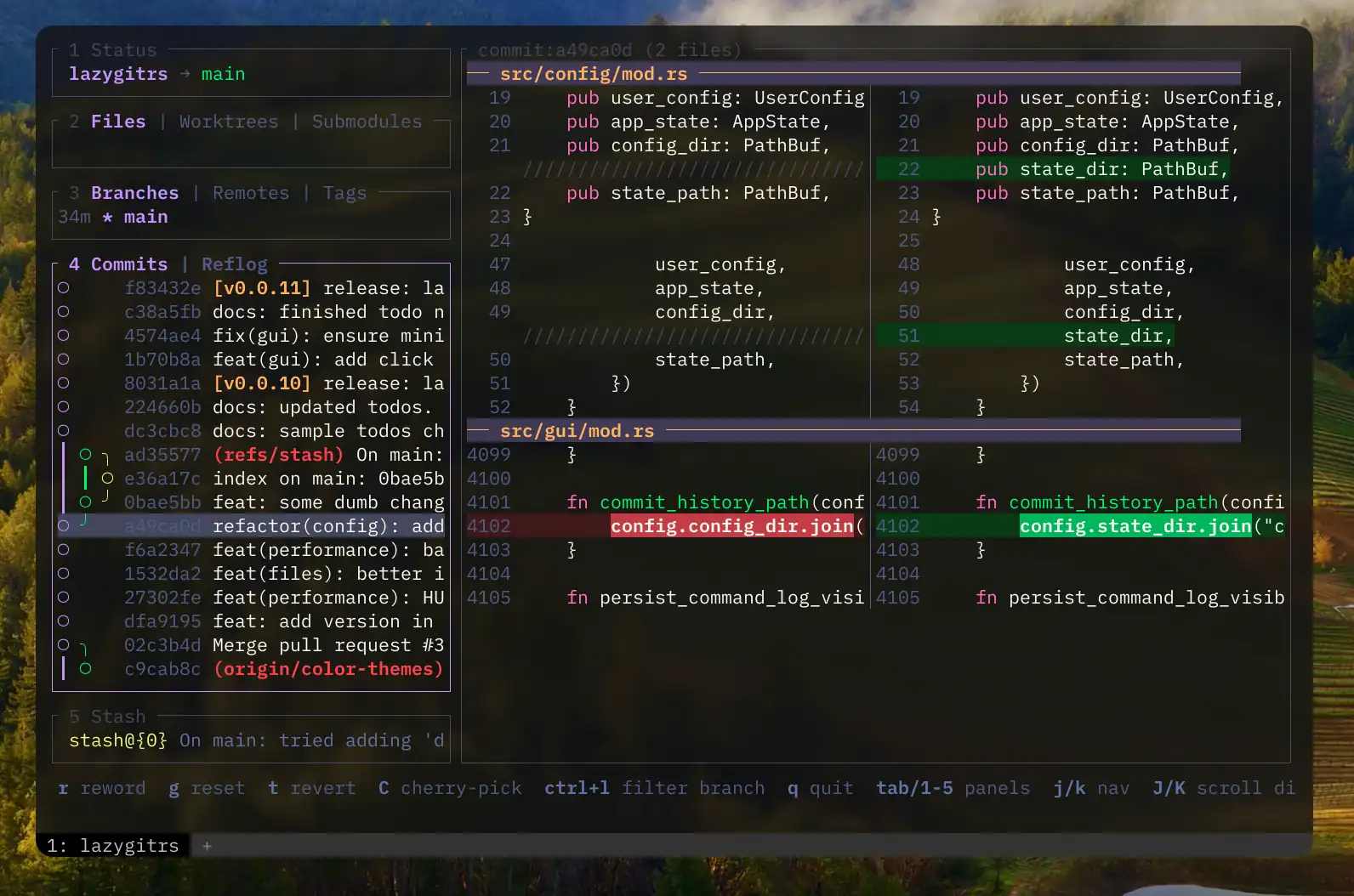
Side-by-side + unified diffs with syntax highlighting by default and unified as well, no pager hacks needed
-
Better diff navigation UX —
[]new/old only views,{}for hunk traveling,hjkl←↑↓→for line-by-line scrolling, supports mouse select/scroll too. Lots inspired by lumen -
Default GitHub conveniences — copy repo url, open repo url, copy PR create url, open PR create, copy pr url, open pr. (The 'copy' variants are useful if you use different default browsers for work/personal.)
-
Branch Filtering — better experience in the Commits tab, compare what actually matters.
-
Built-in compare tool — Again, inspired by lumen, but more built into the TUI. Pick a commit/branch A and a commit/branch B, then see how they differ.
-
Interactive rebasing — inspired by gitlens, a clean and easy-to-use UI for pick, reword, edit, squash, fixup, drop and fast rebasing.
-
Commit Details — Inspired by zed, just a small details panel about the commit that's easier to look at.
-
Command Palette — easily access stuff like:
-
git reset(globalG) — asks which branch/commit, has quick search, then soft/mixed/hard options. -
git diff/compare(globalW) and then asks what branch/commit A and B, has quick search. -
git rebase(globalI) and then asks rebase on top of what branch/commit. - 🎨 Themes + Theme-Picker!
-
-
Grep diff contents —
Ctrl-Fin Files / Commit Files / Compare searches hunk lines in-context,Enterjumps to the file in the current list.
Selecting a PNG, JPEG, GIF (first frame), WebP, BMP, ICO, or TIFF file shows Before / After previews in Kitty and Ghostty. Added/deleted files show the available image full-width, labeled Added or Deleted. Staged previews use the index; commit-file and ref comparisons use the corresponding Git blobs.
Other binaries, unsupported/corrupt images, files over 20 MiB, and unsupported terminal environments keep the striped binary placeholder. Images are decoded with memory/dimension limits and resized in the background. SVG and video previews are not included yet.
Folder previews in the file tree mix text diffs with inline image sections. Each image section is capped at 12 rows; visible sections load in the background (two at a time) and offscreen pixels are released. This works in split/unified and wrapped views, including commit/stash folders and ref-comparison folders. Whole-commit overview buffers still retain binary placeholders. Inline images require Kitty/Ghostty placeholder graphics; other terminals keep stripes.
Set LAZYGITRS_IMAGE_PREVIEW=off to disable image previews. tmux, screen, and
Zellij currently fall back to stripes. iTerm2/WezTerm and Sixel are experimental
(LAZYGITRS_IMAGE_PREVIEW=experimental); their overlay cleanup is not yet fully
verified. Nested editor launches avoid terminal capability queries.
Config goes in ~/.config/lazygitrs/config.yml or ~/.config/lazygit/config.yml — both work, using either only won't break anything so you can reference the original lazygit config guide.
Persisted State lives at ~/.local/state/lazygitrs/state.yml and ~/.local/state/lazygitrs/commit_message_history you won't need to touch this.
New config properties:
git.commit.generateCommand— shell command for AI-generated commit messages. See What's different for examples.keybinding.universal.customCommandPrompt— shell prompt shortcut (":"by default;""disables it). See Shell command prompt.~/.config/lazygitrs/themes/*.json— drop custom theme files here. See Themes.
lazygitrs ships with 30+ built-in color themes (Catppuccin, Dracula, Tokyo Night, Gruvbox, Nord, etc.) sourced from OpenCode's TUI theme collection.
Unlike original lazygit, you can switch themes without touching any config file — just press ? > Color Themes > Enter. Your choice is saved automatically.
Custom themes: Drop a .json file into ~/.config/lazygitrs/themes/ and it appears in the picker. Start by copying an existing theme from src/generated_themes/ and tweaking the colors. The format is a flat JSON with all fields optional (unset values are derived from semantic base colors like primary, success, error):
{
  "id": "my-theme",
  "name": "My Custom Theme",
  "primary": "#ff6600",
  "success": "#00ff88",
  "error": "#ff3333",
  "warning": "#ffcc00",
  "text_strong": "#ffffff",
  "background": "#1a1a2e"
}Helix — Space G g to open, Space G f for file history
Add to ~/.config/helix/config.toml — capital G keeps the built-in space g changed-file picker intact:
[keys.normal.space.G]
g = [":insert-output lazygitrs", ":redraw"]
f = [":insert-output lazygitrs -f '%{file_path_absolute}'", ":redraw"]
Absolute path matters — -f resolves it to repo-relative (e.g. apps/nextjs/next.config.ts in a monorepo).
For e (edit back in hx) — ~/.config/lazygitrs/config.yml:
os:
  editPreset: "helix"
For o (open), leave the default — OS opener (Finder for folders on macOS).
Neovim (LazyVim / snacks.nvim) — <leader>gg to open, <leader>gF for file history
Snacks.lazygit() hardcodes lazygit, so use Snacks.terminal instead. In ~/.config/nvim/lua/plugins/snacks-lazygitrs.lua:
return {
  {
    "folke/snacks.nvim",
    opts = { lazygit = { configure = false } },
    keys = {
      { "<leader>gg", function() Snacks.terminal({ "lazygitrs" }, { cwd = LazyVim.root.git(), win = { style = "lazygit" } }) end, desc = "Lazygitrs" },
      { "<leader>gF", function() Snacks.terminal({ "lazygitrs", "-f", vim.fn.expand("%:p") }, { cwd = LazyVim.root.git(), win = { style = "lazygit" } }) end, desc = "Lazygitrs file history" },
    },
  },
}
Restart nvim (or :Lazy reload snacks.nvim) to pick it up.
For e (edit back in nvim) — ~/.config/lazygitrs/config.yml:
os:
  editPreset: "nvim"
For o (open), leave the default — it uses the OS opener (Finder for folders on macOS).
Startup benchmark using hyperfine:
Benchmark 1: lazygitrs --version
  Time (mean ± σ):       4.2 ms ±   1.3 ms    [User: 1.2 ms, System: 0.9 ms]
  Range (min … max):     2.7 ms …  15.4 ms    830 runs

Benchmark 2: lazygit --version
  Time (mean ± σ):      13.5 ms ±   2.5 ms    [User: 6.4 ms, System: 5.2 ms]
  Range (min … max):    10.2 ms …  21.2 ms    224 runs

Summary
  lazygitrs --version ran
    3.24 ± 1.16 times faster than lazygit --version
MIT
Feel free to fork and give it your own spin.