💠Android Material's motion system animations.






👉 Check out who's using Metaphor

Add the dependency below to your module's build.gradle file:
dependencies {
    implementation("io.github.androidpoet:metaphor:2.0.0")
}
Metaphor provides support for all four motion patterns defined in the Material spec, plus elevation scale and hold.
Metaphor separates what animates from where it animates.
- A
Motionis one Material pattern as plain data:Motion.Fade(),Motion.SharedAxis.x(),Motion.ContainerTransform()and so on. Each carries only its own parameters and defaults to the duration the Material spec recommends. - A
MotionSpecis the set of motions for one screen:enter,exit,popEnter,popExitand an optionalsharedElement. It holds no reference to a Fragment or Activity, so it can be declared once and reused anywhere. applyMotion(...)is the only thing a target needs to call. It exists forFragment,ActivityandPopupWindow. Views usemorphInto,animateVisibilityandanimateChanges.
object Motions {
  val listOrigin = motionSpec {
    exit = Motion.ElevationScale.shrink()
    popEnter = Motion.ElevationScale.grow()
  }
  val detail = motionSpec {
    sharedElement = Motion.ContainerTransform()
  }
}

The origin screen holds a list. The destination screen grows out of the tapped item and shrinks back into it on return.
// Origin fragment (the list)
class ArtistListFragment : Fragment() {

  override fun onCreate(savedInstanceState: Bundle?) {
    super.onCreate(savedInstanceState)
    applyMotion {
      exit = Motion.ElevationScale.shrink()   // list fades back while the detail grows
      popEnter = Motion.ElevationScale.grow() // list comes forward again on return
    }
  }

  override fun onViewCreated(view: View, savedInstanceState: Bundle?) {
    super.onViewCreated(view, savedInstanceState)
    // Wait for the list to lay out so the return transform can find the item view.
    postponeEnterUntilDrawn()
  }

  private fun openDetail(itemView: View, item: Artist) {
    val extras = FragmentNavigatorExtras(itemView to item.id)
    findNavController().navigate(ArtistListFragmentDirections.toDetail(item), extras)
  }
}

// Destination fragment (the detail)
class ArtistDetailFragment : Fragment() {

  private val args: ArtistDetailFragmentArgs by navArgs()

  override fun onViewCreated(view: View, savedInstanceState: Bundle?) {
    super.onViewCreated(view, savedInstanceState)
    applyMotion(
      spec = motionSpec {
        sharedElement = Motion.ContainerTransform(
          duration = 300,
          scrimColor = Color.TRANSPARENT,
          containerColor = Color.WHITE,
          path = MotionPath.Arc,
        )
      },
      sharedElement = SharedElement.Destination(view, args.item.id),
    )
  }
}
Motion.ContainerTransform takes scrimColor, containerColor, path (MotionPath.Arc or
MotionPath.Linear), fadeMode (In, Out, Cross, Through) and duration.
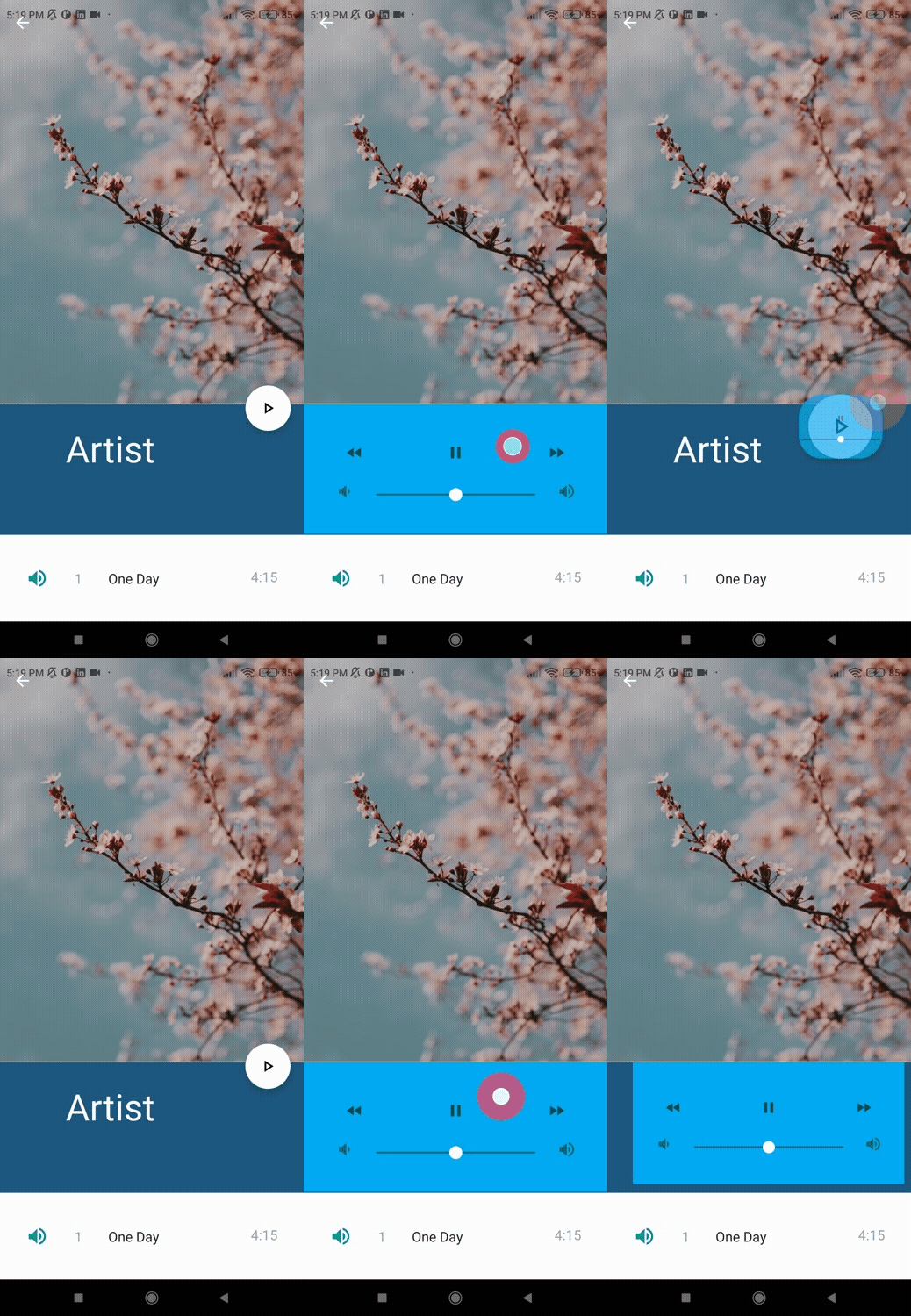
Morph one view into a sibling. The first view is hidden and the target is shown when the transition starts. Both views must share the same parent.
viewBinding.fabDetail.setOnClickListener {
  viewBinding.fabDetail.morphInto(viewBinding.controls, Motion.ContainerTransform(duration = 300))
}

viewBinding.controls.setOnClickListener {
  viewBinding.controls.morphInto(viewBinding.fabDetail)
}// Origin activity
class ArtistListActivity : AppCompatActivity() {
override fun onCreate(savedInstanceState: Bundle?) {
super.onCreate(savedInstanceState)
setContentView(binding.root)
applyMotion(SharedElement.Origin) {
sharedElement = Motion.ContainerTransform()
exit = Motion.Hold()
}
}
private fun openDetail(card: View) {
card.transitionName = "card"
val options = ActivityOptions.makeSceneTransitionAnimation(this, card, "card")
startActivity(Intent(this, ArtistDetailActivity::class.java), options.toBundle())
}
}
// Destination activity
class ArtistDetailActivity : AppCompatActivity() {
override fun onCreate(savedInstanceState: Bundle?) {
super.onCreate(savedInstanceState)
setContentView(binding.root)
applyMotion(SharedElement.Destination(binding.root, "card")) {
sharedElement = Motion.ContainerTransform()
}
}
}
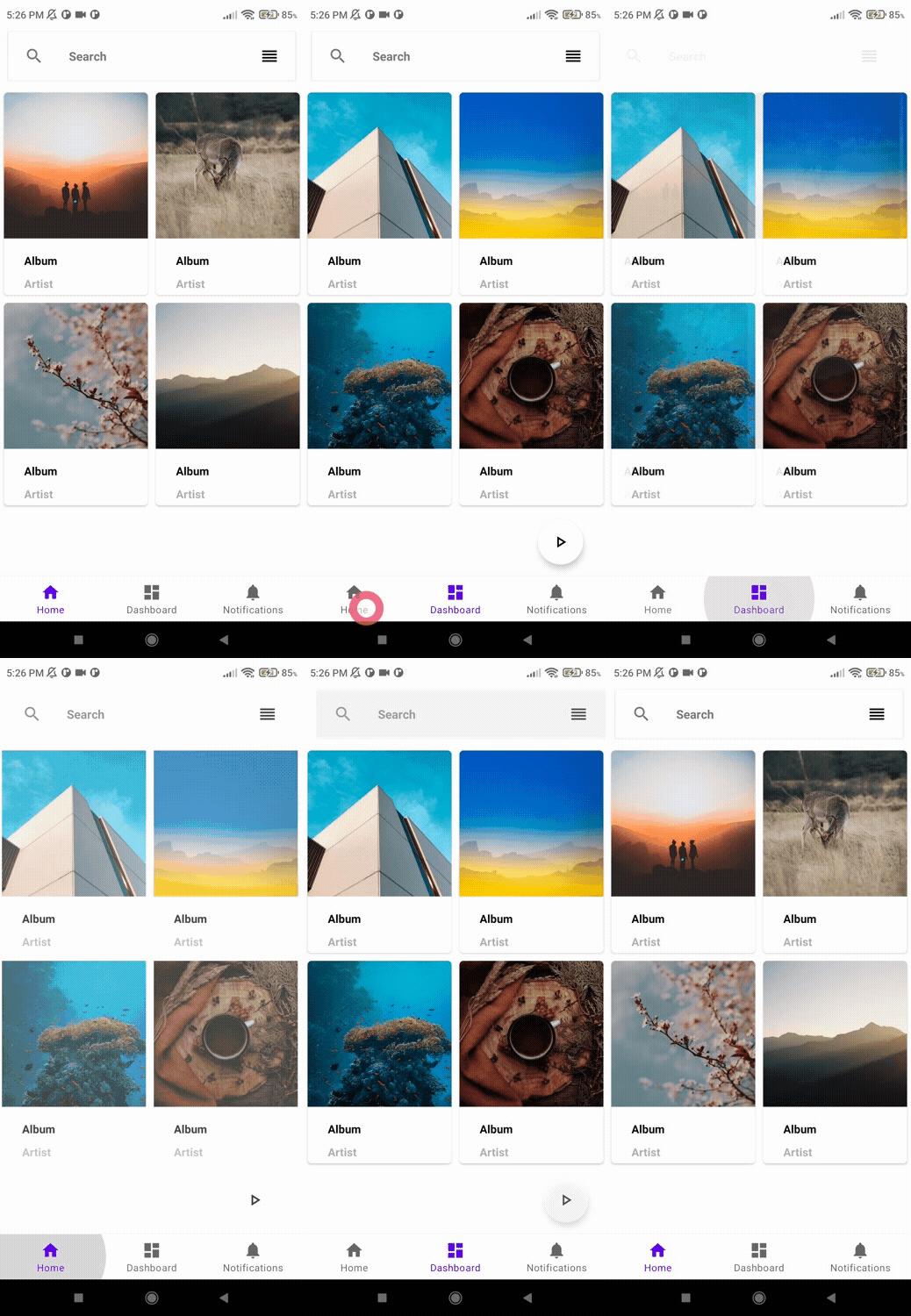
Both screens set the same axis. forward = true plays when moving deeper, forward = false
plays when popping back.
// Origin fragment
class SettingsFragment : Fragment() {

  override fun onCreate(savedInstanceState: Bundle?) {
    super.onCreate(savedInstanceState)
    applyMotion {
      exit = Motion.SharedAxis.x(forward = true)
      popEnter = Motion.SharedAxis.x(forward = false)
    }
  }
}

// Destination fragment
class AccountFragment : Fragment() {

  override fun onCreate(savedInstanceState: Bundle?) {
    super.onCreate(savedInstanceState)
    applyMotion {
      enter = Motion.SharedAxis.x(forward = true)
      popExit = Motion.SharedAxis.x(forward = false)
    }
  }
}
Motion.SharedAxis.y() and Motion.SharedAxis.z() work the same way, or build one directly:
Motion.SharedAxis(axis = Motion.SharedAxis.Axis.Z, forward = true, duration = 400)
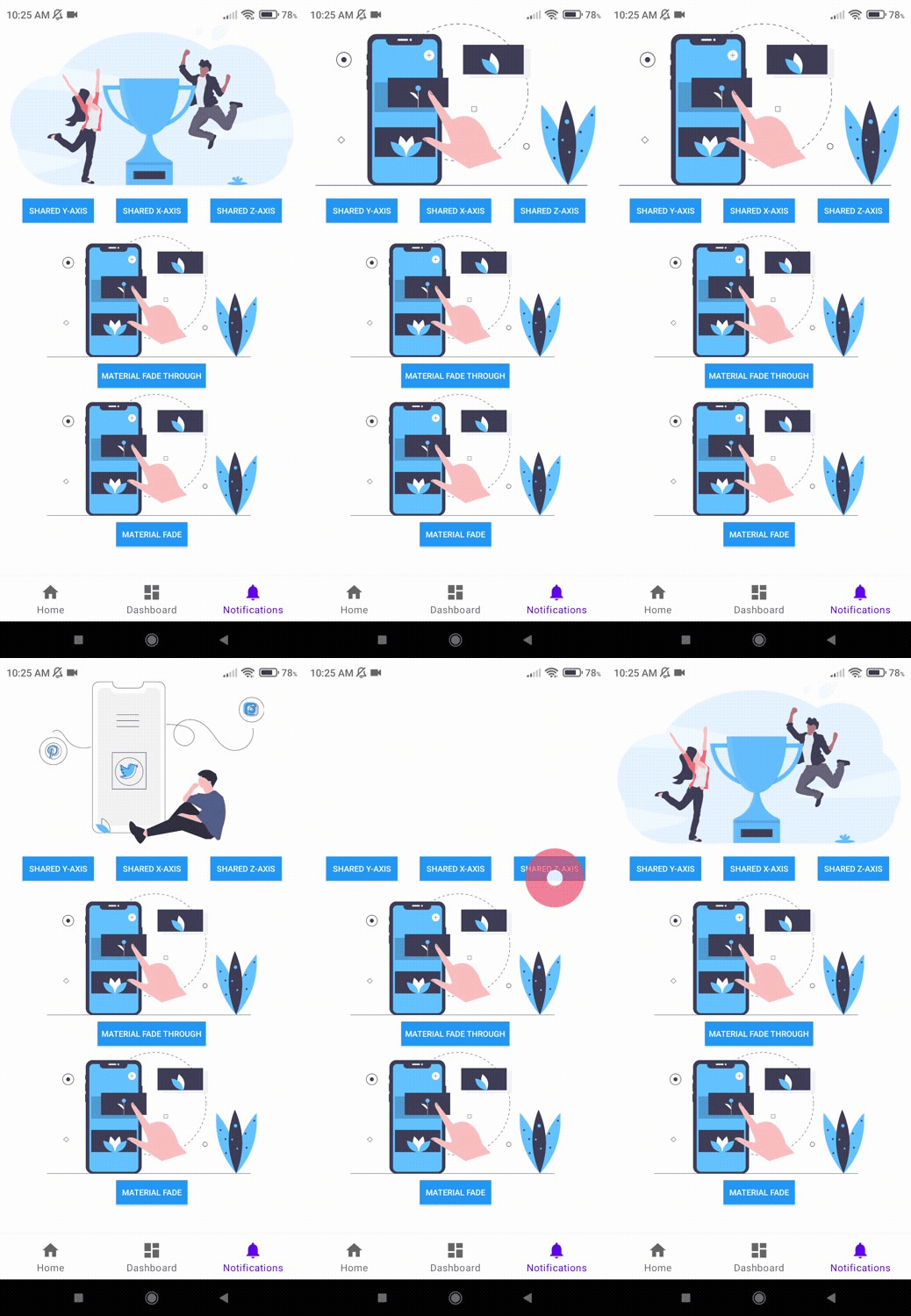
viewBinding.sharedX.setOnClickListener {
  viewBinding.img.toggleVisibility(Motion.SharedAxis.x(forward = true, duration = 1000))
}

viewBinding.sharedY.setOnClickListener {
  viewBinding.img.toggleVisibility(Motion.SharedAxis.y(forward = true))
}

viewBinding.sharedZ.setOnClickListener {
  viewBinding.img.toggleVisibility(Motion.SharedAxis.z(forward = true))
}// Origin activity, in onCreate
applyMotion {
exit = Motion.SharedAxis.x(forward = true)
popEnter = Motion.SharedAxis.x(forward = false)
}
// Destination activity, in onCreate
applyMotion {
enter = Motion.SharedAxis.x(forward = true)
popExit = Motion.SharedAxis.x(forward = false)
}Fade through suits screens that are not related, such as bottom navigation tabs.
// Origin fragment
class HomeFragment : Fragment() {

  override fun onCreate(savedInstanceState: Bundle?) {
    super.onCreate(savedInstanceState)
    applyMotion {
      enter = Motion.FadeThrough()
      exit = Motion.FadeThrough()
    }
  }
}

// Destination fragment
class DashboardFragment : Fragment() {

  override fun onCreate(savedInstanceState: Bundle?) {
    super.onCreate(savedInstanceState)
    applyMotion {
      enter = Motion.FadeThrough(duration = 300)
      exit = Motion.FadeThrough(duration = 300)
    }
  }
}

viewBinding.materialFadeThrough.setOnClickListener {
  viewBinding.img2.toggleVisibility(Motion.FadeThrough(duration = 1000))
}
Swap two views in one go:
viewBinding.container.animateChanges(Motion.FadeThrough()) {
  viewBinding.summary.isVisible = false
  viewBinding.detail.isVisible = true
}// In onCreate of both activities
applyMotion {
enter = Motion.FadeThrough()
exit = Motion.FadeThrough()
}// Origin fragment
class NotificationsFragment : Fragment() {
override fun onCreate(savedInstanceState: Bundle?) {
super.onCreate(savedInstanceState)
applyMotion {
exit = Motion.Fade()
popEnter = Motion.Fade()
}
}
}
// Destination fragment
class NotificationDetailFragment : Fragment() {
override fun onCreate(savedInstanceState: Bundle?) {
super.onCreate(savedInstanceState)
applyMotion {
enter = Motion.Fade(duration = 150)
popExit = Motion.Fade(duration = 75)
}
}
}

viewBinding.materialFade.setOnClickListener {
  viewBinding.img3.toggleVisibility(Motion.Fade(duration = 1000))
}

// or set the state explicitly
viewBinding.banner.animateVisibility(visible = false, motion = Motion.Fade())
Elevation scale is the usual partner of a container transform: the origin screen scales down and fades while the detail grows over it, then scales back up on return.
// Origin fragment, in onCreate
applyMotion {
  exit = Motion.ElevationScale.shrink()
  popEnter = Motion.ElevationScale.grow()
}
Hold keeps the origin screen frozen in place for the length of the transition. Use it on the screen an Activity container transform starts from so it does not fade under the growing container.
applyMotion(SharedElement.Origin) {
  sharedElement = Motion.ContainerTransform()
  exit = Motion.Hold(duration = 300)
}val popup = PopupWindow(contentView, WRAP_CONTENT, WRAP_CONTENT, true)
popup.applyMotion {
enter = Motion.Fade()
exit = Motion.Fade()
}
popup.showAsDropDown(anchor)A MotionSpec has no reference to a Fragment or Activity, so app-wide motion lives in one
place and each screen applies what it needs.
object Motions {
  val tab = motionSpec {
    enter = Motion.FadeThrough()
    exit = Motion.FadeThrough()
  }

  val listOrigin = motionSpec {
    exit = Motion.ElevationScale.shrink()
    popEnter = Motion.ElevationScale.grow()
  }

  fun detail(duration: Long = 300) = motionSpec {
    sharedElement = Motion.ContainerTransform(duration = duration)
  }
}

// Home tab
override fun onCreate(savedInstanceState: Bundle?) {
  super.onCreate(savedInstanceState)
  applyMotion(Motions.tab)
}

// List screen
override fun onCreate(savedInstanceState: Bundle?) {
  super.onCreate(savedInstanceState)
  applyMotion(Motions.listOrigin)
}

// Detail screen
override fun onViewCreated(view: View, savedInstanceState: Bundle?) {
  super.onViewCreated(view, savedInstanceState)
  applyMotion(Motions.detail(), SharedElement.Destination(view, args.id))
}
Specs are plain data classes, so copy works for small variations:
val slowDetail = Motions.detail().copy(allowEnterOverlap = true)MotionSpec spec = new MotionSpec(
Motion.SharedAxis.x(true, 300L), // enter
Motion.SharedAxis.x(true, 300L), // exit
Motion.SharedAxis.x(false, 300L), // popEnter
Motion.SharedAxis.x(false, 300L), // popExit
null, // sharedElement
false, // allowEnterOverlap
false // allowReturnOverlap
);
FragmentMotionKt.applyMotion(fragment, spec, null);Motion.Fade(duration = 150)
Motion.FadeThrough(duration = 300)
Motion.SharedAxis(axis = Axis.X, forward = true, duration = 300) // also SharedAxis.x() / .y() / .z()
Motion.ElevationScale(growing = true, duration = 300) // also ElevationScale.grow() / .shrink()
Motion.ContainerTransform(scrimColor, containerColor, path, fadeMode, duration = 300)
Motion.Hold(duration = 300)The 1.x builders (MetaphorFragment, MetaphorActivity, MetaphorView, MetaphorWindow) and
the MetaphorAnimation enum still compile and delegate to the new API, but are deprecated and
will be removed in 3.0. hold() is now postponeEnterUntilDrawn(). The Factory and lazy
metaphorFragment<T>() helpers were removed; declare a MotionSpec in an object and apply it
instead. BottomNavigationView.show() / hide() moved to the com.androidpoet.metaphor.widgets
package.
| 1.x | 2.0 |
|---|---|
MetaphorFragment.Builder(this).setEnterAnimation(FadeThrough).build().animate() |
applyMotion { enter = Motion.FadeThrough() } |
.setExitAnimation(ContainerTransform).setView(view).setTransitionName(name) |
applyMotion(spec, SharedElement.Destination(view, name)) |
MetaphorView.Builder(a).setEndView(b).setMetaphorAnimation(ContainerTransform) |
a.morphInto(b) |
MetaphorView.Builder(v).setEndView(v).setMetaphorAnimation(Fade) |
v.toggleVisibility(Motion.Fade()) |
SharedAxisXBackward |
Motion.SharedAxis.x(forward = false) |
ElevationScaleGrow / ElevationScale |
Motion.ElevationScale.grow() / .shrink() |
images credit: https://picsum.photos/ (Unsplash photos)
Support it by joining stargazers for this repository. ⭐
Also, follow me on GitHub for more cool projects! 🤩

Copyright 2022 AndroidPoet (Ranbir Singh)

Licensed under the Apache License, Version 2.0 (the "License");
you may not use this file except in compliance with the License.
You may obtain a copy of the License at

http://www.apache.org/licenses/LICENSE-2.0

Unless required by applicable law or agreed to in writing, software
distributed under the License is distributed on an "AS IS" BASIS,
WITHOUT WARRANTIES OR CONDITIONS OF ANY KIND, either express or implied.
See the License for the specific language governing permissions and
limitations under the License.