


Data-driven sound effects and music for Unity, with no package dependencies.
Docs | Quickstart | Editor tools | Changelog | Sample scene
Give your players a cue keyed door and a music track with the context level-1. Assign a MusicDuck for dialogue.
[SerializeField] private SfxPlayer _sfx;
[SerializeField] private MusicPlayer _music;
[SerializeField] private MusicDuck _dialogueDuck;
private MusicDuckLease _dialogue;

public void OpenDoor() => _sfx.Play("door");
public void EnterLevel() => _music.PlayContext("level-1");
public void BeginDialogue() => _dialogue = _music.Duck(_dialogueDuck, holder: this);
public void EndDialogue() => _music.Release(_dialogue);
The quickstart shows how to create the assets and set up the scene.
DxAudio supports Unity 2021.3 and newer.
npm registry
Add the registry and package to Packages/manifest.json.
{
    "scopedRegistries": [
        {
            "name": "npmjs",
            "url": "https://registry.npmjs.org",
            "scopes": ["com.wallstop-studios"]
        }
    ],
    "dependencies": {
        "com.wallstop-studios.dxaudio": "0.4.0"
    }
}
Git URL
In Unity Package Manager, choose + > Add package from git URL.
https://github.com/Ambiguous-Interactive/DxAudio.git#v0.4.0
Tarball
Download the package tarball from Releases. In Unity Package Manager, choose + > Add package from tarball.
See the install guide for registry setup and sample availability.
- Cues. Tune takes, pitch jitter, rate limits, priorities and 3D falloff in assets.
- Voices. Play from a fixed pool without allocating. Higher-priority cues can replace one-shots, and loops keep their voices.
- Music. Crossfade between contexts and play temporary overrides.
- Ducks. Lower and filter music for dialogue, menus and cutscenes. Active ducks compose.
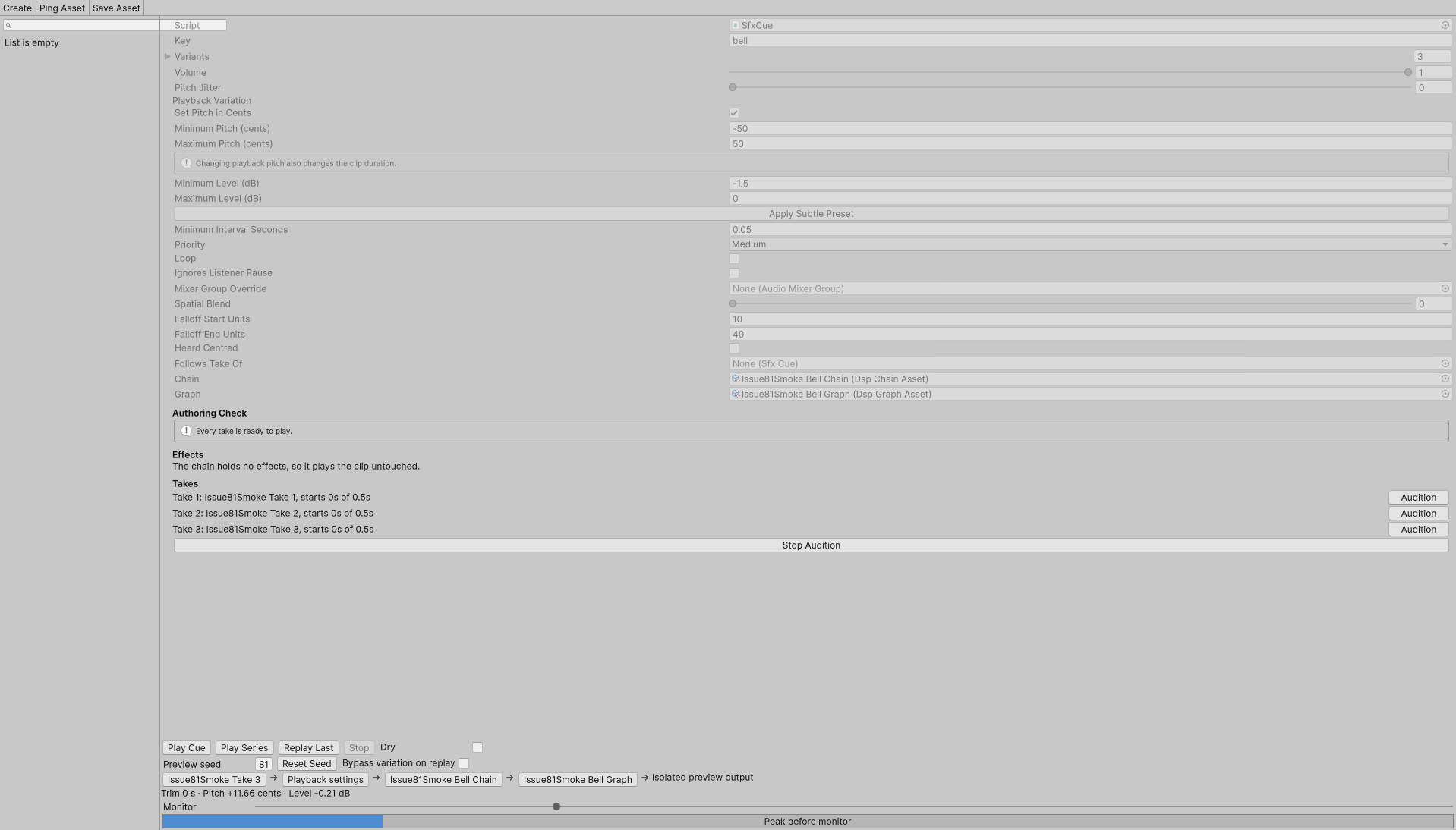
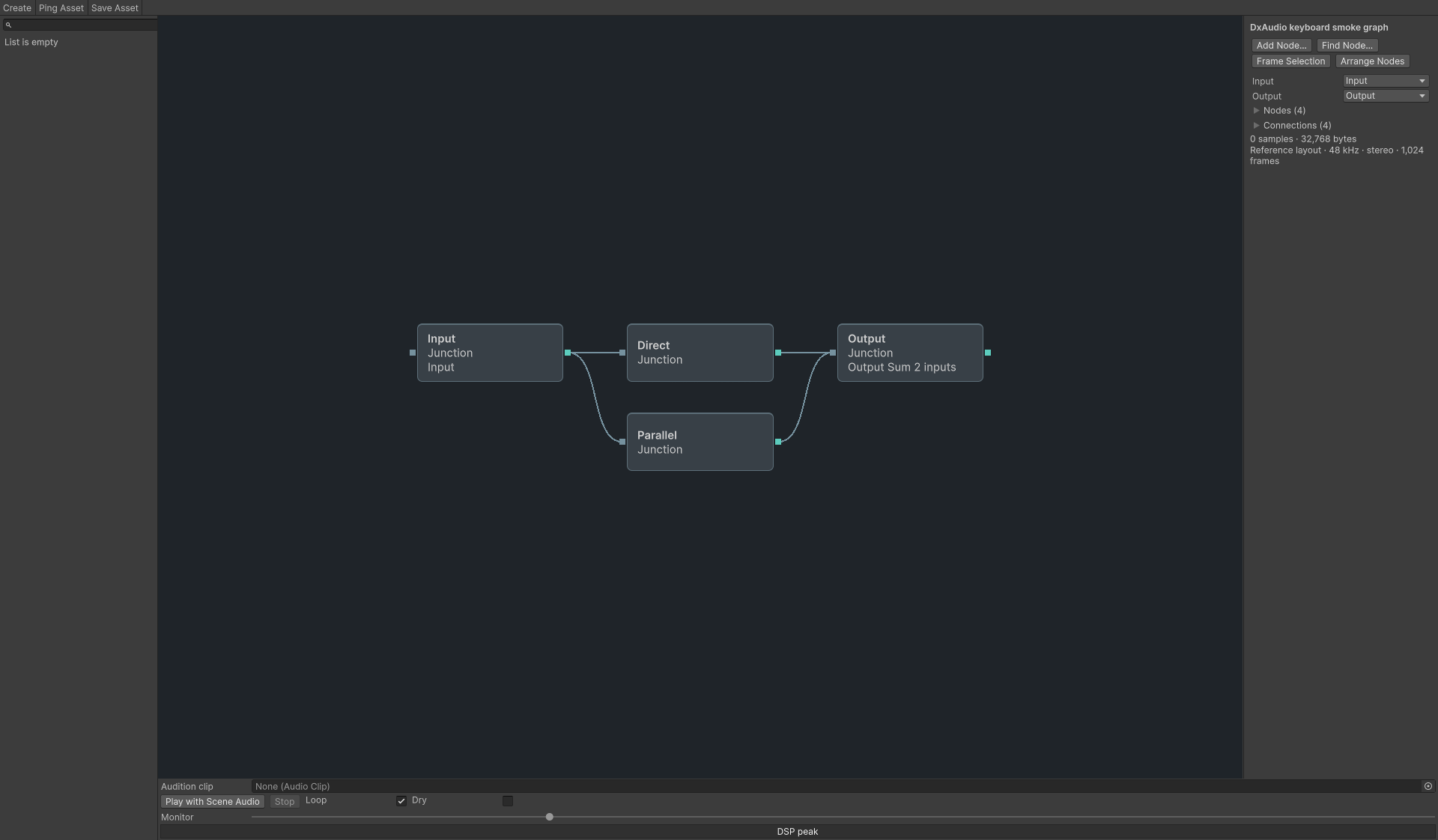
Open Tools > Wallstop Studios > DxAudio > Authoring to audition cues, edit DSP graphs and check libraries.
| Cue authoring | DSP graph |
|---|---|
 |
 |
| I want to... | Go to |
|---|---|
| Hear my first sound | Getting Started / Quickstart |
| Duck music under dialogue | Guides / Ducks |
| Understand why a voice gets stolen | Concepts / Voice pool |
| See active voices and ducks | Editor Tools / Play Mode diagnostics |
| Look up a field or message | Reference |
| Fix a sound that did not play | Troubleshooting |
Part of the Dx family. DxMessaging | DxVisualizer | DxTerminal
MIT No Attribution. Extracted from Isho Boy's audio system.
Snippet compiled in CI.